
Advancement Announcer gives you ability to send custom advancement messages to desired players.



Create stunning advancement announcements with full color support, custom sounds, and model data!






✨ Features
🎨 Full Color SupportLegacy colors ( |
🔊 Custom SoundsAdd custom sounds to announcements. Supports default Minecraft sounds and custom resource pack sounds |
✏️ Custom Model Data (CMD)Display items with custom model data. Supports integers, ItemsAdder, and Nexo |
🎮 Advanced Player TogglesPlayers can independently toggle announcements or just sounds with |
⚙️ In-Game GUI EditorManage everything from an easy-to-use interface ( |
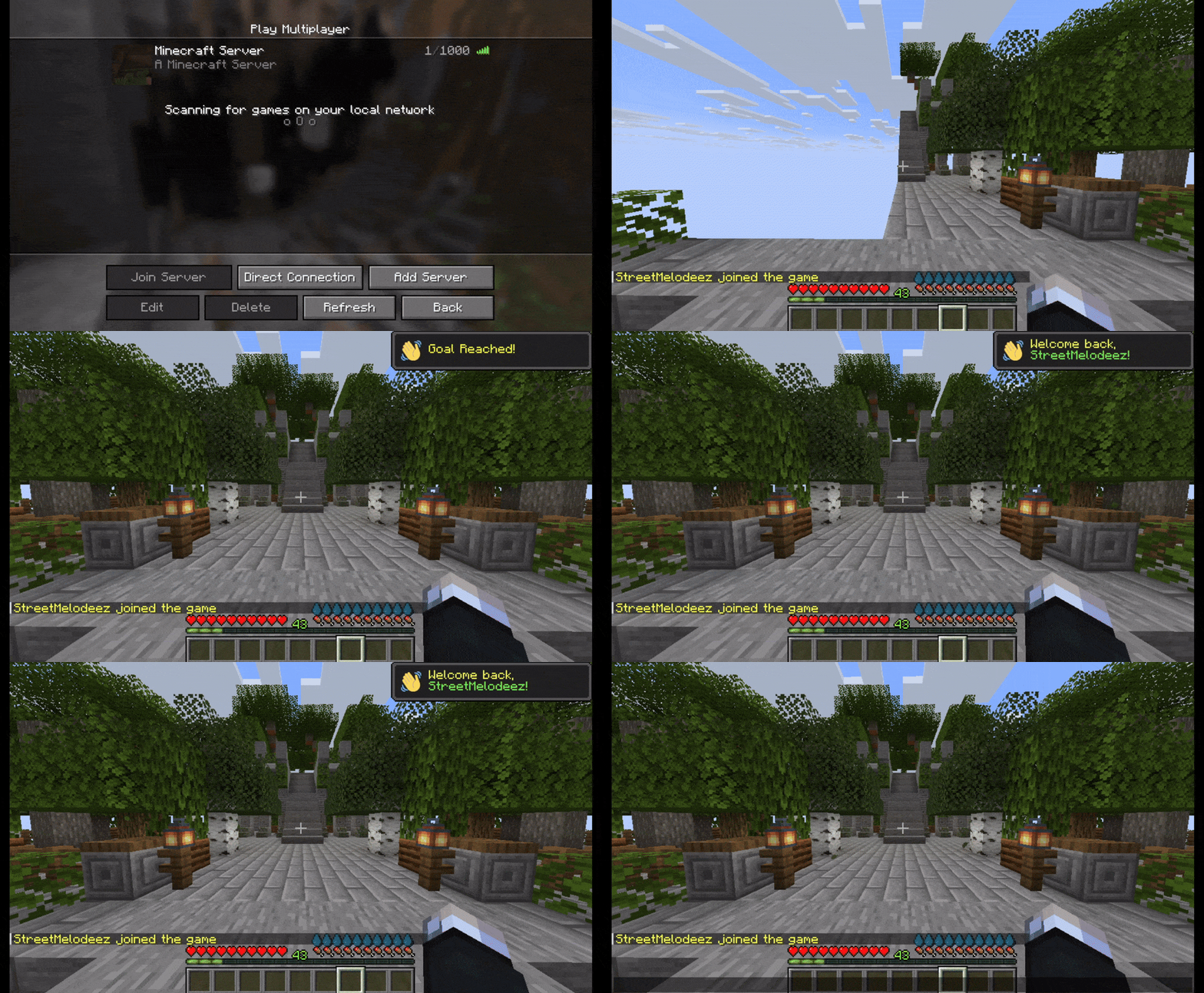
👋 Join MessagesWelcome players with unique announcements on join or first join with random selection |
⏰ Automated MessagesSet up unlimited auto-broadcast messages on a timer with ORDERED or RANDOM mode |
🔌 PlaceholderAPI SupportUse any PAPI placeholders in your messages for dynamic content |
📦 Multiple PresetsCreate and manage unlimited message presets with different styles and settings |
🔄 Update CheckerAutomatic notifications for new versions available |
🎮 GUI Editor
The in-game GUI makes configuration effortless! Access it with /aa edit
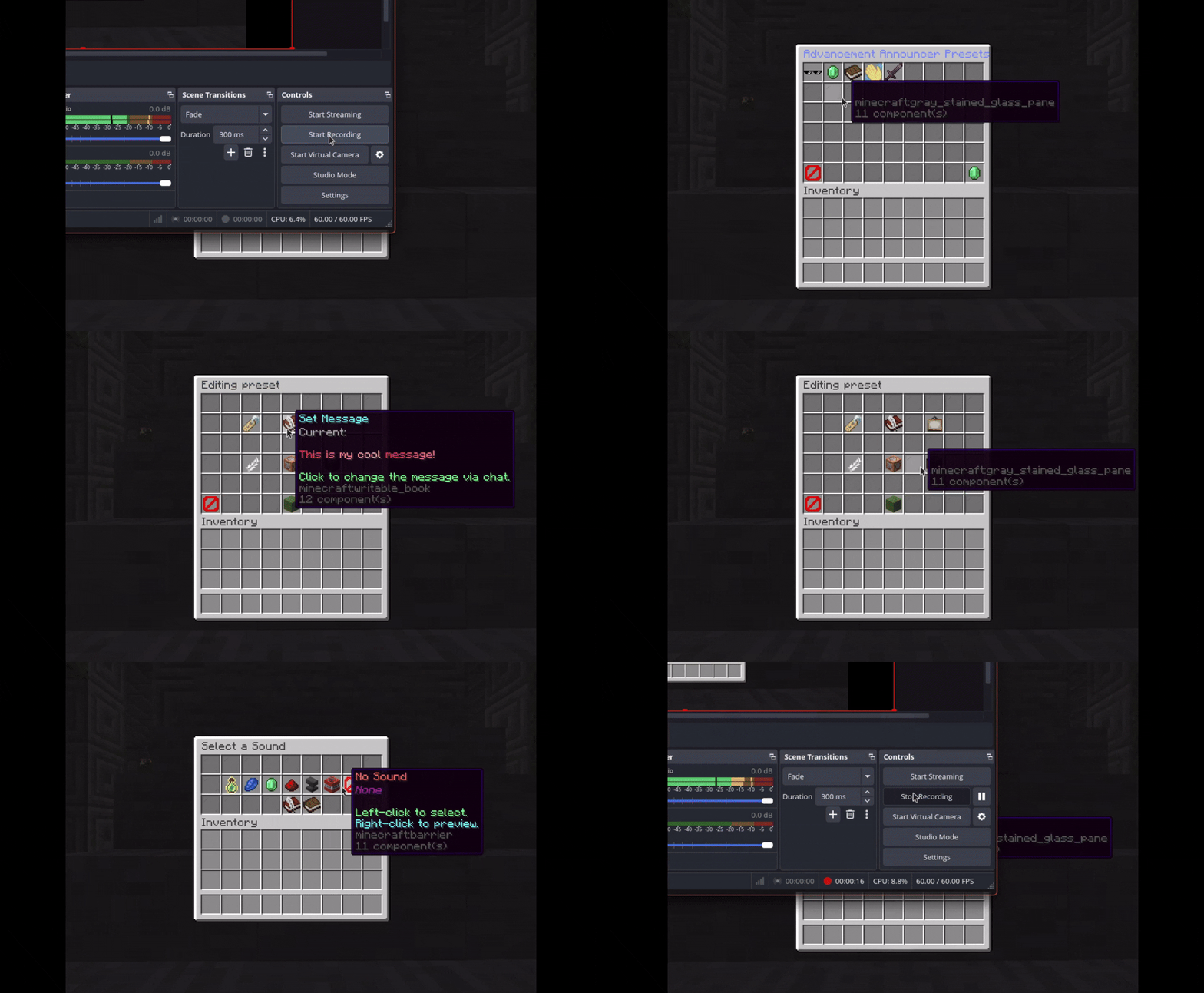
Features:
✅ Add, edit, and delete presets without YAML
✅ Configure auto-announcements on the fly
✅ Set up join/first-join messages
✅ Real-time preview of messages
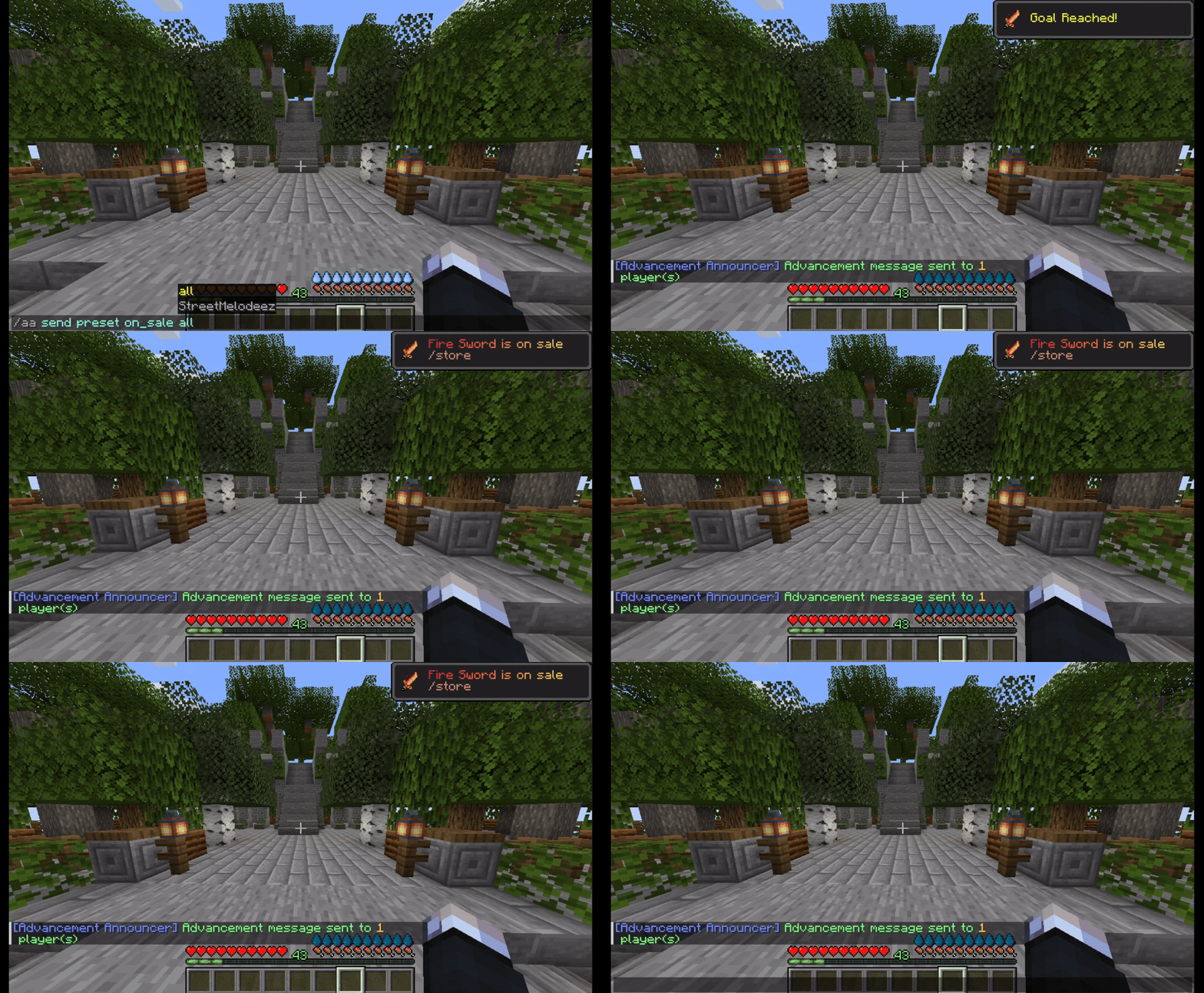
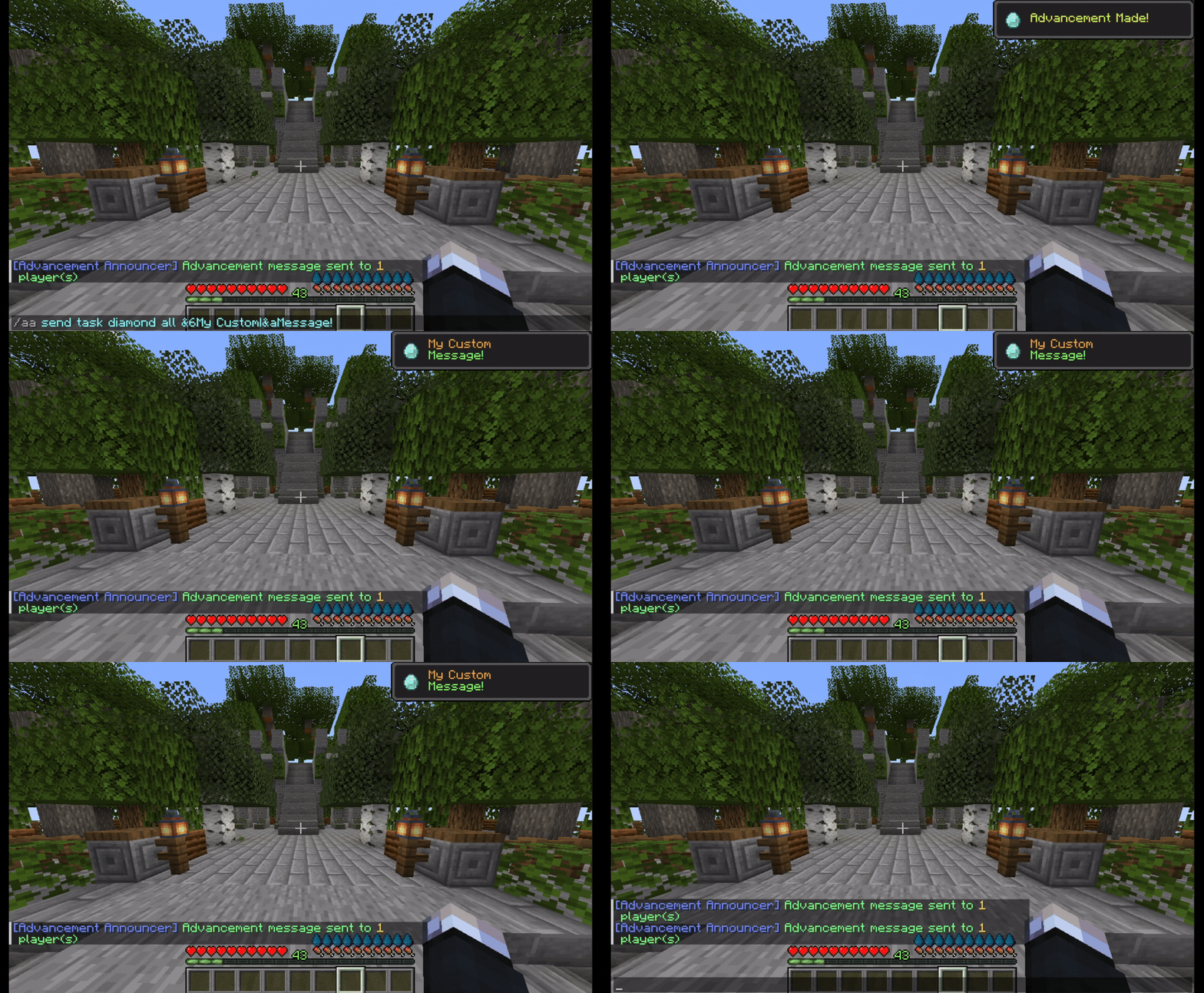
📸 Demo Screenshots
📋 Commands
🎯 Main Commands
| Command | Usage | Permission | Description |
|---|---|---|---|
/aa edit |
Open GUI | advancementannouncer.admin |
Opens the main configuration GUI |
/aa reload |
Reload config | advancementannouncer.admin |
Reloads the configuration file |
/aa toggle |
Toggle settings | advancementannouncer.toggle |
Toggle announcements or sounds |
📤 Send Commands
/aa send preset <presetName> <target>
Sends a pre-configured preset with saved style, icon, sound, and custom model data.
/aa send <style> <icon> <target> <message/presetName>
Send a fully custom message or override a preset's visual settings.
Options:
- Style:
GOAL,TASK,CHALLENGE - Icon: Any valid Material name
- Target: Player name or
all
🔀 Toggle Command
/aa toggle <announcements|sounds>
announcements- Toggle visibility of announcementssounds- Toggle announcement sounds (silently notify)
🔐 Permissions
advancementannouncer.admin
  ├─ Full access to all commands and GUI
  └─ Includes all sub-permissions

advancementannouncer.toggle
  ├─ advancementannouncer.toggle.announcements
  │  └─ Toggle announcements visibility
  └─ advancementannouncer.toggle.sounds
     └─ Toggle announcement sounds
⚙️ Configuration
All settings are editable through the in-game GUI or the config.yml file.
📝 Click to expand config.yml
# ######################################################################################################
# ## ##
# ## AdvancementAnnouncer v1.6.0 by Altkat(StreetMelodeez) ##
# ## Discord: streetmelodeez ##
# ## Please use /aa reload to apply changes. ##
# ## You can use /aa edit in game chat to edit this file. ##
# ## ##
# ######################################################################################################
#
# Custom Model Data Usage Examples:
# custom-model-data: 123456 for direct integer.
# custom-model-data: itemsadder:fire_sword for ItemsAdder.
# custom-model-data: nexo:forest_sword for Nexo.
#
# ######################################################################################################
#
# Sound Usage:
# You can add a sound to any announcement.
# sound: "ENTITY_PLAYER_LEVELUP"
# A list of sounds can be found here: https://hub.spigotmc.org/javadocs/bukkit/org/bukkit/Sound.html
# Leave "" for no sound.
# Recommendation: Use sounds with only TASK and GOAL types since CHALLENGE type has its own sound effect.
#
# ######################################################################################################
#
# Hex Color Usage:
# This plugin supports Hex colors.
# Use the format &#RRGGBB (e.g., &#FF0000) in any message.
#
# ######################################################################################################
#
# Auto-Announce & Message Options:
# enabled: true/false - should the plugin announce messages automatically.
# interval: in seconds - time between auto-announcements.
# mode: "ORDERED" or "RANDOM" - the order of messages.
# style: "GOAL", "TASK", or "CHALLENGE" - the frame style of the toast.
# icon: Any valid Material name from Spigot.
# (e.g., "DIAMOND", "GOLDEN_APPLE")
# List: https://hub.spigotmc.org/javadocs/bukkit/org/bukkit/Material.html
#
# ######################################################################################################
#
# Placeholder Usage:
# You can use placeholders from PlaceholderAPI in the messages. like %player_name%
#
# ######################################################################################################
#
# How to print multiple lines:
# Use | to print on a new line (If you print a one line message top line will be minecraft's default line (e.g, Goal Reached!)
#
# ######################################################################################################
presets:
preset1:
message: "&aThis is my &6cool|&amessage wow!"
style: "GOAL"
icon: "DIAMOND"
custom-model-data: ""
sound: "ENTITY_PLAYER_LEVELUP"
store-preset:
message: "&6You can get ranks|&6on our store &b/store"
style: "TASK"
icon: "EMERALD"
custom-model-data: ""
sound: ""
discord-preset:
message: "&9Join our discord server|&bdiscord.gg/yourdc"
style: "CHALLENGE"
icon: "BOOK"
custom-model-data: ""
sound: ""
greeting:
message: "6DAF4H6BBE5eȥCD5lȣDC6lȡEB6o &e%player_name% 6DAF4H6D2F0o6C9ECw
6B9E3i6B1DFs 6A0D7iᕺD3t ᕯCBgȣFC7oᕥC2iȢFBEnᕚBAgȡEB6?"
style: GOAL
icon: SUNFLOWER
custom-model-data: ""
sound: "ENTITY_EXPERIENCE_ORB_PICKUP"
auto-announce:
enabled: false
interval: 30
mode: "ORDERED"
messages:
custommessage:
message: "&9Join our discord server|&bdiscord.gg/yourdc"
style: "TASK"
icon: "DIAMOND"
custom-model-data: ""
sound: "ENTITY_EXPERIENCE_ORB_PICKUP"
custommessage2:
message: "&eHello|&eHow is it going?"
style: "GOAL"
icon: "EMERALD"
custom-model-data: ""
sound: ""
vipmessage:
message: "&6You can get ranks|&6on our store &b/store"
style: "CHALLENGE"
icon: "GOLD_INGOT"
custom-model-data: ""
sound: ""
# Messages to be displayed when players join the server.
# If you add more than one message, a random one will be selected and displayed.
join-features:
join-messages:
enabled: true
messages:
welcome-back-1:
message: '&eWelcome back, &a%player_name%!'
style: GOAL
icon: GOLDEN_APPLE
custom-model-data: ""
sound: "ENTITY_PLAYER_LEVELUP"
welcome-back-2:
message: '&7[&a+&7] &f%player_name%'
style: TASK
icon: TOTEM_OF_UNDYING
custom-model-data: ""
sound: "ENTITY_EXPERIENCE_ORB_PICKUP"
first-join-messages:
enabled: true
messages:
first-join-1:
message: '&dWelcome to the server, &b%player_name%!'
style: CHALLENGE
icon: CAKE
custom-model-data: ""
sound: "ENTITY_PLAYER_LEVELUP"
first-join-2:
message: '&b%player_name% &ejoined for the first time!'
style: GOAL
icon: TOTEM_OF_UNDYING
custom-model-data: ""
sound: "ENTITY_EXPERIENCE_ORB_PICKUP"
#These are the messages shown to players
#You can edit these messages
lang-messages:
plugin-prefix: "ḈFF[Advancement Announcer] &r"
config-reloaded: "LFF90Config reloaded!"
wrong-usage: "&#F86B6BWrong usage! Please use &e/aa toggle <announcements|sounds>"
announcements-toggled-on: "LFF90You now see the advancement announcements!"
announcements-toggled-off: "&#F86B6BYou no longer see the advancement announcements!"
sounds-toggled-on: "LFF90Announcement sounds are now enabled!"
sounds-toggled-off: "&#F86B6BAnnouncement sounds are now disabled!"
no-permission: "&#F86B6BYou don't have permission to use this command."
🔧 Compatibility
| Server Type | Version | Status |
|---|---|---|
| Paper | 1.16.5 - 1.21.x | ✅ Fully Supported |
| Spigot | 1.16.5 - 1.21.x | ✅ Fully Supported |
Soft Dependencies:
- PlaceholderAPI (Optional) - Enable placeholder support
- ItemsAdder (Optional) - Custom model data integration
- Nexo (Optional) - Custom model data integration
💬 Support
Have questions or found a bug? Reach out!
- Discord: Join Server
- Issues: GitHub Issues
📄 License
This project is licensed under the MIT License - see the LICENSE file for details.
Third-party Libraries:
- UltimateAdvancementAPI - LGPL License
- Adventure - MIT License
- bStats - MIT License
Pinned Versions
- R1.16.5–1.21.10
Pages
Useful Links
Members
1
Owner