Welcome to the Hangar Open Beta. Please report any issue you encounter on GitHub!

Create custom items with permanent potion effects and attributes.
⚔️ BuffedItems - Item Engine 🛡️






Transform your server with Living Items, Passive Stats, and Dynamic Abilities.
BuffedItems is a powerful item engine that allows you to create unique custom items with persistent attributes, passive effects, and scripted active abilities—all managed through a comprehensive in-game GUI editor.

🛠️ Core Features
- 🖥️ Full In-Game GUI Editor: Create, edit, and manage items without touching a single config file. Just type
/bi menu.
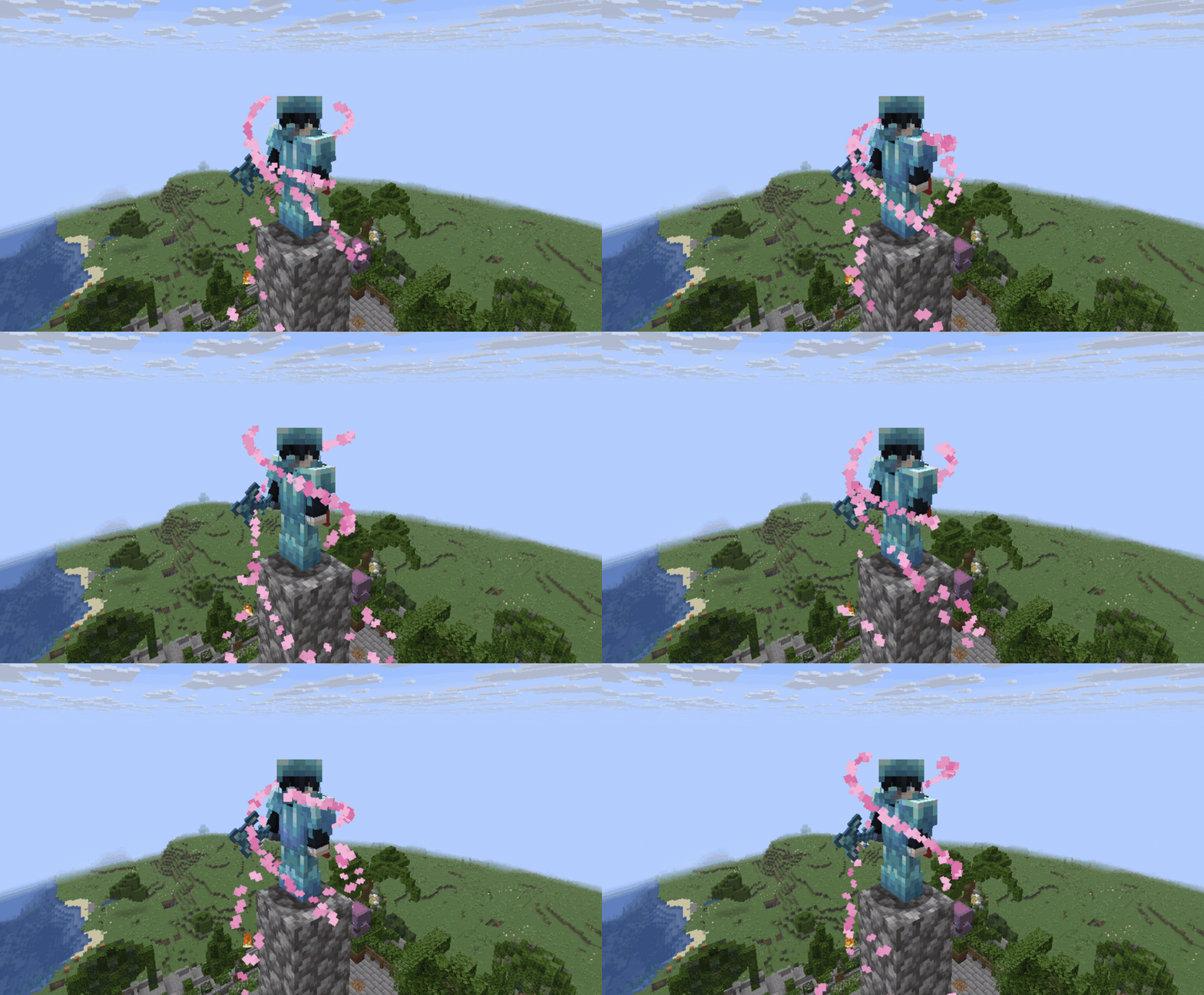
- 🎨 Advanced Visuals Engine (v1.7.0):
- Particles: Attach stunning shapes like Helix, Vortex, Wings, Spheres, and Bursts to your items.
- Trigger Modes: Play visuals Passive (while wearing/holding) or Active (on ability cast).
- Priority System: Smart handling for multiple continuous effects.
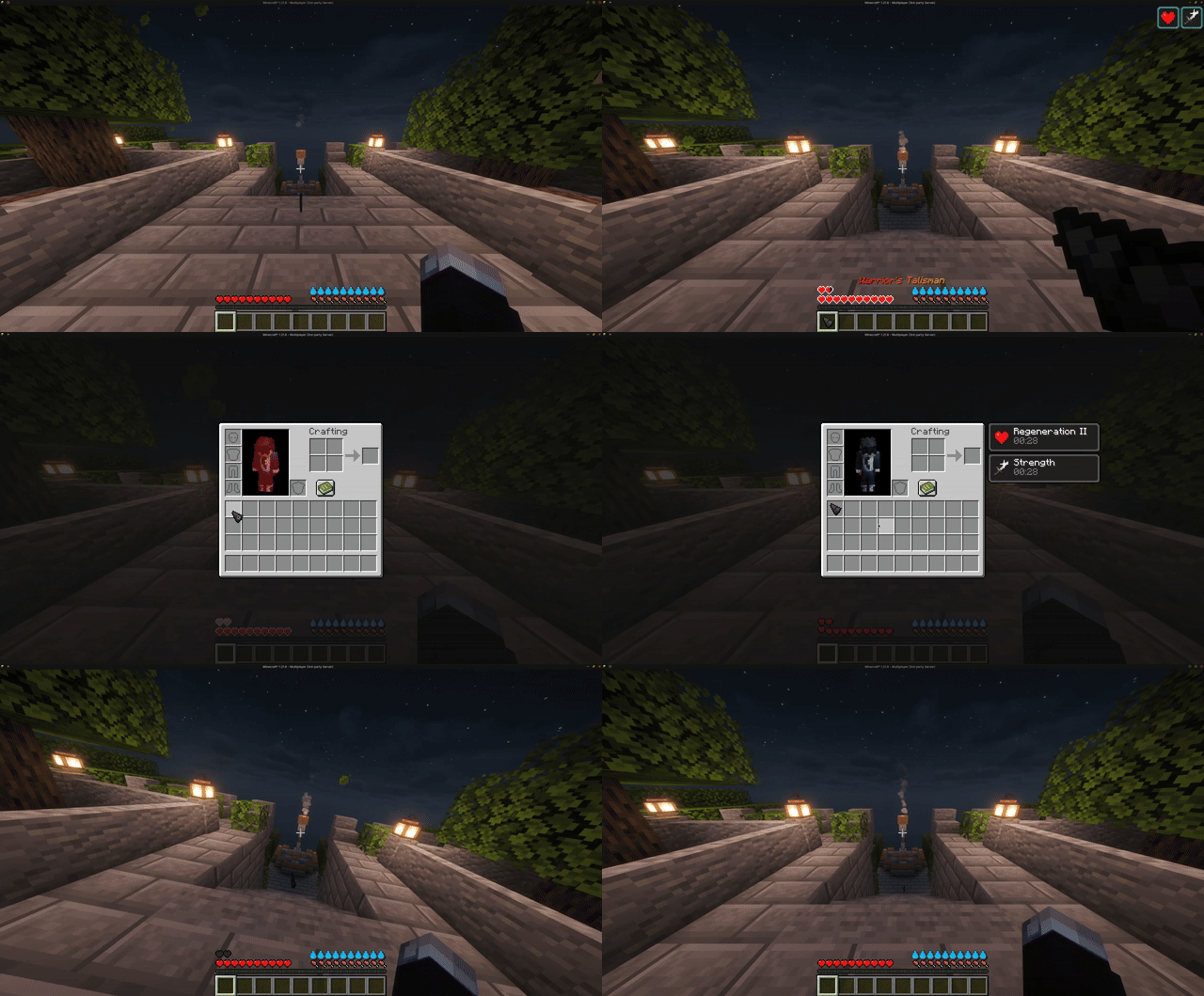
- 🛡️ Passive Effects: Grant permanent stats based on where the item is held/worn (
MAIN_HAND,OFF_HAND,ARMOR,INVENTORY).- Potions: Speed, Night Vision, Jump Boost, etc.
- Attributes: +Max Health, +Attack Damage, +Movement Speed, +Armor Toughness, etc.
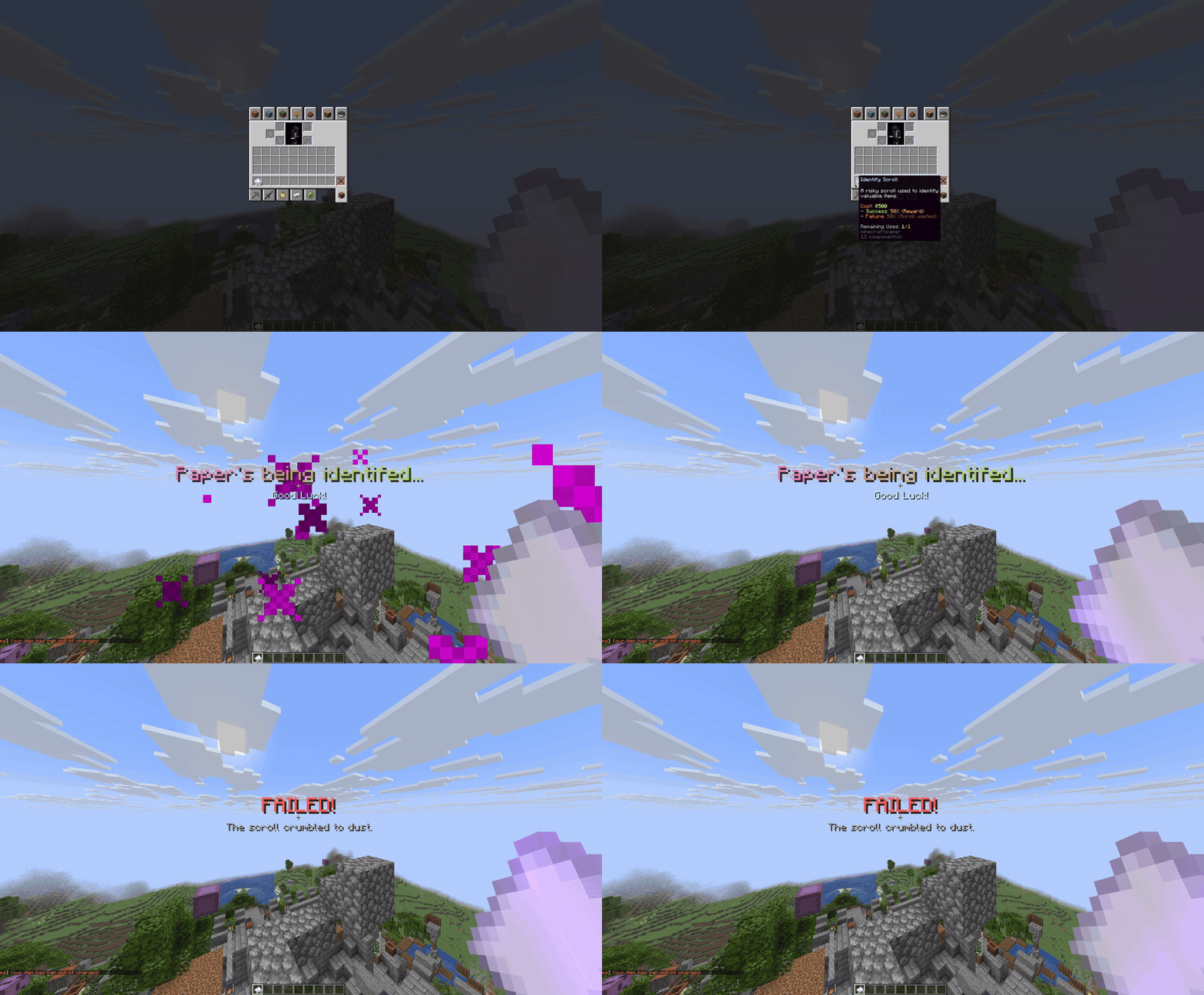
- ⚡ Active Abilities & Scripting:
- Trigger complex command chains with a Right-Click.
- Logic System: Use prefixes like
[chance:50],[delay:20], and[else]to create RNG-based mechanics. - Internal Tags: Use
[message],[actionbar],[title], and[sound]for faster, color-supported feedback.
- 🔄 Live Item Updates: Change an item's stats or visuals in the editor, and all existing items in players' inventories will automatically update the moment they are used.
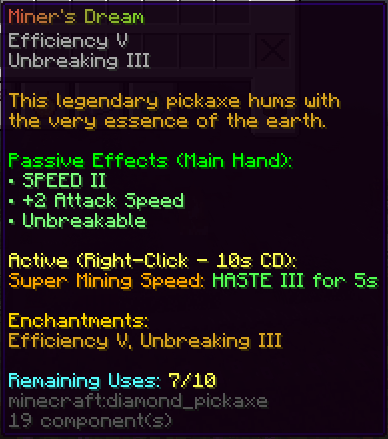
- 🔋 Usage Limits (Custom Durability): Create items with a specific number of uses (independent of vanilla durability).
- Actions: Choose what happens when depleted:
DESTROY,DISABLE(Mark as depleted), orTRANSFORM(into another item). - Feedback: Custom sounds and messages for depletion events.
- Actions: Choose what happens when depleted:
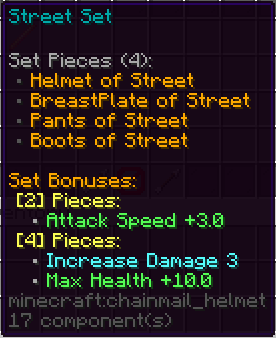
- 🆕 Item Set Bonuses: Create RPG-style armor sets!
- Combine specific items (Helmet, Chestplate, Sword, etc.) to unlock Tiered Bonuses.
- Example: "Wear 2 pieces for Speed I, wear 4 pieces for +10 Health."
- Manage sets entirely via the In-Game GUI (
/bi menu-> Item Sets).
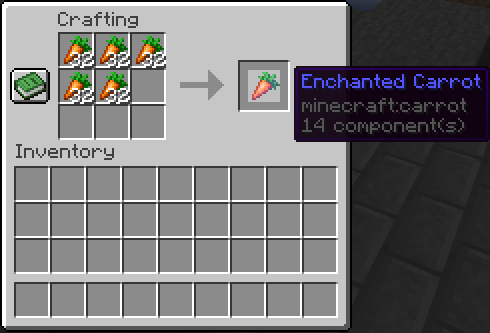
- 🔨 Custom Crafting System:
- Create custom shaped recipes (3x3) for your items directly in-game.
- Advanced Ingredients: Supports Vanilla materials, other BuffedItems, and Exact NBT items.
- Recipe Book: Automatically registers your custom recipes to the vanilla green Recipe Book for easy crafting.
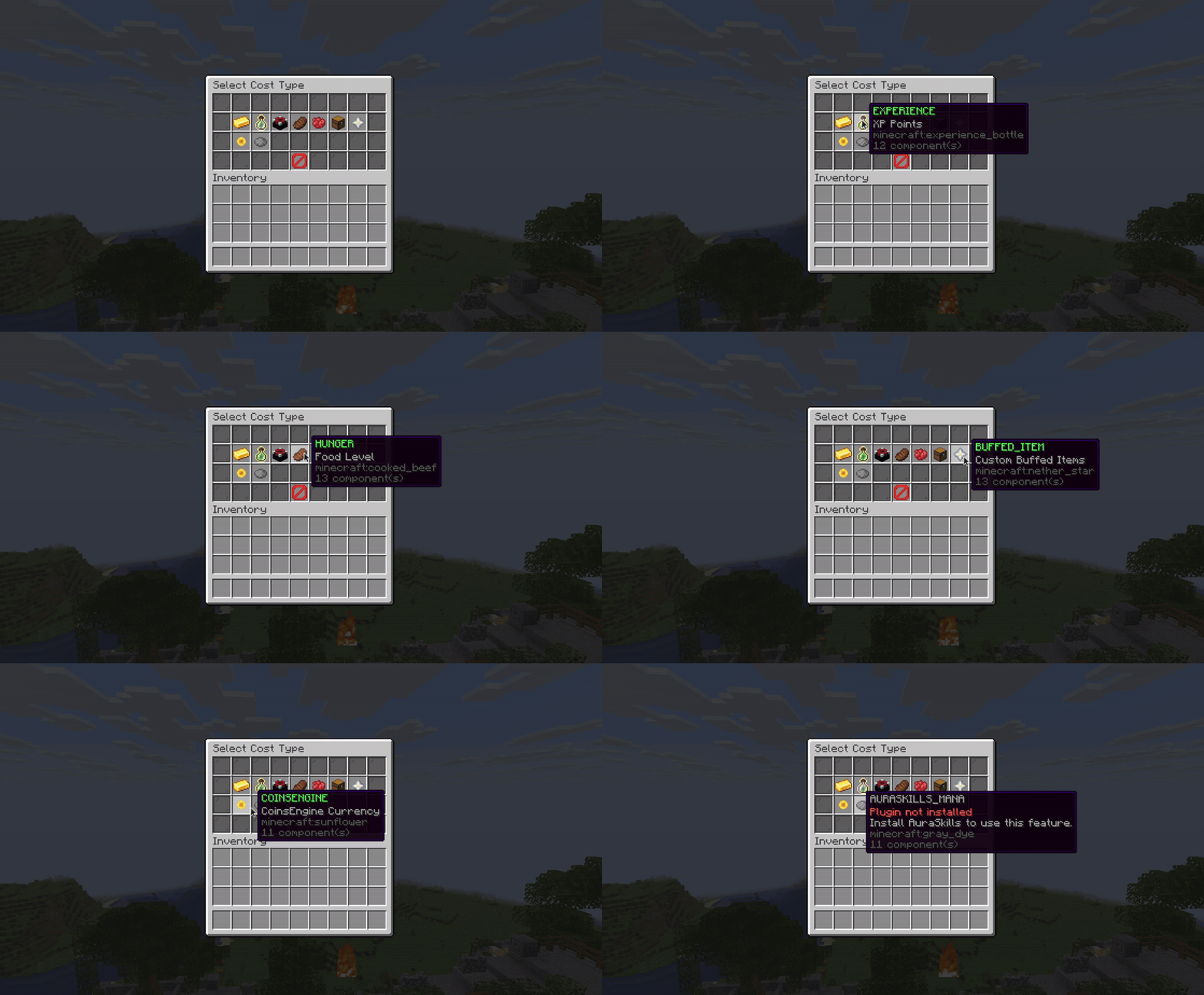
- 💎 Advanced Cost System:
- Set requirements for using items or upgrading them.
- Supports: Money (Vault), CoinsEngine, AuraSkills Mana, XP, Levels, Health, Hunger, Vanilla Items, and Custom BuffedItems.
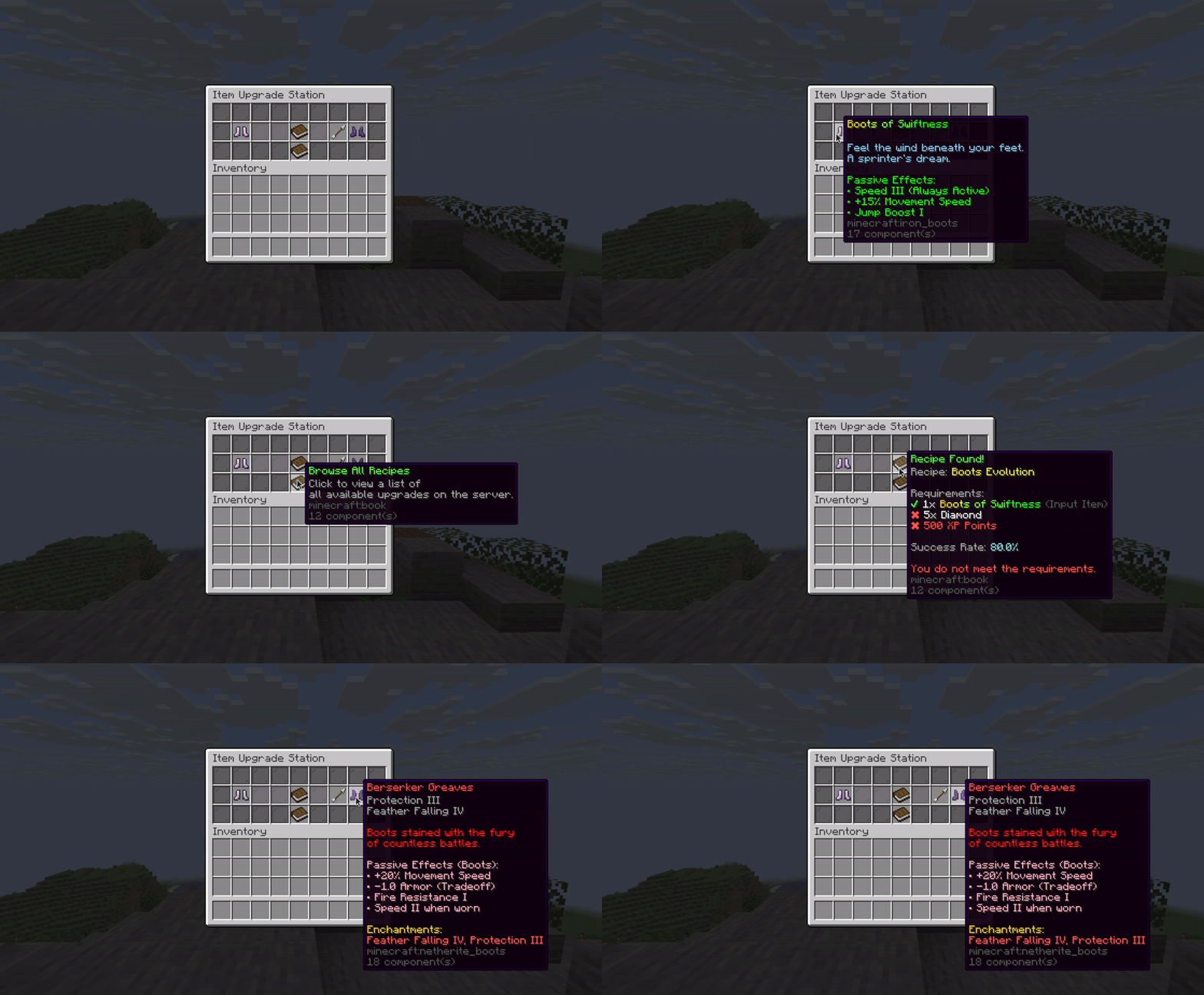
- 🆙 Upgrade Station:
- Allow players to evolve their items (e.g., Rusty Sword -> Excalibur).
- Configure Success Rates, Risk Factors (Lose item on fail?), and Failure Actions.
- 🚩 Item Flags & Protections:
- PREVENT_DEATH_DROP (Soulbound): Item stays with player on death.
- PREVENT_DROP: Prevents dropping, storing in chests, or placing in item frames.
- UNBREAKABLE: Item never loses durability.
- PREVENT_ANVIL_USE / PREVENT_SMITHING_USE: Restricts item usage in various crafting tables.
- PREVENT_CONSUME / PREVENT_INTERACT: Blocks eating/drinking or general right-click actions.
- and many more...
- 🎨 Visuals & Customization:
- Full HEX Color support (
&#RRGGBB). - PAPI Placeholders: Placeholders are accepted everywhere.
- Leather Armor Dyeing: Set exact colors using hex codes.
- Custom Model Data support (ItemsAdder/Nexo compatible).
- Full HEX Color support (
- 📚 For detailed guides, visit the BuffedItems Wiki.

📸 Click to view In-Game Screenshots
Click any image to view full size.
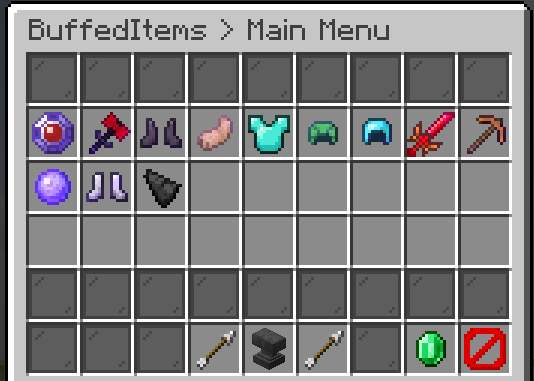 |
 |
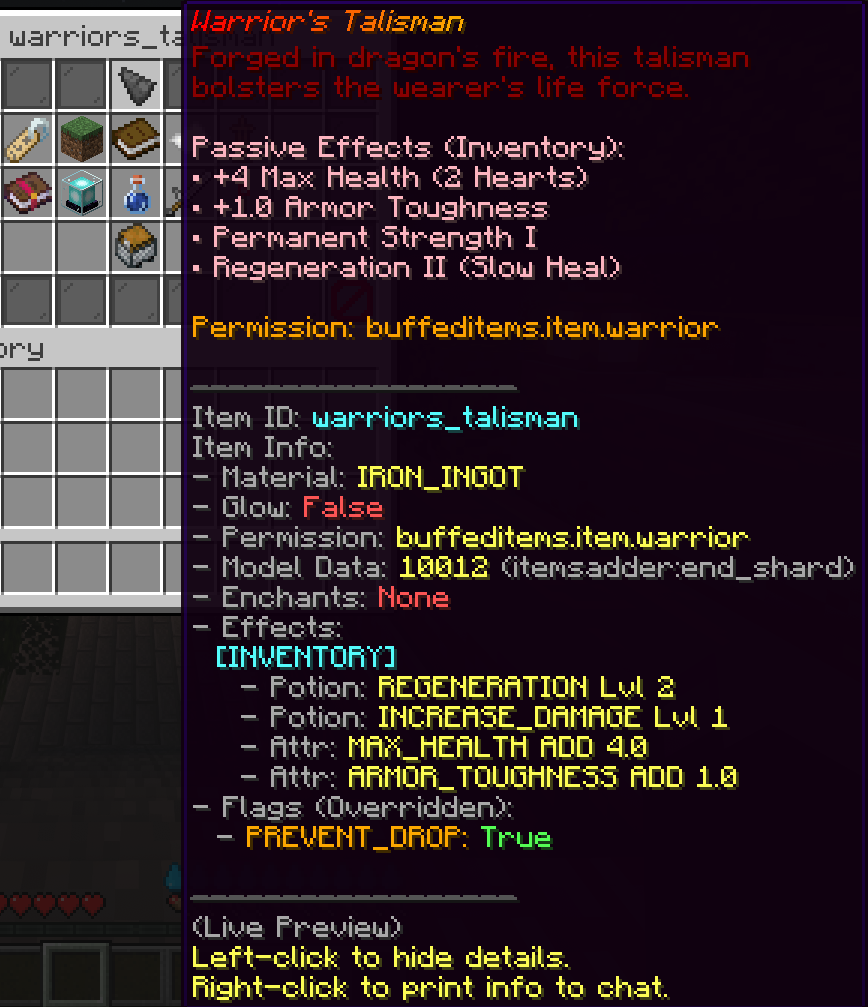 |
| Main Menu | Edit Menu | Item Preview |
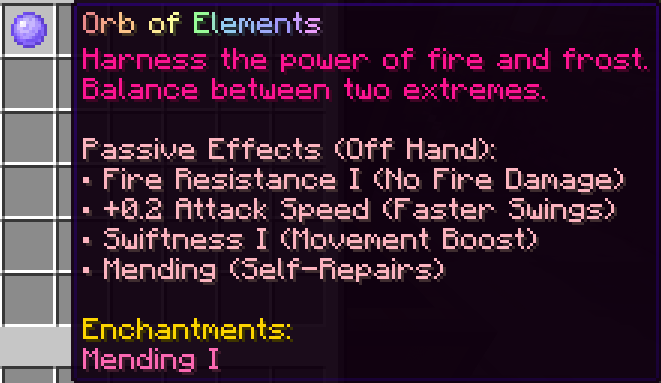 |
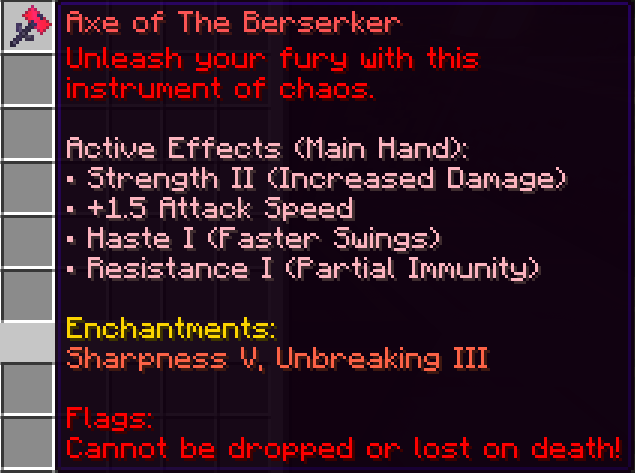 |
 |
| Orb of Elements | Axe of The Berserker | Boots of Swiftness |
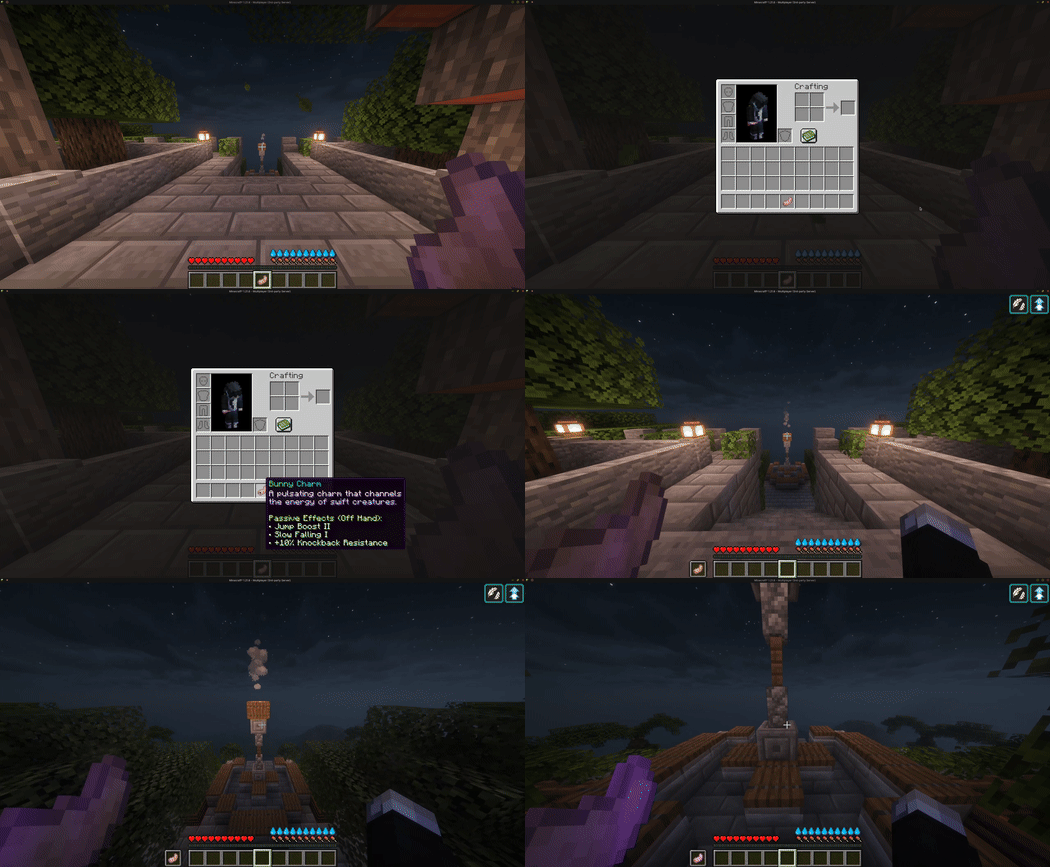
 |
 |
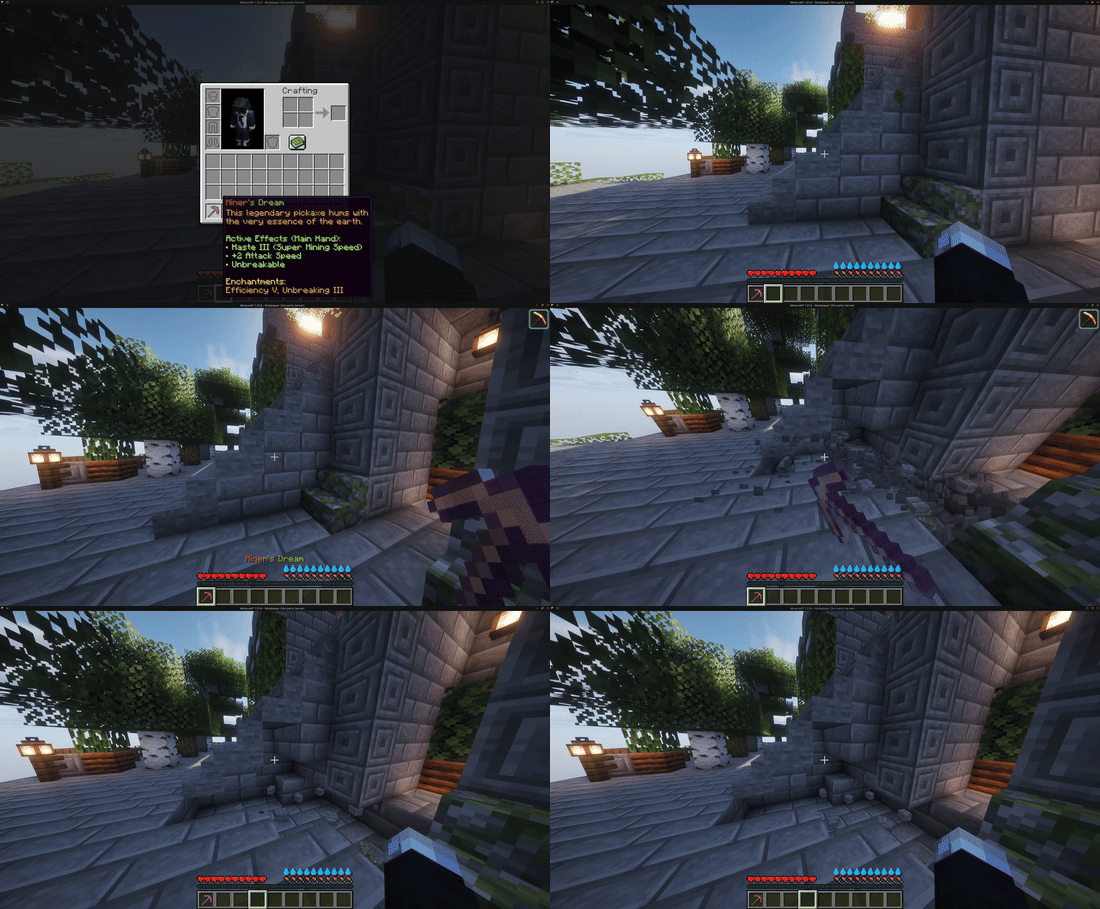 |
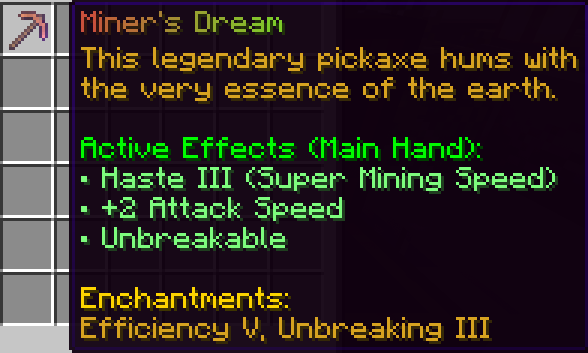
| Miner's Dream | Bunny Charm | Miner's Dream (GIF) |
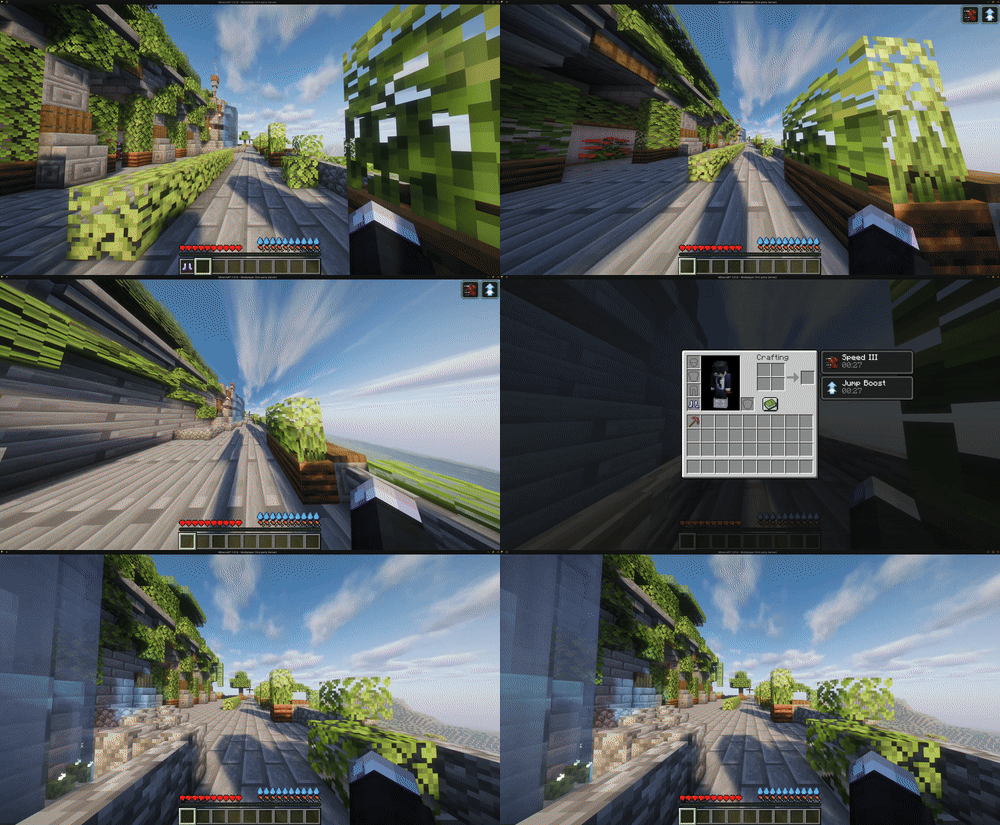 |
| Swiftness Boots |

- Design in-Game: Use
/bi menuto create items. No config editing needed. - Passive Engine: Automatically applies Potion Effects and Attributes based on the item's slot.
- Visual Engine: Spawns complex particle shapes and manages BossBars/ActionBars based on item state.
- Active Triggers: Executes scripted logic when an item is used, handling Cooldowns, Costs, and RNG.
- Live Updates: Any changes made in the editor are pushed to existing items in real-time.
- 📚 For detailed setup instructions and advanced configuration, see the Getting Started section in the Wiki.

- Custom Armor Textures: This plugin only sets the
CustomModelDatatag. It does not manage resource packs or custom armor models. Wearable items (helmets, armor) using ItemsAdder/Nexo IDs will show the custom texture in the inventory, but will render as the default material (e.g., Diamond Helmet) when equipped on the player. - Configuration Files:
- Editing: We recommend using the in-game GUI (
/bi menu) as it handles everything for you instantly. However, you CAN edit yml files manually if you prefer! Just run/bi reloadafterwards to apply your manual changes.
- Editing: We recommend using the in-game GUI (

The main command is /buffeditems (Aliases: /bi, /buffitems).
| Command | Permission | Description |
|---|---|---|
/bi menu |
buffeditems.command.menu |
Opens the main GUI editor to create, edit, and delete items. |
/bi upgrade |
buffeditems.command.upgrade |
Opens the Item Upgrade Station. |
/bi recipes |
buffeditems.command.recipes |
Opens a menu showing all custom crafting recipes. |
/bi sets |
buffeditems.command.sets |
Opens a menu listing all Item Sets and their bonuses. |
/bi give <player> <item_id> [amount] |
buffeditems.command.give |
Gives a player the specified custom item. |
/bi reload |
buffeditems.command.reload |
Safely reloads all configuration files from disk. |
/bi list |
buffeditems.command.list |
Lists all created items and shows if any have configuration errors. |
/bi wiki |
buffeditems.command.wiki |
Opens wiki page. |
/bi update |
buffeditems.command.update |
Checks for the latest update. |
Admin Permission:
buffeditems.admin: Grants access to ALL BuffedItems commands listed above.
Item Permissions: You can define custom permissions inside the Item Editor:
- Main Permission: Required to use/hold the item.
- Active Permission: Required specifically for the Right-Click ability.
- Passive Permission: Required specifically for the passive stats.
- Example:
my.server.vip.sword - See the Wiki for permission details.

- Java 17 or newer
- Minecraft 1.21 or newer
- Paper or any Paper-based fork (Purpur, Pufferfish).
Pinned Versions
- R1.21–1.21.11
Pages
Useful Links
Members
1
Owner