
Chain players together with real physics, share health, hunger and inventory. For videos and challenges. 18 languages.
Multi Together
Chain players together, share health, hunger and inventory.
A Paper 1.20 – 26.3 plugin for videos and challenges. 18 languages.
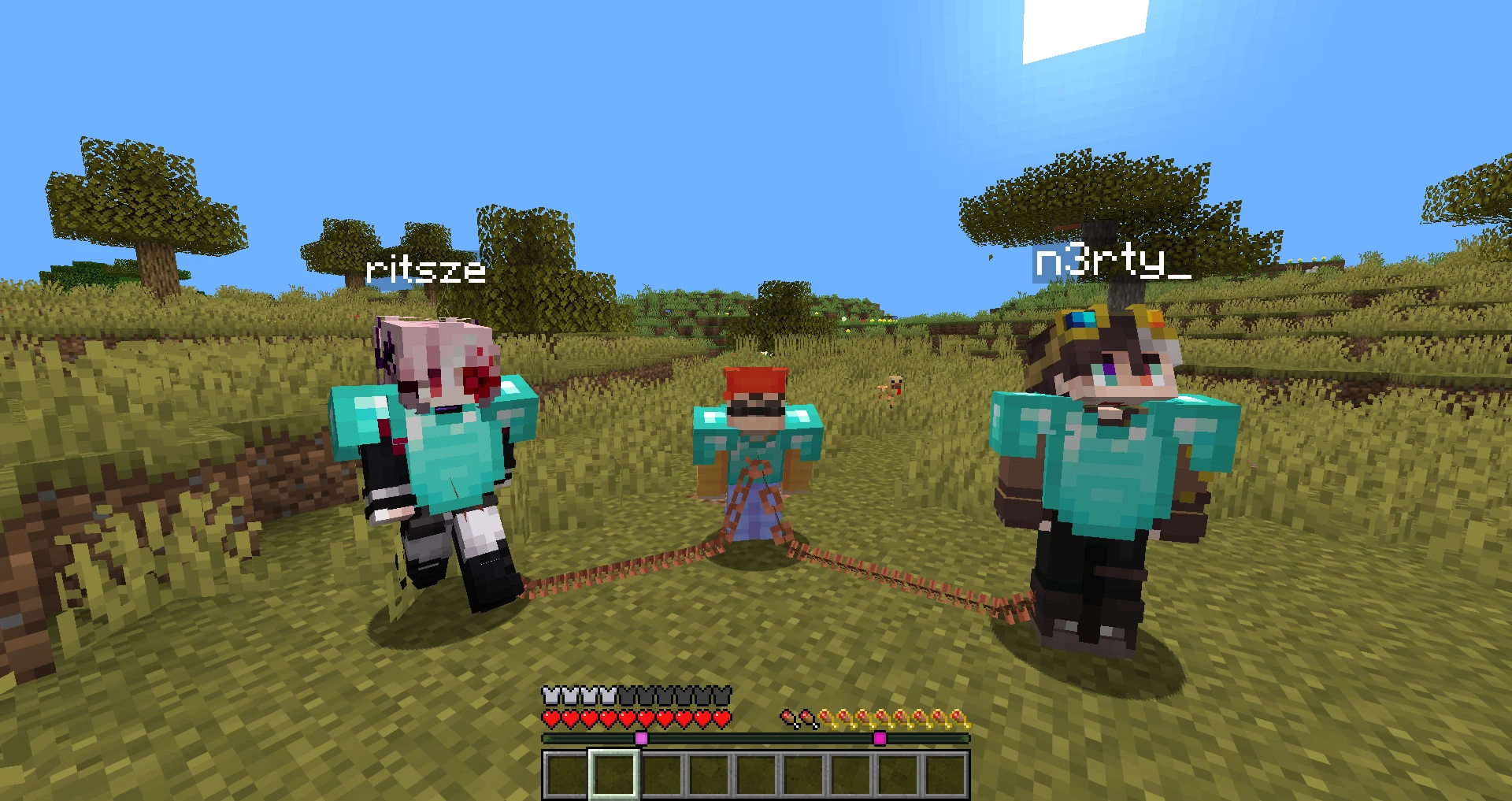
Drop the jar into plugins, get two or more players online, run /link Player1 Player2 — done.
Links live in memory until the server stops; the only file is config.yml with the language.
Features
| Type | How it works |
|---|---|
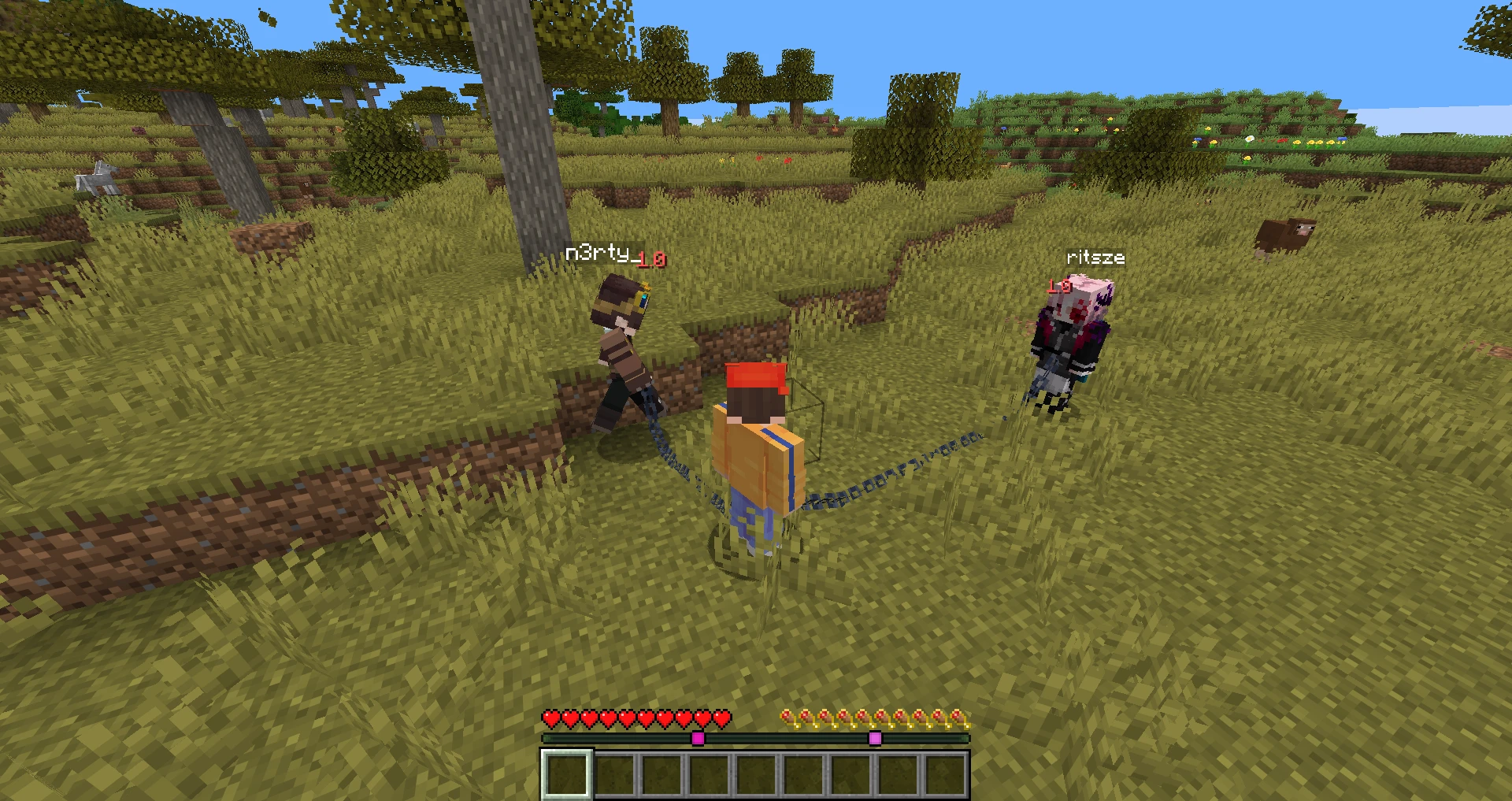
| ⛓ CHAIN | A real chain made of display entities between players: it sags, lies on the ground and pulls tight. You can't get farther apart than its length: a runner drags their partner, a player who falls off a ledge hangs on the chain. A portal, a world change, /tp or an ender pearl far away brings the whole chain along. |
| ❤ HP | One health bar for everyone. Hit one player — everyone flinches and hears the hurt sound. One dies — everyone dies ("Bob died together with Alice"). |
| ☕ FOOD | Shared hunger and saturation: one eats — everyone is fed, one sprints — everyone gets hungry. |
| ⚒ INVENTORY | One inventory, armor and offhand included. Players are handed the very same item list, so nothing is copied and nothing can be duplicated. The main hand stays personal (each player keeps their own selected hotbar slot). |
Link any combination: everything at once, only the chain, only health and hunger — whatever the
challenge needs. Health, hunger and inventory are shared across the whole group: A—B plus B—C means
one health bar for all three. The chain is pairwise: A—B—C is two chains, and the one in the middle
holds both.
Death and switching worlds do not break links.
 |
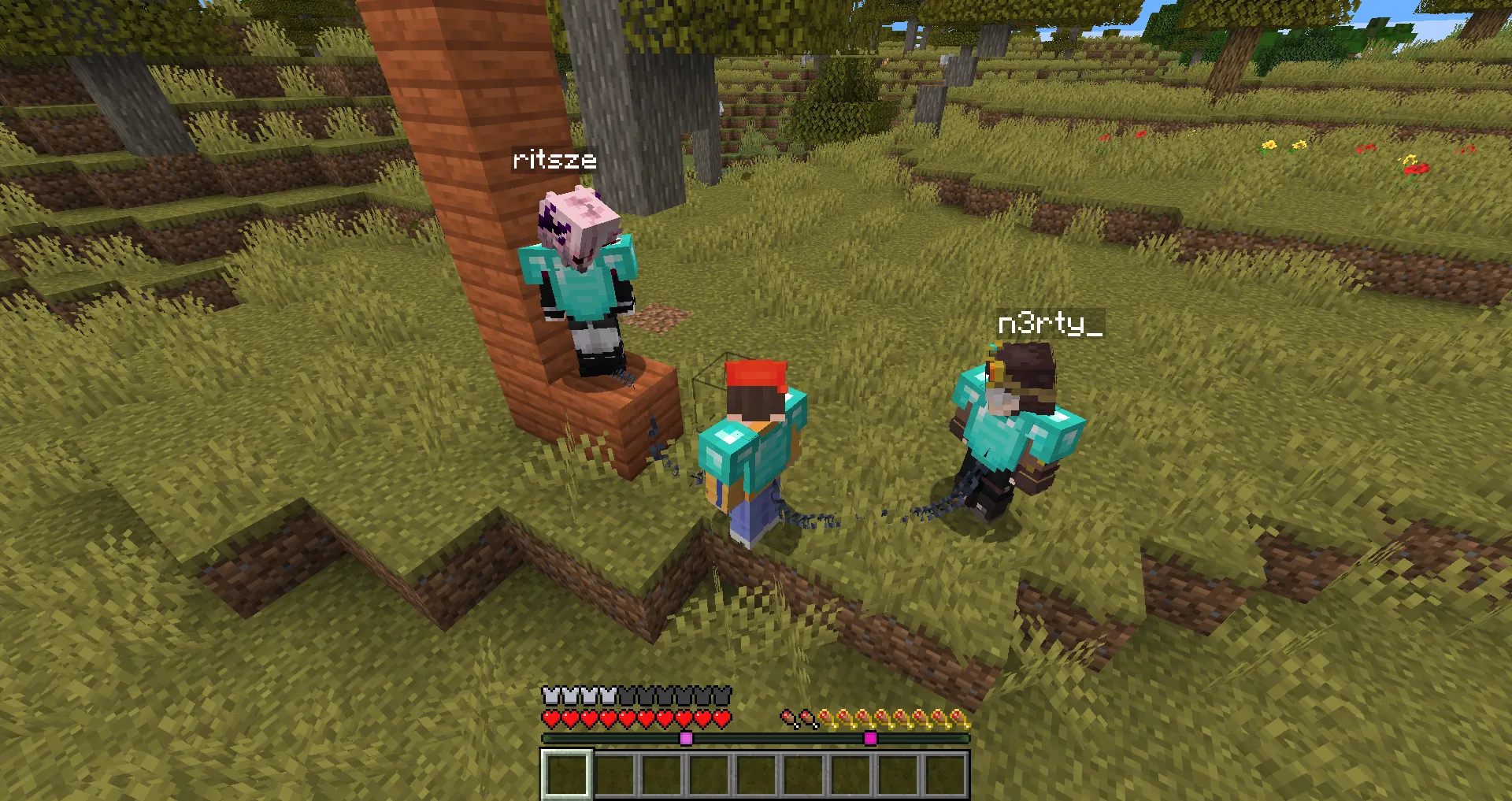 |
| Three players, iron chain | The chain climbs to a player standing higher |
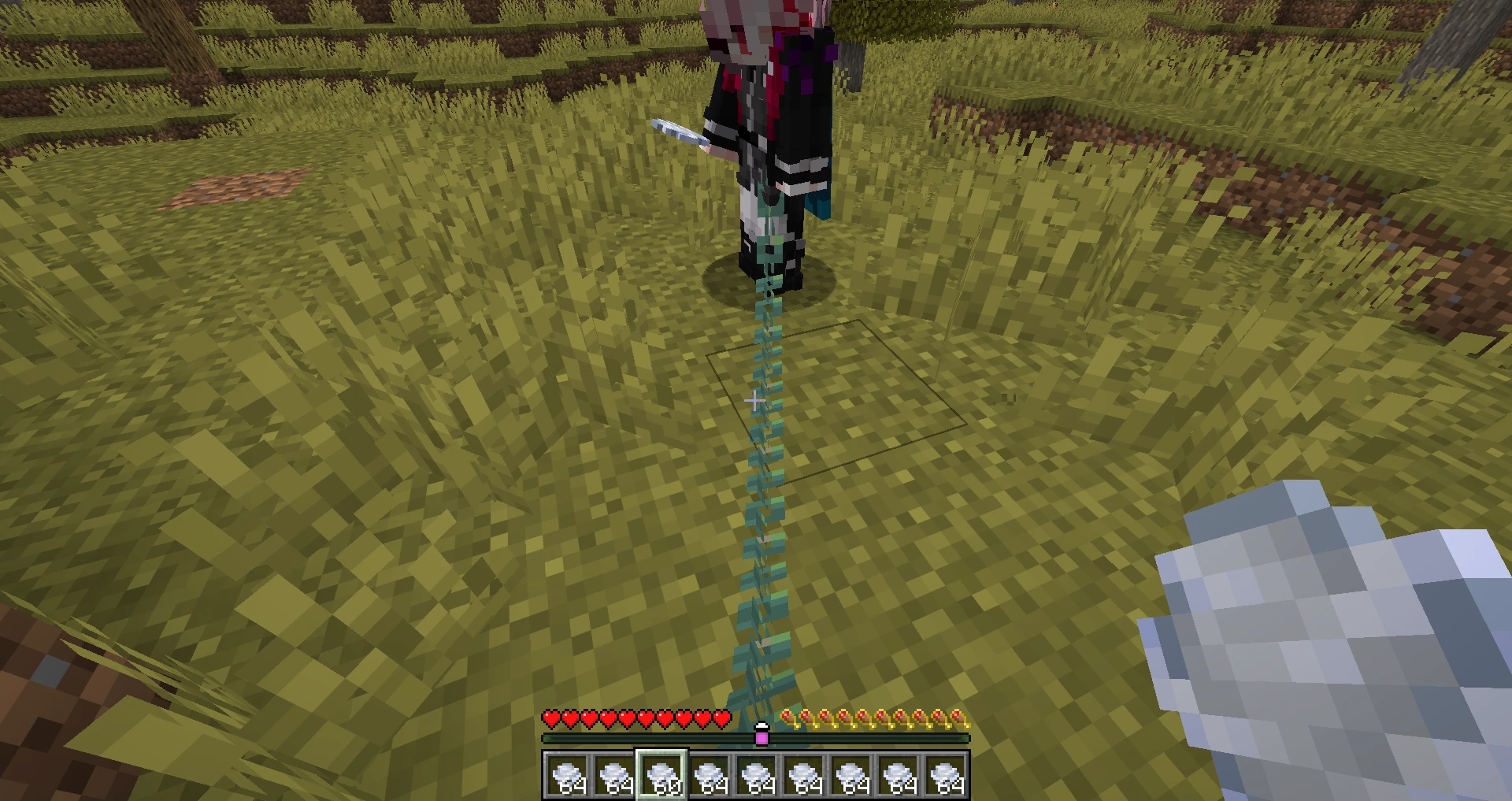
First person: the chain starts at your own waist (oxidized copper style).
Chain physics
It is a length constraint, not a spring along the whole chain: while the chain sags it does not touch anyone. Once it is taut, both players get an impulse towards each other every tick — a share of the overstretch plus damping of the speed at which they separate. The impulse is split by "mass":
- a player standing on the ground is heavier than one in the air;
- a player sneaking on the ground braces and is pulled several times weaker — that is how you hold a partner hanging over a cliff;
- speed is taken from the player's real movement with the same friction the client applies, so players never accelerate as if on ice.
When the chain catches a falling player, their fall distance is reset — no fall damage. A player hanging
on the chain is not kicked for flying, even with allow-flight=false. If players still end up too far
apart (lag, a teleport by another plugin), the one who ran away is pulled back to the chain length.
Visuals
Every link is a BlockDisplay of a chain block, rotated and stretched along its own segment. Position is
smoothed with teleport duration, rotation and length with transformation interpolation, so the chain moves
smoothly even though it updates once per tick. The sag follows a parabola based on the chain length, and
where it would dip into a block, the link rests on top of it instead — but never above the straight line
between the players, so a chain passing through a tree trunk or a wall does not climb up along it.
The chain can be iron or copper (all four oxidation stages), and it clanks when jerked tight.
Commands
Every command requires multitogether.admin (operators by default).
| Command | What it does |
|---|---|
/link |
Open the menu (from the console: show help) |
/link <player1> <player2> [type] |
Link two players |
/link all [type] |
Link everyone online into one chain, alphabetically |
/link list |
Show all links and the chain length |
/link length <blocks> |
Set the chain length, 1.5–32 (default 5) |
/link settings |
Open the settings menu |
/link language |
Show the current language and all available ones |
/link language <code> |
Change the language (saved to config.yml) |
/link reload |
Reload config.yml and the language files |
/link help |
Short help in chat |
/link debug |
Link counts, chain display count, current settings |
/unlink |
Short help for unlinking |
/unlink <player1> <player2> [type] |
Unlink a pair |
/unlink <player> [type] |
Unlink a player from everyone |
/unlink all [type] |
Remove all links |
Type: ALL (default), CHAIN, HP, FOOD, INVENTORY, or several separated by commas —
HP,FOOD. Also accepted: health, hunger, inv, the type names in the server language (kette,
chaîne, ...) and in Russian (цепь, здоровье, голод, инвентарь, все). Tab completion suggests
players, types and language codes.
Aliases
Every command also works under Russian names and when typed with a Russian keyboard layout by mistake.
| Command | Aliases |
|---|---|
/link |
/multitogether, /together, /mt, /mtogether, /связать, /связь, /сковать, /дштл, /ьгдешещпуерук, /ещпуерук, /ье |
/unlink |
/multiunlink, /untogether, /отвязать, /развязать, /расковать, /гтдштл, /гтещпуерук |
all |
все, всех, фдд |
list |
список, дшые |
length |
длина, дутпер |
settings |
настройки, ыуеештпы |
language |
lang, язык, дфтп, дфтпгфпу |
reload |
перезагрузить, кудщфв |
help |
помощь, рудз |
Menu
/link opens a 54-slot chest menu. It refreshes every second, so players who join or leave show up
right away. Every button that changes something answers in chat.
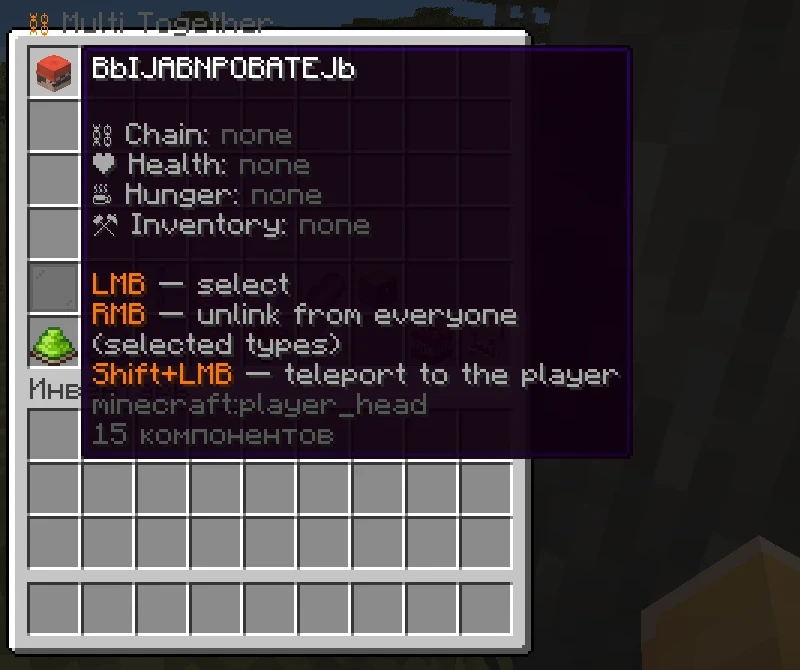
Main menu
- Player heads (36 per page, arrows for more pages). The tooltip lists who the player is linked with,
type by type.
- Left click — select or deselect. The number on the head is the position in the chain: players selected 1, 2, 3 are chained 1—2—3.
- Right click — unlink the player from everyone (for the selected types).
- Shift + left click — teleport to the player.
- Type toggles — chain, health, hunger, inventory, and a nether star for "everything at once". The selected types are used by the link and unlink buttons.
- Select all — adds every online player alphabetically after the ones already selected.
- Clear selection.
- Link selected (lead) — shows how many are selected, the types and the chain order.
- Current links (book) — every link on the server and the chain length.
- Unlink selected (shears) — breaks the selected types between all selected players; with one player selected, unlinks them from everyone.
- Remove all links (TNT) — Shift + click to confirm.
- Chain settings (comparator).
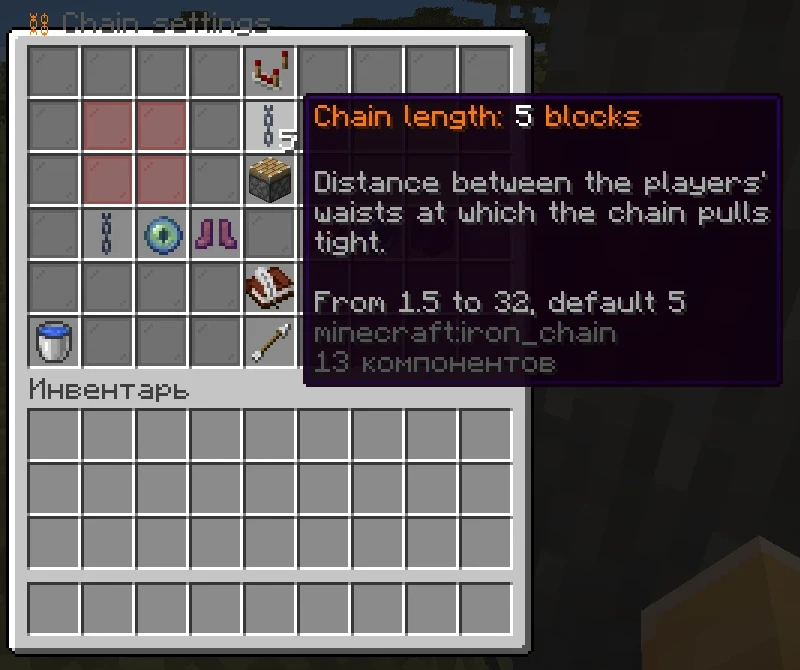
Chain settings — apply to all chains at once and last until restart:
- Chain length — −1, −0.5, +0.5, +1 blocks (1.5–32, default 5).
- Stiffness — −10%, −5%, +5%, +10% (5–100%, default 35%): softer is springy, harder is jerky.
- Chain style — iron, copper, exposed, weathered or oxidized copper.
- Chain visible — hide the links; the physics keeps working.
- Sneak bracing — a sneaking player on the ground is pulled several times weaker.
- Respawn together — a dead player respawns next to a living chain partner.
- Teleport together — a portal, world change or far teleport brings the whole chain along.
- Chain sounds — the clank when the chain is jerked tight.
- Language (book and quill) — opens the language menu.
- Reset settings (water bucket) — Shift + click to confirm.
Language menu — every available language by its own name; the current one is marked. A click switches
the language at once, saves it to config.yml and reopens the menu in the new language.
Languages
English by default. Bundled translations, with their codes:
| Code | Language | Code | Language | Code | Language |
|---|---|---|---|---|---|
en |
English | it |
Italiano | sv |
Svenska |
ru |
Русский | pl |
Polski | zh |
简体中文 (Simplified Chinese) |
uk |
Українська | tr |
Türkçe | ja |
日本語 |
de |
Deutsch | nl |
Nederlands | ko |
한국어 |
fr |
Français | cs |
Čeština | vi |
Tiếng Việt |
es |
Español | pt |
Português (Brazil) | id |
Bahasa Indonesia |
Everything is translated: chat messages, the menus, command help and usage errors, death messages.
Change the language in any of three ways — the choice is saved to config.yml:
config.yml→language: de, then/link reloador a restart;/link language de;- settings menu → the book and quill → pick a language.
The language files are copied to plugins/MultiTogether/lang/ on first start and can be edited there.
A key missing from a file falls back to the bundled translation, then to English. Put a new file there
(for example fi.yml, copied from en.yml) and it shows up as another language.
Long descriptions in menus are wrapped onto several lines; Chinese, Japanese and Korean are wrapped by width.
Edge cases
- Linking players with different inventories — items are merged into one inventory, whatever does not fit drops at the owner's feet. Nothing is lost.
- Unlinking — every player keeps a copy of what was in the shared inventory.
- Death without keepInventory — the shared inventory drops once, where the dead player was.
- Leaving and rejoining — the player gets the shared inventory back: the snapshot saved on quit is outdated.
- Respawn — next to a living chain partner (can be disabled in settings). Leaving the End through the exit portal works the other way round: partners are pulled along.
- Creative and spectator players do not take part in shared health and hunger; spectators are also excluded from chain physics.
- On linking, a partner who is in another world or far away is brought to the first player.
Installation
- Download
MultiTogether-<version>.jarfrom the releases or build it. - Put it into the
pluginsfolder of a Paper server, any version from 1.20 to 26.3 One jar for all versions. Paper forks such as Purpur should work as well, but were not tested. - Restart the server.
No dependencies. LiteCommands is relocated inside the jar
(me.bbijabnpobatejb.multitogether.libs), so it does not clash with other plugins that use LiteCommands.
Supported versions
| Paper | Java | Notes |
|---|---|---|
| 1.20 – 1.20.1 | 17+ | chain links move in 1-tick steps: display entities have no teleport smoothing before 1.20.2 |
| 1.20.2 – 1.20.4 | 17+ | |
| 1.20.5 – 1.21.8 | 21+ | |
| 1.21.9 – 1.21.11 | 21+ | copper chain styles (they don't exist in earlier versions) |
| 26.1 – 26.3 | 25+ |
The jar is built for Java 17 against the 1.20.1 API. Anything newer is called only when the server has it. The shared inventory swaps the server's own item lists, and those changed over the years (armor moved out of the inventory in 1.21.5, field names differ between Spigot and Mojang mappings), so the plugin finds them by their type and contents instead of names. If it ever meets a layout it does not recognise, the plugin still starts — without the shared inventory, with an error in the log.
config.yml
# Language of chat messages and menus: en, ru, uk, de, fr, es, pt, it, pl, tr, nl, cs, sv, zh, ja, ko, vi, id
language: en
Permissions
| Permission | Default | Gives |
|---|---|---|
multitogether.admin |
op | all commands and menus |
Information
Pinned Versions
- R1.20–26.3
Pages
Members
1
Owner