


Block Configuration
- Definition: name, item, respawn time, sound, hitbox, mining state, and block metadata.
- Conditions: create named requirements and show them in holograms with placeholders such as {condition_1}.
- Display hologram: render text, item, and block lines with custom offsets, facing mode, distance, and detect range.
- Allowed tools: decide which tools can mine a block and which drop tables they can trigger.
- Models: choose vanilla blocks, ItemsAdder/CraftEngine blocks, schematics, external model plugins, or native BDEngine files.
Model Renderers
- Vanilla block renderer: simple material-based visuals.
- ItemsAdder and CraftEngine: place supported custom blocks directly through their APIs.
- ModelEngine and BetterModel: trigger configured model animations on click or death.
- Native BDEngine: render .bdengine scenes with Block Display, Item Display, and Text Display parts, including spawn and click animations.
- Schematics: use schematic-based visuals for larger or multi-block resources.
Drops
- Drop vanilla items, ItemsAdder items, CraftEngine items, or MMOItems.
- Give vanilla experience or MMOCore experience.
- Run commands as the player, console, or other configured executor.
- Deliver rewards to inventory or spawn them in the world with front/center ground positioning.
- Add visual feedback such as drop popups, particle beams, glow, and explosion effects.
Mining Nodes
Nodes let you group blocks into spawn areas. A node can randomize locations, control the amount of active resources, swap active/dead block lists, and render node holograms for players.
- Spawn multiple block types from one node.
- Use random positions or configured location lists.
- Control active limits and respawn flow.
- Show node status using packet holograms.
Optional Localization / i18n
Text fields can stay in the classic direct format, or you can switch them to a key/default object. If you do not want localization, keep using plain strings.
Classic format
example:
  name: "Example Block"
  display:
    lines:
      line1:
        contents:
          text: "Click to mine!"
Localized format
example:
  name:
    key: "block.example.name"
    default: "Example Block"
  display:
    lines:
      line1:
        contents:
          text:
            key: "block.example.click"
            default: "Click to mine!"
Add the keys to lang/en-us.yml or another language file listed in lang/lang.yml. The plugin falls back to the configured default text when a key is missing, so configs remain safe while you translate gradually.
# lang/en-us.yml
block:
  example:
    name: "Example Block"
    click: "Click to mine!"
    requirement: "Requires {item_name} x{item_amount}"
Common Placeholders
MMOBlock supports three placeholder layers: config-context placeholders with curly braces, internal player placeholders with curly braces, and PlaceholderAPI placeholders with percent syntax.
- {block_name}, {block_list}, {item_name}, {item_amount}
- {vanilla_exp_amount}, {mmocore_exp_amount}, {progress_bar}, {respawn_time}
- {condition_1}, {condition_2}, and other numbered condition placeholders
- Internal MMOCore placeholders: {mmocore_level}, {mmocore_class}, {mmocore_mana}, {mmocore_stamina}, {mmocore_stellium}, {mmocore_level_mining}, {mmocore_attribute_strength}
- PlaceholderAPI placeholders use percent syntax, for example %player_name%, and are expanded after MMOBlock internal placeholders.
For dropPopup experience rewards, {exp_amount} is the generic rolled amount. Vanilla experience fills {vanilla_exp_amount}, MMOCore experience fills {mmocore_exp_amount}, and the unused source-specific placeholder resolves to 0. If MMOCore is not installed, MMOBlock removes {mmocore_*} tokens so players do not see raw internal placeholders.
Integrations
- Paper and Folia runtime scheduling.
- ItemsAdder, CraftEngine, MMOItems, MMOCore, ModelEngine, BetterModel, and PlaceholderAPI where installed.
- Versioned NMS adapters for packet holograms, display entities, block visuals, and visual effects.
Developer API
MMOBlock includes a public API module for addons and custom integrations. Use it to listen for runtime events, inspect block definitions, resolve items, register custom renderers or conditions, and interact with drop services.
repositories {
    maven("[https://repo.chyxelmc.me/repository](https://repo.chyxelmc.me/repository)")
}

dependencies {
    compileOnly("me.chyxelmc:mmoblock-api:<version>")
}
Best For
- MMORPG mining, gathering, farming, and resource professions.
- Survival servers that need custom ores, logs, plants, crystals, or event resources.
- Servers using custom item/model ecosystems that need a configurable resource block runtime.
- Developers who want an API-friendly block system without building packet visuals from scratch.
bStats
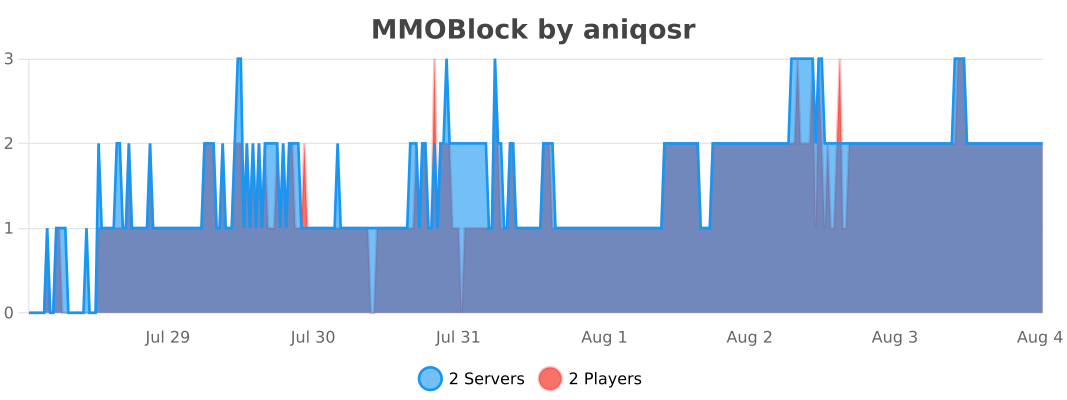
Support
For support, join our Discord community.
Summary
MMOBlock is a configurable resource-block engine for modern Paper/Folia servers, built around clean configs, packet visuals, optional localization, model integrations, flexible drops, node spawning, and a public API.
Information
Pinned Versions
- R1.19.4–26.2
Pages
Members
1
Owner