
Execute Minecraft commands remotely via HTTP REST API ⚡ Secure Authentication ✅ Paper Optimized ⭐
Execute Minecraft commands remotely via HTTP API



━━━━━━━━━━━━━━━━━━━━━━━━━━━━━━━━━━━━━━━━━━
Sponsored by El-Taberna - Hosting
Premium Minecraft Server Hosting - Fast, Reliable, Affordable
Use code ELBRIGOS for a special discount!
Visit hosting.el-taberna.com to start your server today!━━━━━━━━━━━━━━━━━━━━━━━━━━━━━━━━━━━━━━━━━━
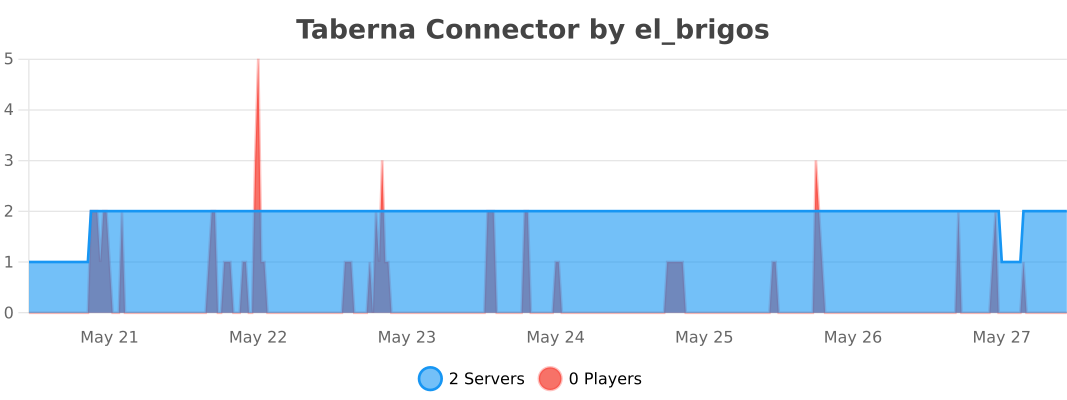
Plugin Statistics
Overview
Taberna Connector is a lightweight and secure plugin that allows you to execute Minecraft server commands remotely through a REST API. Perfect for integrating your Minecraft server with external applications, web dashboards, Discord bots, or automation systems.
Use Cases:
- Create web-based admin panels
- Build Discord bots that control your server
- Automate server management tasks
- Integrate with payment systems for automated rewards
- Connect multiple applications to your Minecraft server
✨ Features
- Secure Authentication - API key-based security via HTTP headers
- ⚡ Async Processing - Non-blocking command execution optimized for Paper
- Debug Mode - Comprehensive logging for troubleshooting
- Execution Metrics - Track command execution time and success
- Simple Configuration - Easy setup with YAML config
- Live Reload - Reload configuration without restarting
- ️ Error Handling - Robust error catching and detailed logs
Installation
1. Download & Install
- Download the latest TabernaConnector.jar from the resource page
- Place the JAR file in your server's plugins/ folder
- Restart your server
2. Configure
After the first startup, edit plugins/TabernaConnector/config.yml:
# Taberna Connector Configuration

# The port the HTTP server will listen on
port: 8081

# The secret key required in the X-Connector-Key header
# CHANGE THIS TO A SECURE RANDOM STRING!
secret-key: "your-super-secret-key-here"

# Enable debug mode for verbose logging
debug: false
3. Reload Configuration
Run /taberna-connector reload to apply changes.
API Usage
Endpoint:
POST http://your-server-ip:8081/execute
Headers:
Content-Type: application/json
X-Connector-Key: your-secret-key-here
Request Body:
{
  "command": "say Hello World!"
}
Example with cURL:
curl -X POST http://localhost:8081/execute \
  -H "Content-Type: application/json" \
  -H "X-Connector-Key: your-secret-key-here" \
  -d '{"command": "give @a diamond 64"}'
Example with JavaScript/Node.js:
const response = await fetch('http://localhost:8081/execute', {
  method: 'POST',
  headers: {
    'Content-Type': 'application/json',
    'X-Connector-Key': 'your-secret-key-here'
  },
  body: JSON.stringify({ command: 'say Hello from API!' })
});

const result = await response.json();
console.log(result); // { "status": "queued", "command": "say Hello from API!" }
Example with Python:
import requests

response = requests.post('http://localhost:8081/execute',
    headers={
        'Content-Type': 'application/json',
        'X-Connector-Key': 'your-secret-key-here'
    },
    json={'command': 'tp @a 0 100 0'}
)

# print(response.json())  { "status": "queued", "command": "tp @a 0 100 0" }
Security
Important Security Recommendations:
- Change the default secret key to a strong, random string
- Use a firewall to restrict access to the API port (default: 8081)
- Consider using a reverse proxy with HTTPS for production environments
- Never expose the API directly to the public internet without proper security
- Whitelist IPs at the firewall level for maximum security
Commands & Permissions
Commands:
/taberna-connector reload - Reload the plugin configuration
Permissions:
taberna-connector.admin - Access to reload command (default: op)
Debug Mode
Enable debug mode in config.yml for detailed logging:
debug: true
Debug logs include:
- Request source IP addresses
- Full request body contents
- Parsed command strings
- Command execution time in milliseconds
- Failed command warnings
- Stack traces for errors
Perfect for troubleshooting integration issues!
Requirements
- Minecraft: 1.21+ (tested on 1.21.10)
- Server: Paper Spigot (recommended) or Spigot
- Java: 21+
❓ FAQ
Q: Can I use this with Bukkit/CraftBukkit? A: The plugin is designed for Paper Spigot but should work with standard Spigot. Bukkit/CraftBukkit are not officially supported.
Q: Is there rate limiting? A: No built-in rate limiting. Implement rate limiting in your client application or use a reverse proxy.
Q: Can I execute multiple commands at once? A: Send multiple API requests. Each request executes one command.
Q: What happens if a command fails? A: The plugin logs the failure. Enable debug mode to see detailed error information.
Q: Is this compatible with other plugins? A: Yes! Taberna Connector is lightweight and doesn't interfere with other plugins.
Support
Need help? Found a bug?
- Report Issues: Post in the discussion tab
License
This plugin is released under the MIT License. Free to use for personal and commercial projects.
⭐ If you like this plugin, please leave a review! ⭐
━━━━━━━━━━━━━━━━━━━━━━━━━━━━━━━━━━━━━━━━━━
Made with ❤️ by El_Brigos
Information
| Category | Admin Tools |
|---|---|
| Published on | February 22, 2026 |
| License | Unspecified |
| Downloads | 2 |
| Stars | 0 |
| Watchers | 0 |
Pinned Versions
Pages
Members
