
Track, manage, punish and help players discover your Discord Server, all of that from both your MC and Discord Server!






✨DiscordUtils is a utility and management Minecraft Plugin designed for Server Owners to easily share their Discord Server with the Minecraft Players. Additionally, the plugin allows you to apply various punishments for players/discord users, from both Minecraft and Discord. ✨

Watch the showcase video!
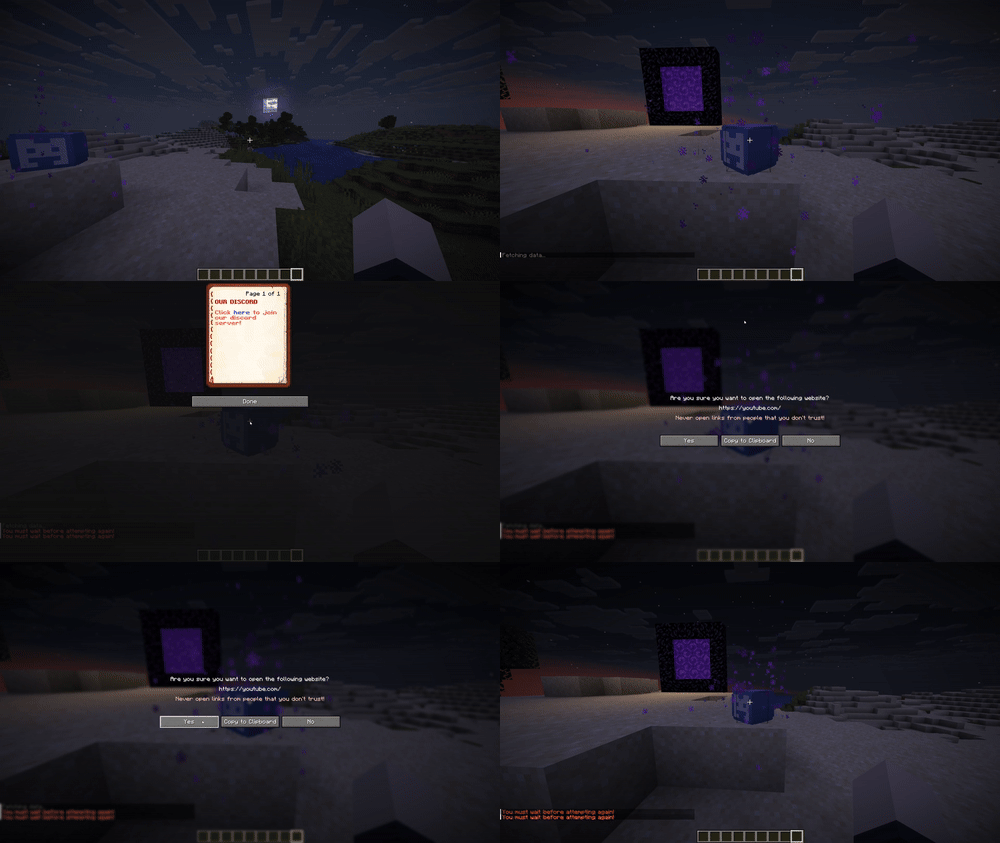
Clicking the discord block
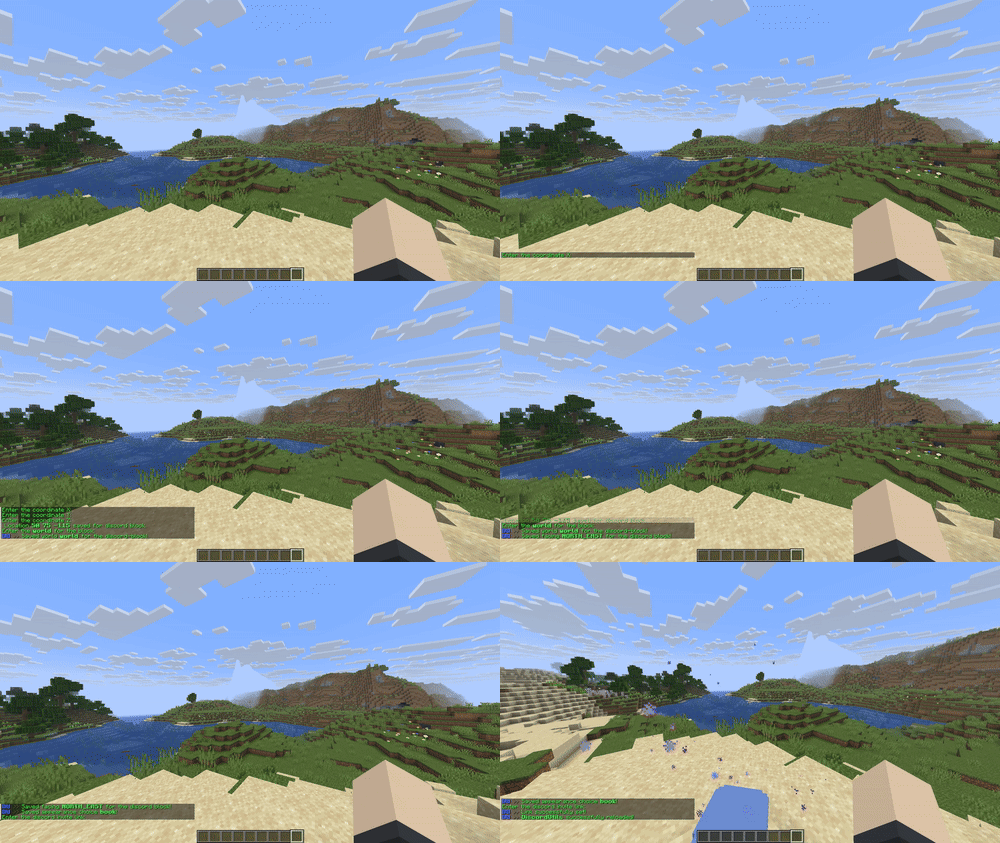
Some configuration of the plugin!
Features
- Fully configurable GUI, with info items and more!
- Custom block for the GUI and clicking in the world.
- Fully configurable and toggleable particles.
- Fully configurable sounds.
- Multiple ways of displaying the discord link to the player.
- Configurable broadcast message.
- Simple configuration through interactive GUIs.
- Fully configurable and toggleable discord bot.
- Clean punishments system.
- Clean appealing system (via your Discord Server).
- Clean logs system (also via your Discord Server).
- Simple Configuration.
And more! Check the configuration files for all the features!
Versions & Server Types
DiscordUtils works best on Paper servers. Other supported types are Spigot/Bukkit.
Minecraft Version: the plugin works on [1.18-26.2].
Java Version: 17+
Commands
Click to View
/dcutils mainconfig -> Opens up the main configuration -> discordutils.commands.mainconfig
/dcutils punishments -> Opens the Punishments Menu -> discordutils.commands.punishments
/dcutils reload -> Reloads the configuration files -> discordutils.commands.reload
/dcutils help -> Opens the help manual -> discordutils.commands.help
/discord -> Opens the Discord GUI -> discordutils.discord
/verify -> Starts the verification process -> discordutils.verify
/unverify -> Unverifies the player -> discordutils.unverify
/history -> Opens the player's punishment history -> discordutils.viewhistory
Permissions
Click To View
discordutils.commands -> Allows the player to use the configuration commands
discordutils.commands.reload -> Allows the player to reload the configuration files
discordutils.commands.help -> Allows the player to open the Help Manual
discordutils.commands.mainconfig -> Allows the player to open the main configuration menu
discordutils.commands.punishments -> Allows the player to open the Punishments Menu
discordutils.punishments.add -> Allows the player to add punishments
discordutils.punishments.add.permban -> Allows the player to add a permanent ban
discordutils.punishments.add.tempban -> Allows the player to add a temporary ban
discordutils.punishments.add.kick -> Allows the player to apply a kick
discordutils.punishments.add.permbanwarn -> Allows the player to apply a permanent ban warn
discordutils.punishments.add.tempbanwarn -> Allows the player to apply a temporary ban warn
discordutils.punishments.add.permmute -> Allows the player to apply a permanent mute/timeout
discordutils.punishments.add.tempmute -> Allows the player to apply a temporary mute/timeout
discordutils.punishments.add.permmutewarn -> Allows the player to apply a permanent mute/timeout warning
discordutils.punishments.add.tempmutewarn -> Allows the player to apply a temporary mute/timeout warning
discordutils.punishments.remove -> Allows the player to remove punishments
discordutils.punishments.remove.permban -> Allows the player to remove a permanent ban
discordutils.punishments.remove.tempban -> Allows the player to remove a temporary ban
discordutils.punishments.remove.kick -> Allows the player to remove a kick
discordutils.punishments.remove.permbanwarn -> Allows the player to remove a permanent ban warning
discordutils.punishments.remove.tempbanwarn - > Allows the player to remove a temporary ban warning
discordutils.punishments.remove.permmute -> Allows the player to remove a permanent mute/timeout
discordutils.punishments.remove.tempmute -> Allows the player to remove a temporary mute/timeout
discordutils.punishments.remove.permmutewarn -> Allows the player to remove a permanent mute/timeout warning
discordutils.punishments.remove.tempmutewarn -> Allows the player to remove a temporary mute/timout warning
discordutils.punishments.playerhistory -> Allows the player to view other players` punishment history
Bugs and Support
Found a bug and want to report it?
- Submit it here
- DM me on discord: _itsandrew_
Credits
DiscordUtils was and is being developed by _ItsAndrew_.
The current version of the plugin is 1.2!
Pages
Members
