
Isometric and top-down maps of your world, rendered like the game itself, with a web map, layers and a companion mod.
Heroic Map renders your world on the server, isometric or from above, pixel for pixel as the game draws it, and keeps it up to date while people play. Players see it in the browser and, with the companion mod, in game.
Features
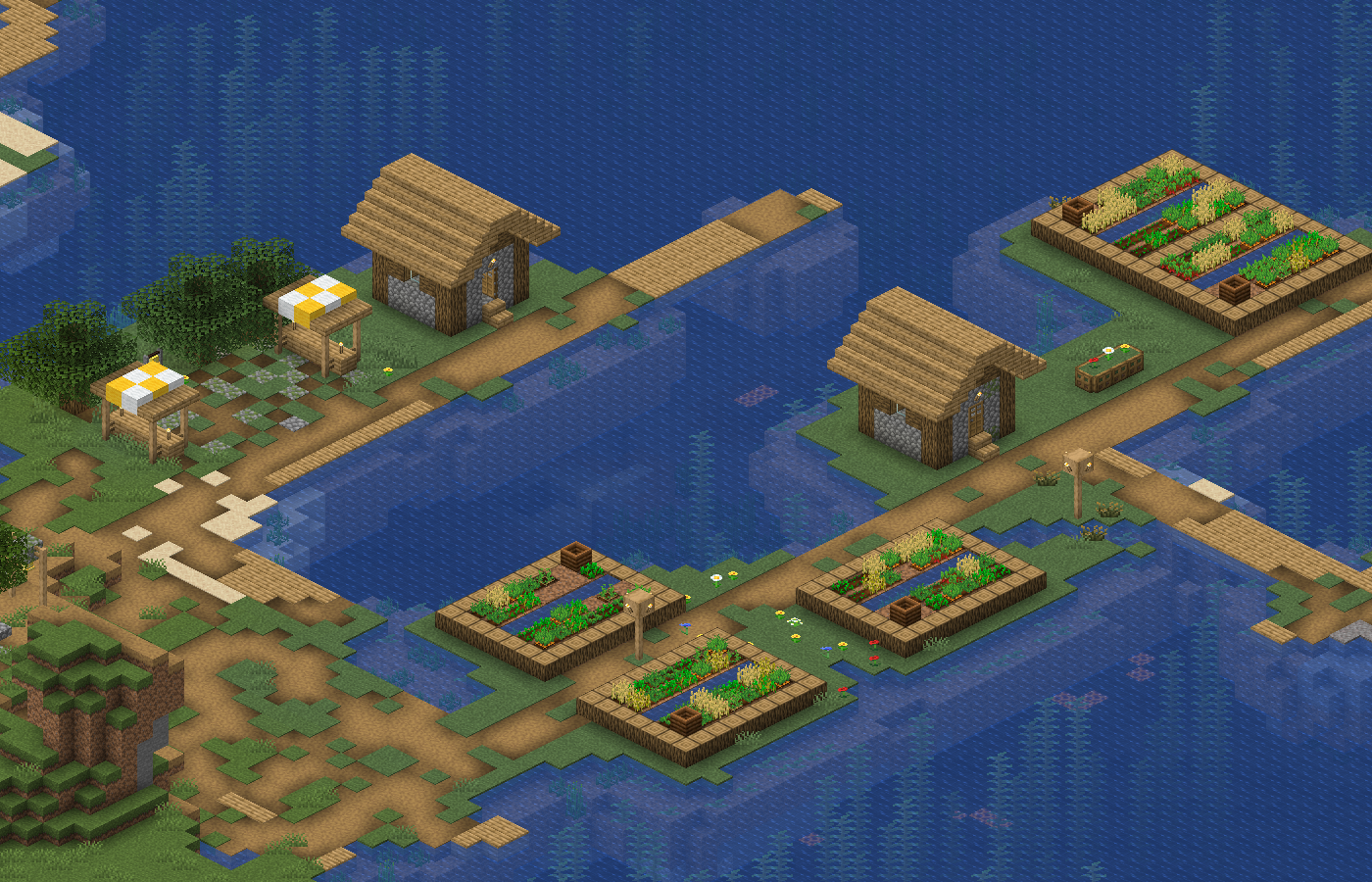
- Like the game: blocks, lighting, water and biome colours as in the client, from the game's own assets.
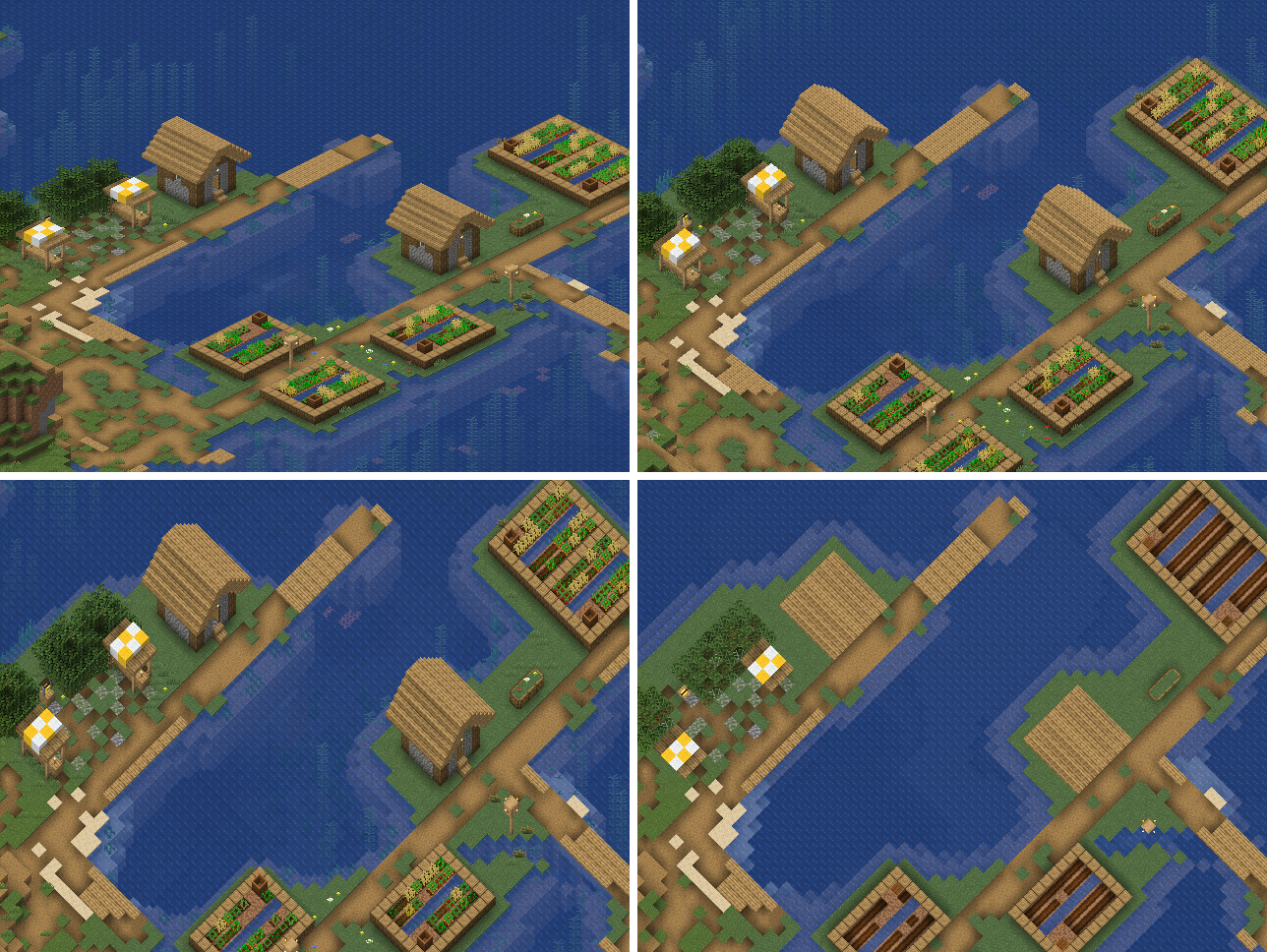
- Isometric or from above: isometric in 2:1, 4:3 or 1:1, or straight from above, also with north up. Several views of one world side by side.
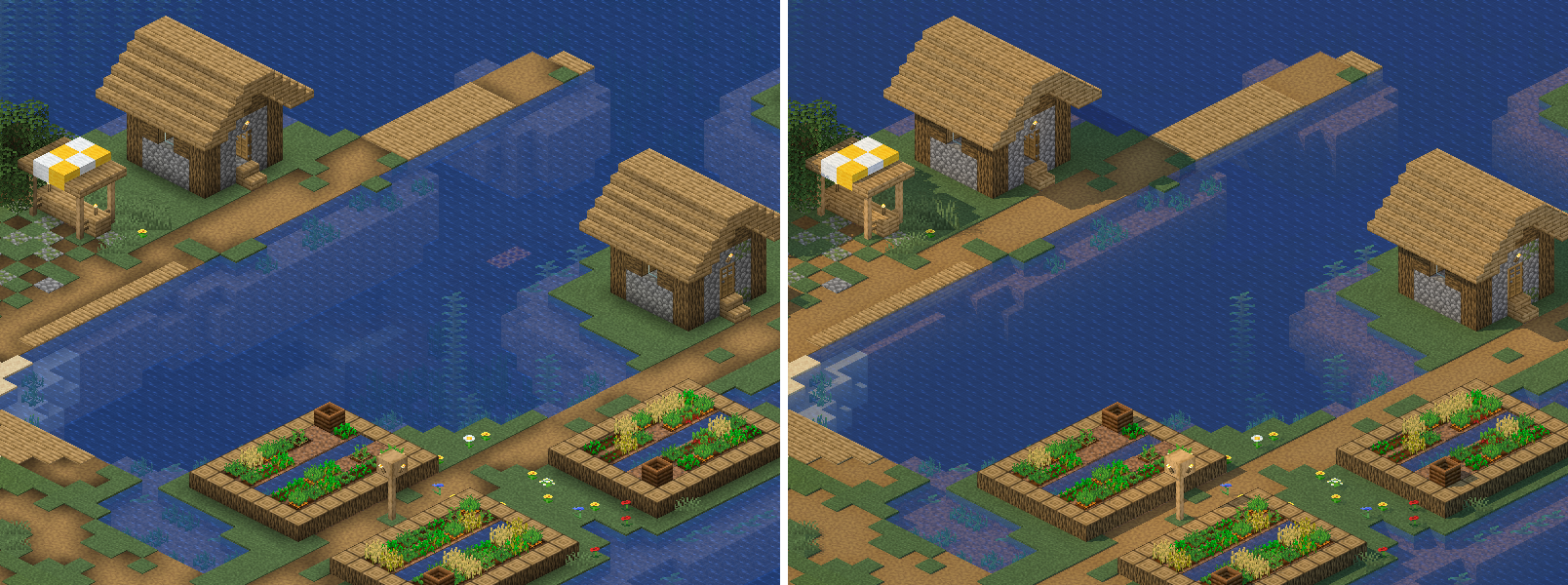
- Cinematic: an optional look with shadows from the sun and deeper, reflecting water.
- Live updates: the plugin renders what changed every two minutes by default, at low priority and with one thread, so the server keeps its pace. Full renders use all cores; a GPU helps if you switch it on.
- Web map: a built-in web server serves the map, with HTTPS if you want it, or behind your own proxy.
- Layers: pins, labels, regions, circles and lines on the map, from JSON files or from other plugins through the layer API.
- Companion mod: players download the map from the server and get a minimap and a full-screen map in game, with the layers they may see.
Installation
Pick the version for your server's operating system:
Server Version on Hangar Linux on x86_64 <version>-linux-x64Windows on x86_64 <version>-windows-x64anything else, such as ARM or macOS either, plus your own renderer binary in renderer.binaryPut the jar into
plugins/of a Paper 26.2 or 26.3 server on Java 25 and start the server once.Give the renderer the game's textures: point
renderer.assetsto them, or allow the plugin to fetch the client jar from Mojang withrenderer.download-client-jar: true.Run
/heroicmap renderfor the first full render. After that the plugin keeps the map up to date by itself.
On Linux the renderer needs glibc 2.28 or newer; it does not start on musl, such as Alpine images. With the jar for the other platform the plugin starts without a renderer and names the jar you need in the log.
Configuration
Everything lives in plugins/HeroicMap/config.yml:
- the views to render, each with camera, direction, scale and Cinematic;
- the web server: address, public URL, HTTPS;
- how often to update, and how many threads updates and full renders get;
- whether players may download the map in the mod.
See the configuration, the web server and the layers. The documentation is in German.
Commands and permissions
| Command | |
|---|---|
/heroicmap render |
full render of every view; resumes an interrupted one |
/heroicmap update |
render what changed in every view, now |
/heroicmap compact |
pack the existing views smaller |
/heroicmap status |
what runs, since when, and how the last run of each view ended |
/heroicmap cancel |
stop the current run |
/heroicmap layers |
reload the layer files |
heroicmap.admin (op) for the commands; heroicmap.layers and
heroicmap.show (everyone) for layers and players in the mod.
Companion mod
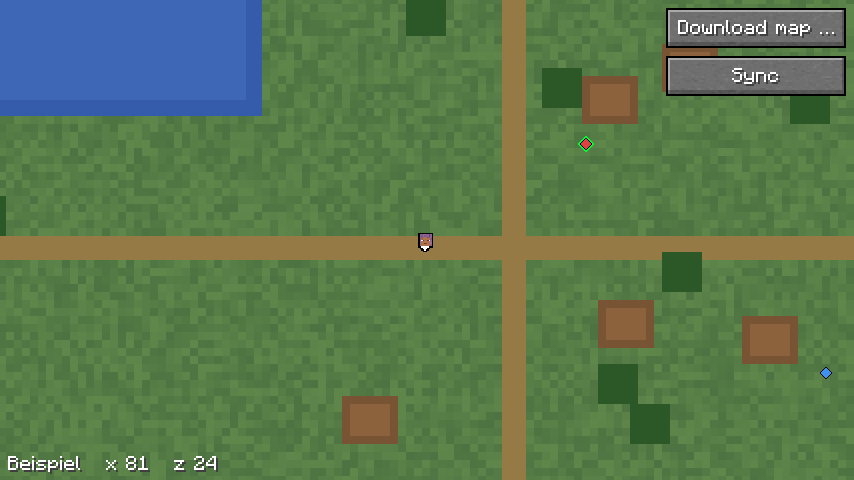
The Fabric mod Heroic Map (Modrinth, source) downloads the map from the server and shows it as a minimap and a full-screen map, with layers and the other players.
Statistics
The plugin reports to bStats
only what bStats sends by itself. Turn it off in plugins/bStats/config.yml.
License
Apache-2.0. Publisher and contact: see NOTICE.
NOT AN OFFICIAL MINECRAFT PRODUCT. NOT APPROVED BY OR ASSOCIATED WITH MOJANG OR MICROSOFT.
Sponsors

TerraNova: the Minecraft server Heroic Map is made for. Play on it at mcterranova.com.
Pinned Versions
- R26.2–26.3
Pages
Members
1
Owner