Welcome to the Hangar Open Beta. Please report any issue you encounter on GitHub!

Gives every player on the server a 54-slot ender chest instead of the vanila default 27


Larger Ender Chests
- Up to 54 Slots: A full double chest instead of 27, in steps of 9.
- Same Block: Right-click an ender chest or run
/ec. The lid still opens and closes. - Size by Rank: Set the base size per rank with the
enhancedechest.default_size.<size>permission.
| 27 slots | 54 slots |
|---|---|
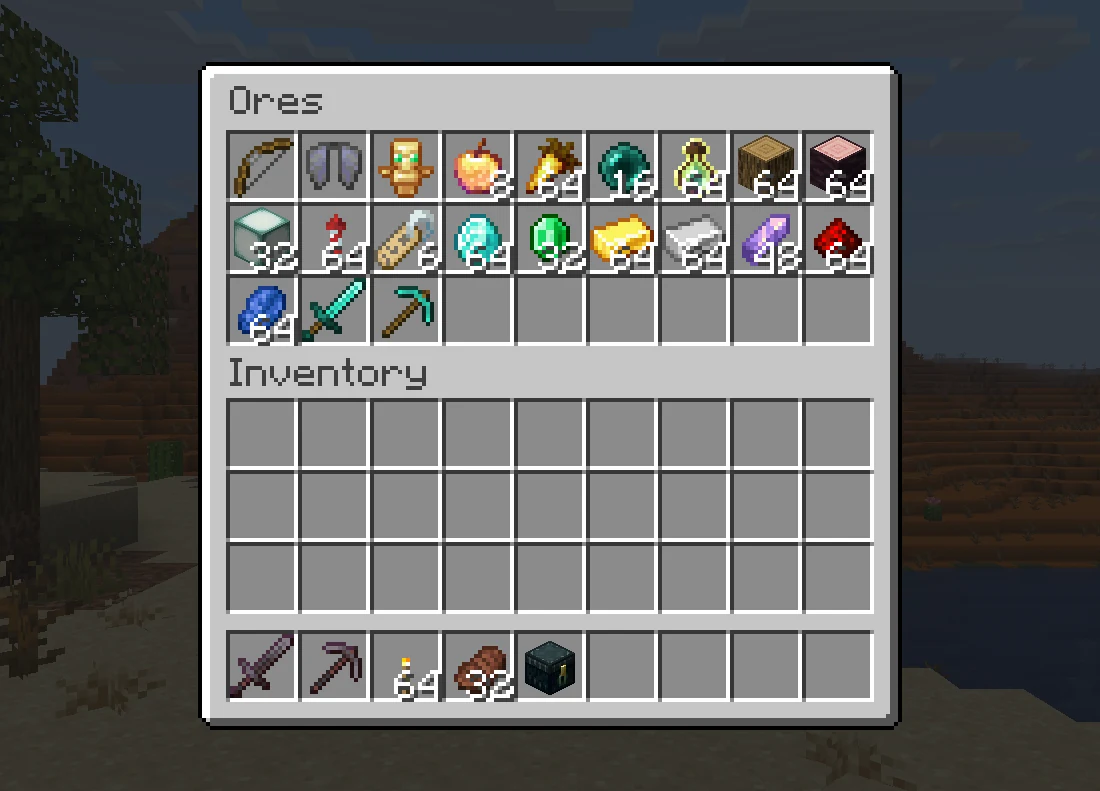 |
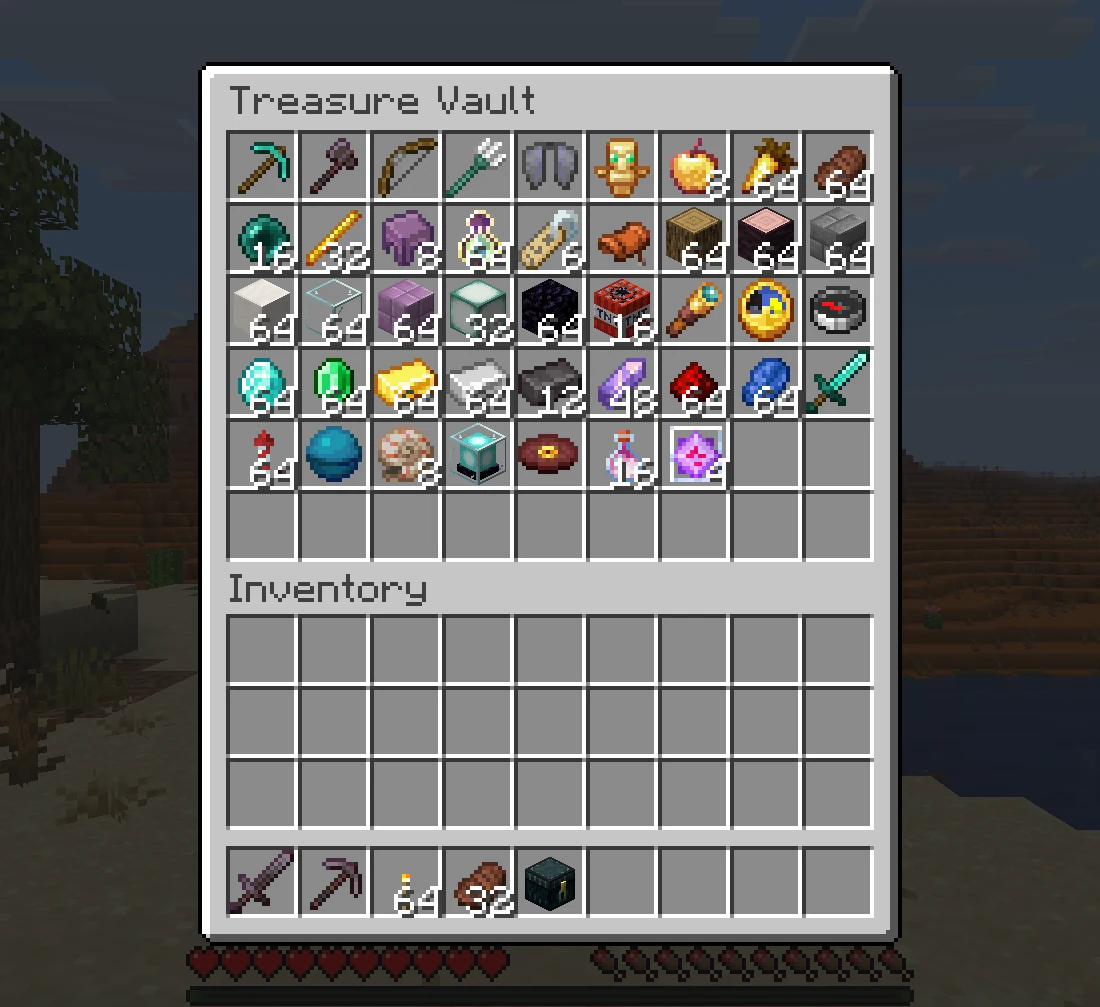 |
Multiple Chests
- Chest List:
/eclist, or shift and right-click an ender chest, lists every chest a player owns. - Main Chest: Players pick the one
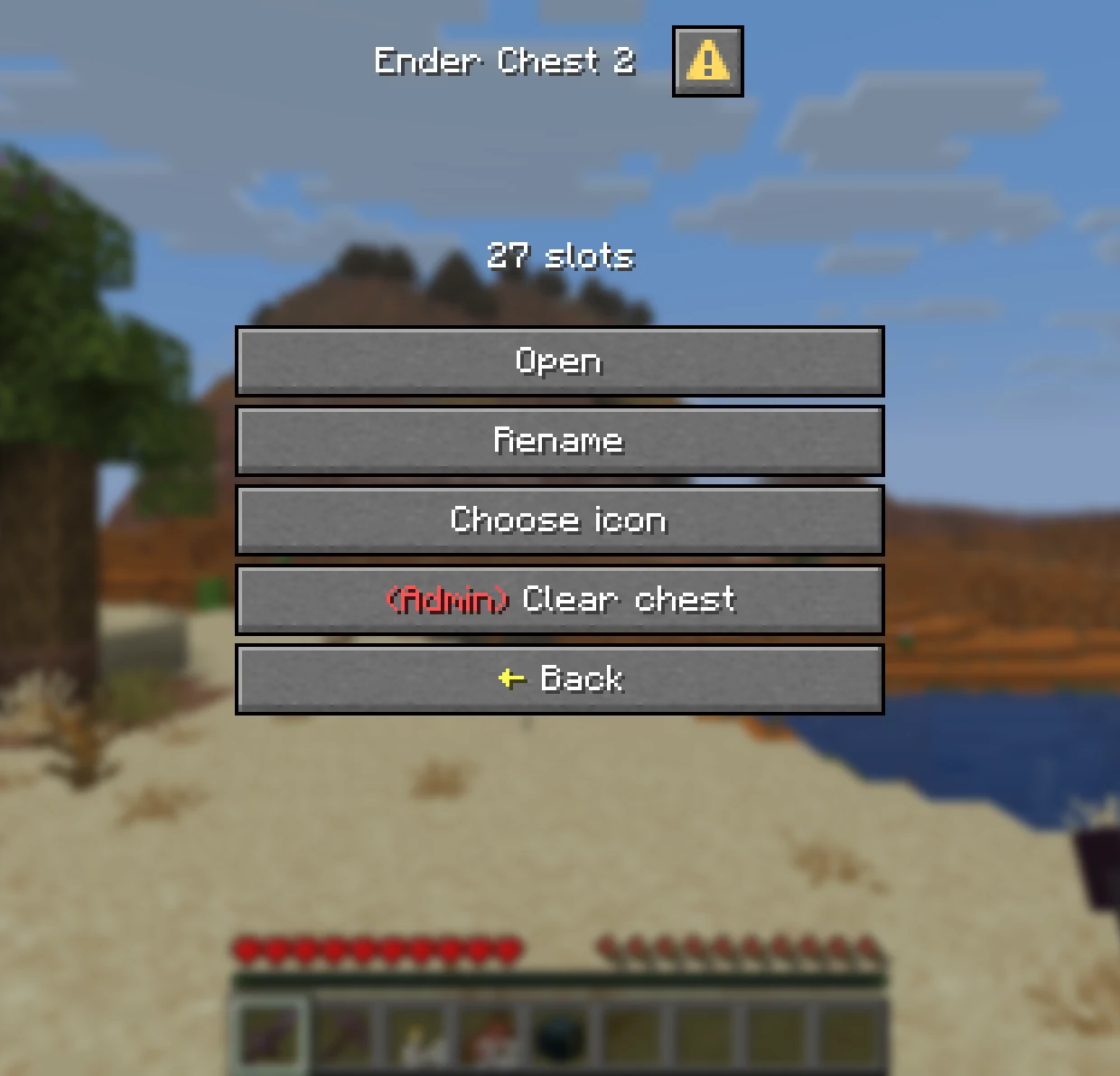
/ecopens. A new chest never becomes main on its own. - Edit Mode: Tick it to manage a chest on click instead of opening it.
| Chest List | Managing a Chest |
|---|---|
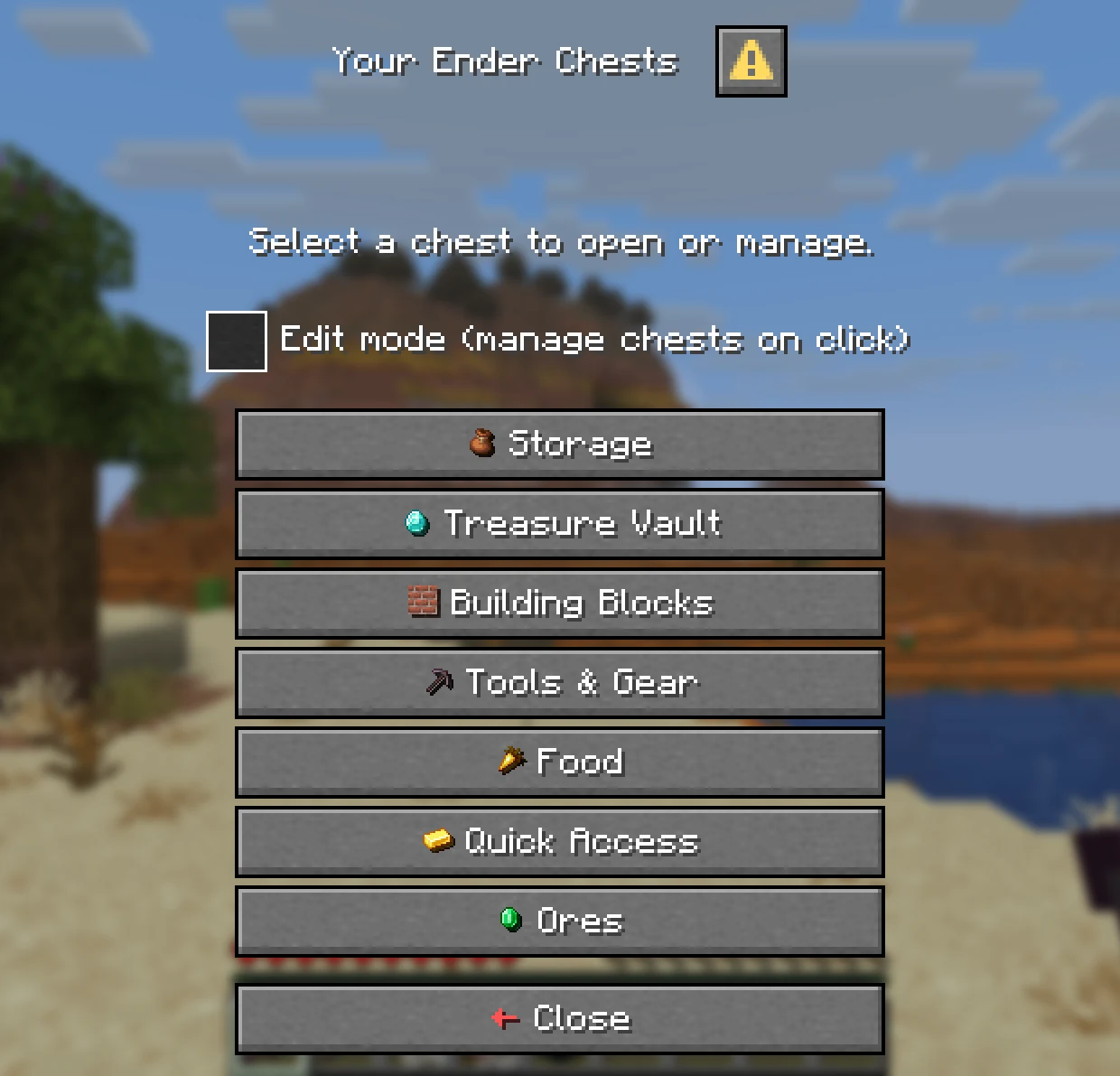 |
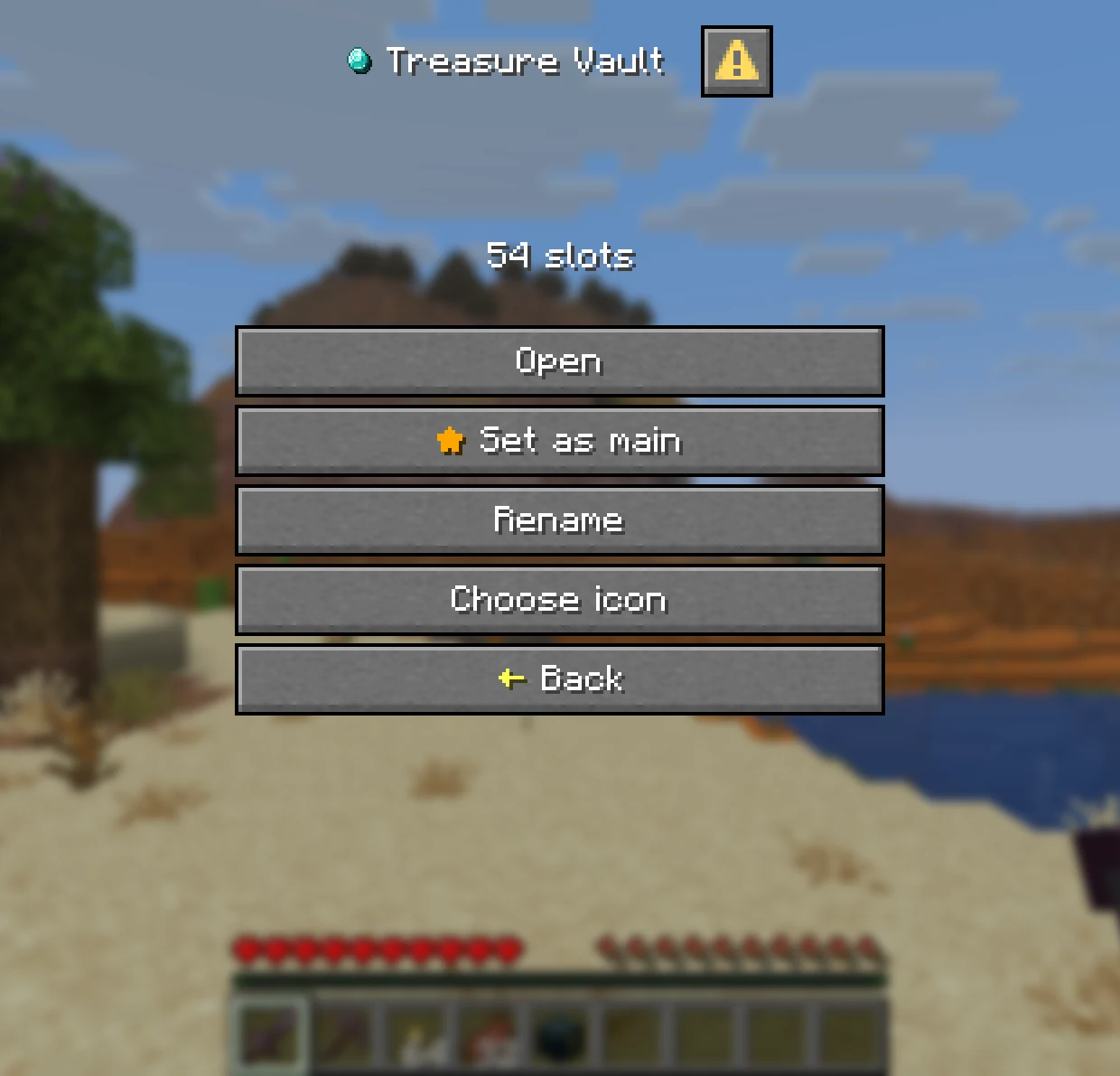 |
Names and Icons
- Rename: Give each chest its own name, with optional colours. It becomes the inventory title.
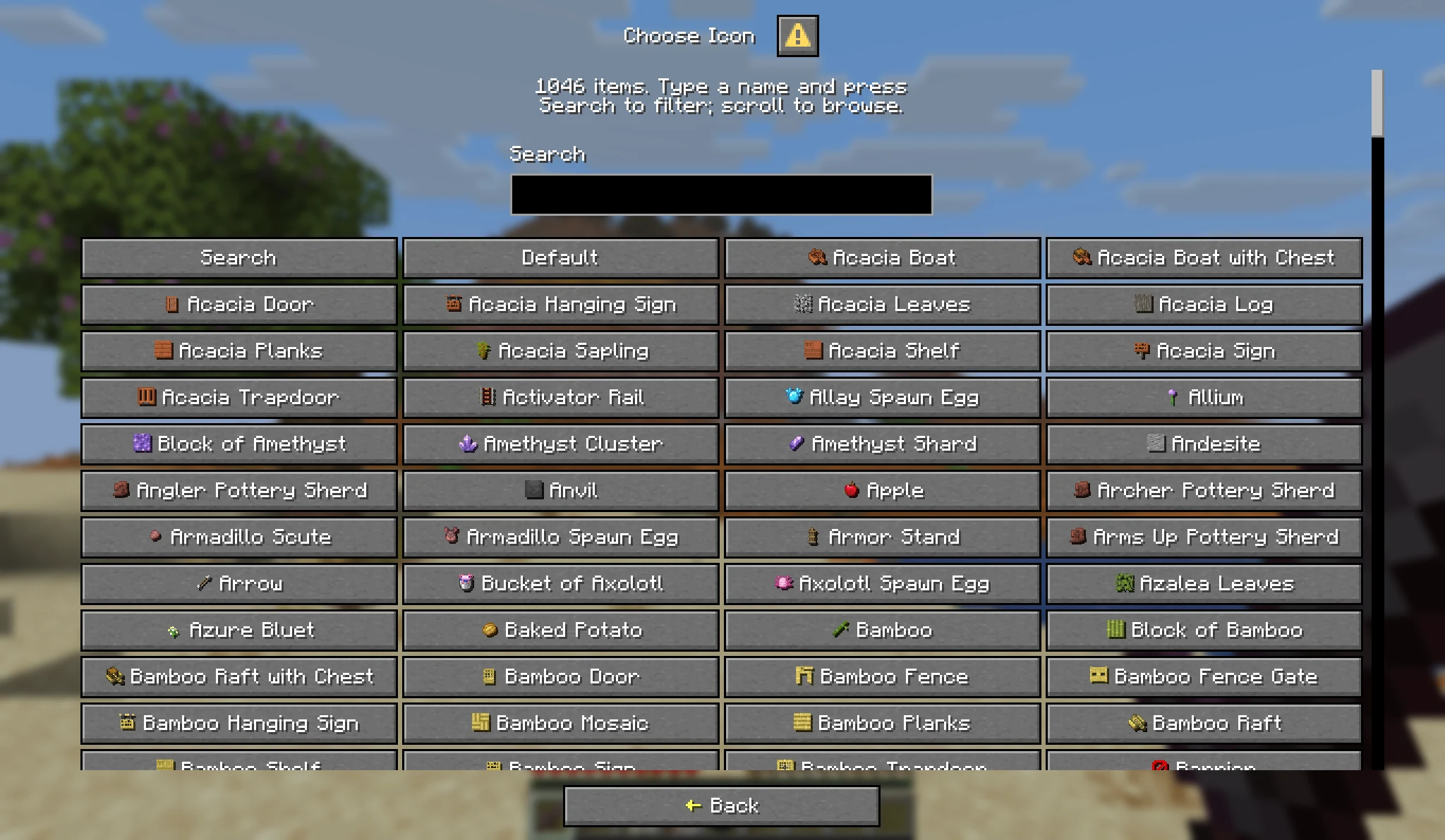
- Choose an Icon: Pick from over a thousand items, with a search box.
- Server Toggles: Rename, icons and sorting can each be switched off in
config.yml.
Admin Tools
- Manage Any Player: Add, resize and delete chests with
/ee add,/ee resizeand/ee delete, online or offline. - Temporary Chests: Give a chest that expires, such as
/ee add Steve 27 1 7d. - View and Edit:
/ee view <player>opens the same menu the owner sees. Admins can look, edit, or clear the chest, each by permission. - Safe Shrinking: Items that no longer fit after a resize or a lost rank move to a temporary chest instead of vanishing.
Activity Log
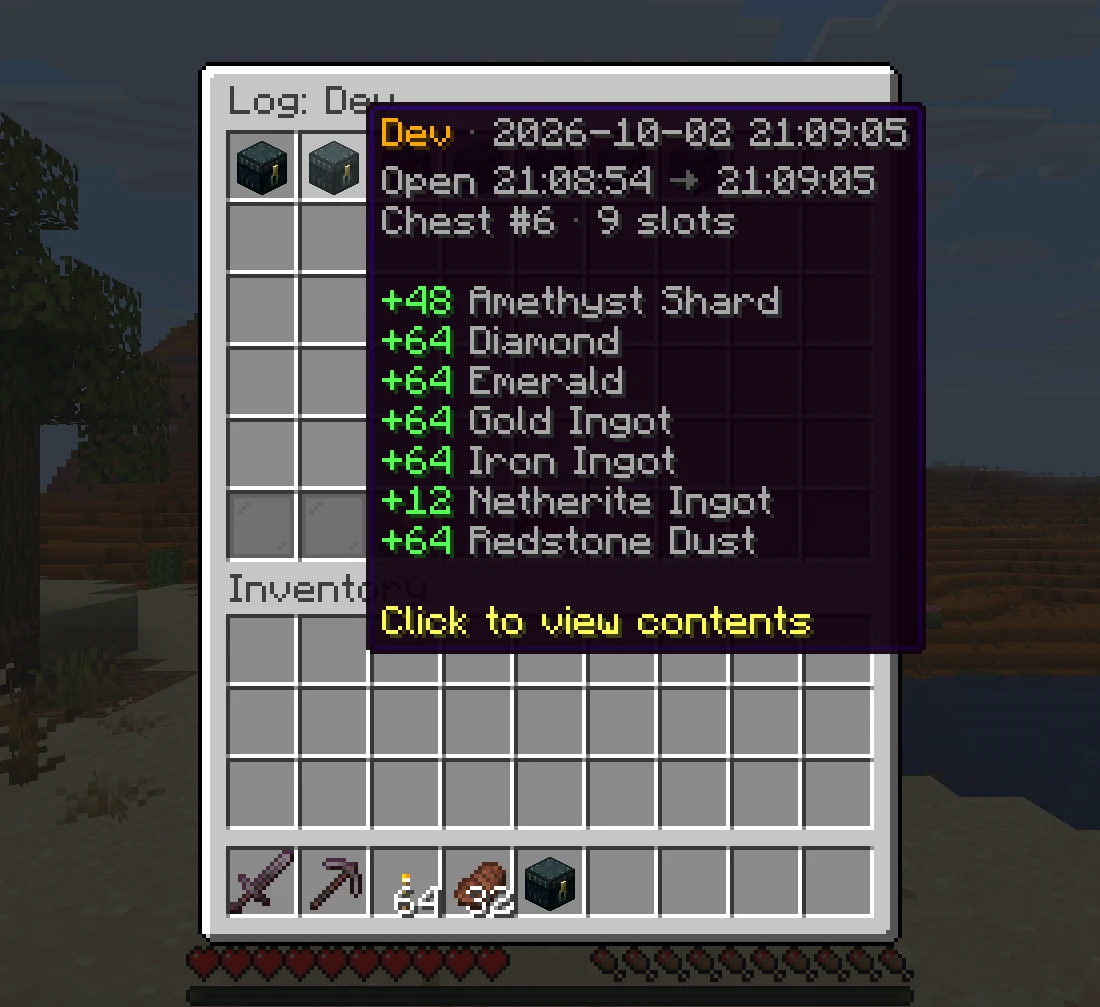
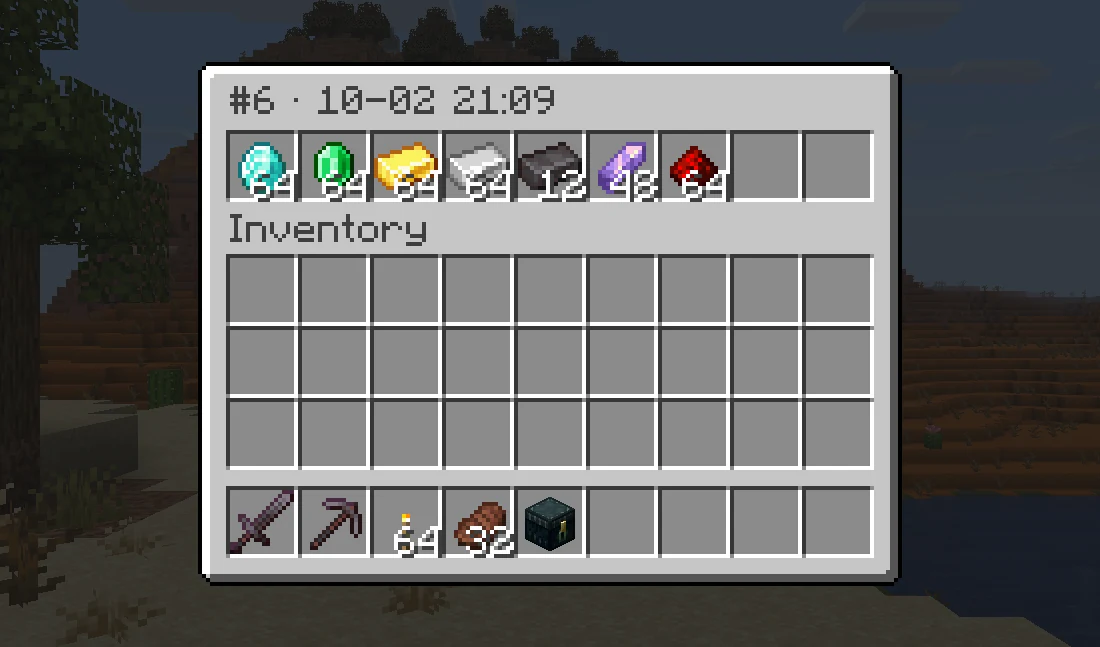
- Who Took What: Every visit that added or took items is recorded with the player, the time and the changes.
- Look Back: Click a visit to see exactly what the chest held when it closed.
- In Game: Read it with
/ee log <player>. Off by default, turn it on inconfig.yml.
| One Visit | The Chest at That Moment |
|---|---|
 |
 |
Storage and Migration
- Any Database:
SQLite out of the box, or
MySQL, MariaDB and
PostgreSQL. Saving runs in the background.
- Several Servers: Share one database between servers, kept in sync with Redis.
- Import: Bring vanilla ender chests over when players join, and import from AxVaults, PlayerVaultsX and CustomEnderChest with one command.
Commands
Player and admin commands, click to expand
| Command | Permission | Description |
|---|---|---|
/ec |
enhancedechest.command.open |
Open the main chest, or the list with several |
/ec <name>, /ec #<index> |
enhancedechest.command.open |
Open one chest directly |
/eclist |
enhancedechest.command.open |
Open the chest list |
/ee add <player> <size> [count] [duration] |
enhancedechest.admin.add |
Give chests, optionally temporary |
/ee resize <player> <index> <size> |
enhancedechest.admin.resize |
Resize a chest |
/ee delete <player> <count> [force] |
enhancedechest.admin.delete |
Delete the newest chests |
/ee view <player> [list|index] |
enhancedechest.admin.view |
View or edit a player's chest, also /endersee |
/ee log <player> |
enhancedechest.admin.log |
Open a player's activity log |
/ee transfer <from> <to> <#index|name|all> |
enhancedechest.admin.transfer |
Move chests to another account |
/ee import |
enhancedechest.admin.import |
Copy data from another database |
/ee migrate <source> |
enhancedechest.admin.migrate |
Import from vanilla, AxVaults, PlayerVaultsX or CustomEnderChest |
/ee reload |
enhancedechest.admin.reload |
Reload config and language files |
Every permission is on the permissions page.
Version Support
| Minecraft version | Server | Java | Support status |
|---|---|---|---|
| 1.21.11 – 26.2 | Paper, Purpur, Folia | 21 | Active |
Quick FAQ
Does it work on Folia?
Yes. Paper, Purpur and Folia are all supported. Spigot is not.
Can Bedrock players use it?
Yes. Through Geyser, the menus show as Bedrock forms with no extra setup.
Will players lose their old ender chest items?
No. Turn on migration in config.yml and each player's vanilla ender chest is copied into their first chest when they join.
Supported languages:
English and Vietnamese, and each player sees their own client language. Every message can be edited with MiniMessage.
Need help or want to suggest something? Join the Discord.
Credits
Pinned Versions
- R1.21.11–26.1.2
Pages
Members
1
Owner