
No-code Agent AI directly generates Bukkit plugins
BukkitCode: No Code Needed – AI Agent Directly Generates Bukkit Plugins

Build Bukkit plugins with an Agent.
You only need to chat with BukkitCode's Agent in your browser and describe your gameplay ideas and requirements. The Agent will design and generate a complete Bukkit plugin project for you (exported as a project file). Then, the BukkitCode compiler plugin on your server will compile that project into a loadable plugin JAR, and it supports load / unload / reload / one-click deployment — all without restarting your server.
No need to install an IDE, build tools, or JDK project templates locally.
Your main focus is discussing with the Agent "how the plugin should be implemented and behave."
The compiler plugin is only responsible for "safely and stably turning the project generated by the Agent into a runnable Bukkit plugin."
🚀 From Idea to Bukkit Plugin: Overall Workflow
Open the BukkitCode web app (visit https://bukkitcode.com/chat in your browser), register and log in, then chat directly with the Agent:
- First choose the Minecraft version you want your plugin to be compatible with;
- Then tell the Agent what you want — for example, "randomly drop golden apples while mining" or "make a mailbox plugin";
- You don't need to worry about formatting for configuration, permissions, or player experience.
The Agent creates or modifies the Bukkit plugin project based on your description:
- Automatically plans
plugin.yml, commands, permissions, plugin dependencies, etc.; - Generates the core logic code and required resource files;
- The only goal is to make the project run on a server as a Bukkit plugin.
- Automatically plans
Run compilation or testing — in the web UI, click "Export Plugin Project (.sirc)" to get the
.sircproject file, place it inplugins\BukkitCode\project, and execute/bukkitcode compiler.
(If you already have a.sircfile, you can also import it directly into the web app and continue from where you left off.)
(If your server and the BukkitCode editor are in the same environment, they will be linked, and you can click "Build Plugin" to compile and deploy to the server with one click.)When you want to change plugin behavior later, go back to the web app, tell the Agent what to change, export a new
.sirc, and recompile.
In one sentence: The web-based Agent is responsible for "designing and writing code", while BukkitCode on your server is responsible for "compiling and loading".
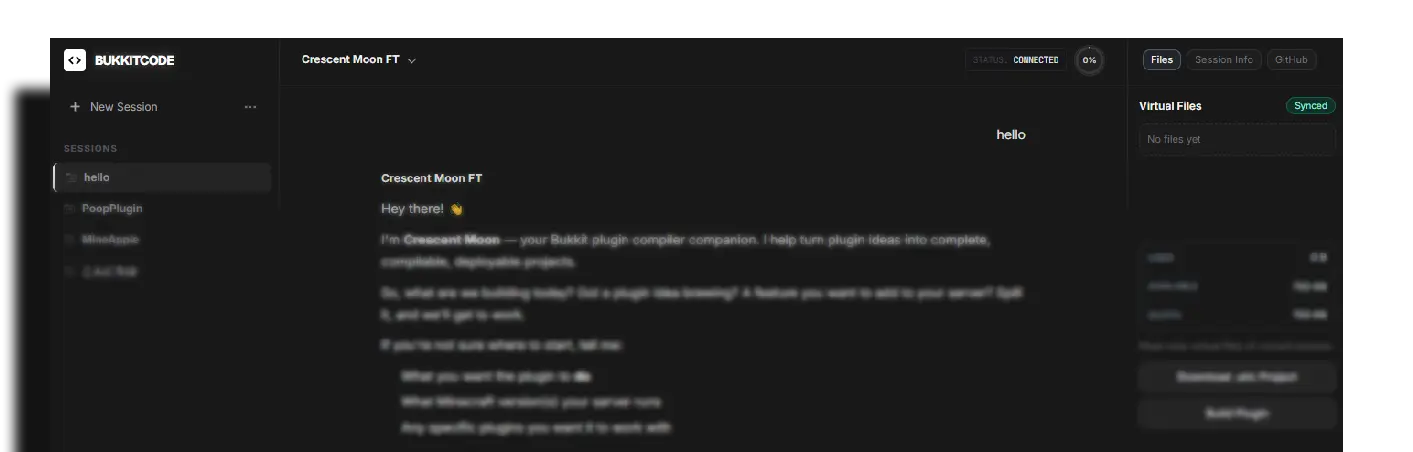
💬 Web-Based Online Builder: bukkitcode.com/chat
The web app is BukkitCode's online builder — you don't need to deploy anything yourself. Here you can:
- Describe gameplay and rules in plain language, and the Agent will help generate and adjust the project structure and code;
- Manage virtual project files like a file manager — view, add, edit, and preview them;
- Import existing
.sircprojects and continue developing from your previous progress; - Export
.sircproject files with one click and hand them to the BukkitCode compiler plugin on your server.
Simply put: You build the "project" in the app, and BukkitCode on your server compiles it into a runnable plugin.
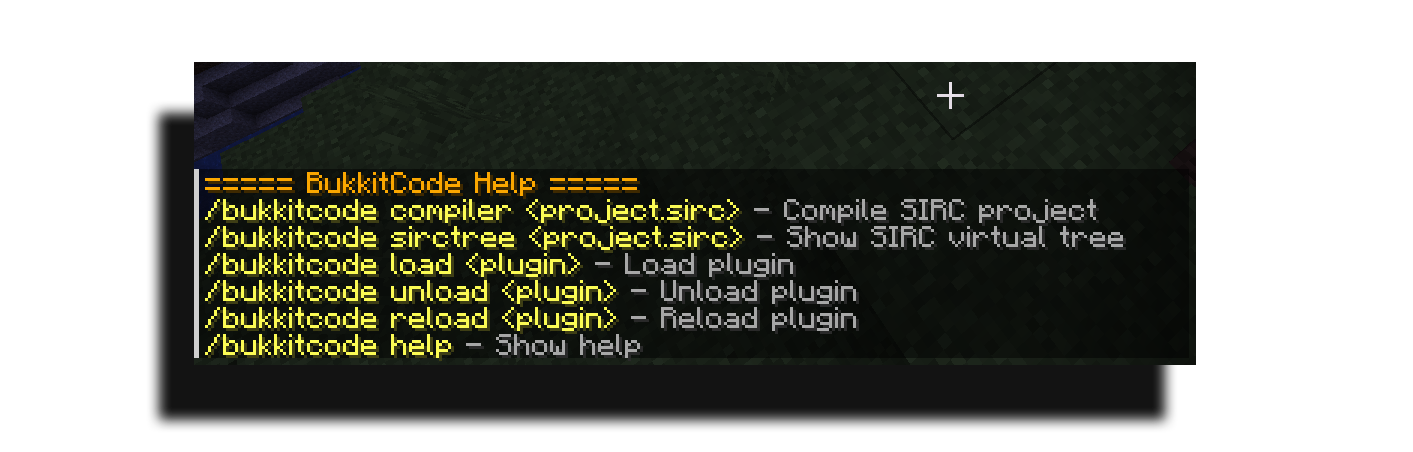
🔧 Installation: Installing the BukkitCode Compiler Plugin
- Get the latest
BukkitCode.jarand place it into your server'splugins/directory; - Start the server (you must run the server with JDK, not JRE, otherwise the compiler cannot be obtained — see FAQ);
- After the first startup, the plugin will automatically create its configuration and working directories under
plugins/BukkitCode/.
The BukkitCode compiler plugin does not require you to set up any IDE, Maven/Gradle project, or JDK project template locally. It only depends on the running Minecraft server environment.
📜 Quick Start (Using the Compiler BukkitCode.jar)
- Place the
.sircproject file intoplugins/BukkitCode/project/; - Run the following command in the console:
bukkitcode compiler MyPlugin.sirc            # Compile only; output goes to the target directory
bukkitcode compiler MyPlugin.sirc deploy     # Compile + automatically deploy to plugins/ and load immediately
bukkitcode sirctree MyPlugin.sirc            # View the internal file tree of the .sirc file
bukkitcode load MyPlugin                     # Load a plugin from the plugins/ directory
bukkitcode unload MyPlugin                   # Fully unload a plugin
bukkitcode reload MyPlugin                   # Reload a plugin (unload and reload from jar)
Main command alias: /bcode.
Note: All commands can be executed in the console. Players need the corresponding permission to execute them in-game. The actual parameters are subject to
/bukkitcode help.
📜 Command Reference
| Command | Permission | Description |
|---|---|---|
/bukkitcode help |
bukkitcode.view | View help |
/bukkitcode compiler <project.sirc> [deploy] |
bukkitcode.admin | Compile a project; add deploy to compile and then automatically deploy and load |
/bukkitcode sirctree <project.sirc> |
bukkitcode.view | View the virtual file tree of a .sirc file |
/bukkitcode load <plugin> |
bukkitcode.admin | Load a plugin (by plugin name or jar file name) |
/bukkitcode unload <plugin> |
bukkitcode.admin | Fully unload a plugin |
/bukkitcode reload <plugin> |
bukkitcode.admin | Reload a plugin |
Thoughtful tab completion: load only suggests plugins that are not yet loaded; unload / reload suggest loaded plugins; the third argument of compiler suggests deploy.
Permissions
| Permission | Default | Description |
|---|---|---|
| bukkitcode.admin | OP | Compile projects and manage plugins |
| bukkitcode.view | OP | View help and file trees |
📁 Directory Structure
After the first run, the following standard directory structure will be generated under plugins/BukkitCode/:
plugins/
├── BukkitCode/
│   ├── config.yml       # Configuration file
│   ├── library/         # Additional dependency jars (automatically added to the compile classpath)
│   ├── project/         # .sirc input files
│   ├── target/          # Compiled output jars (default)
│   ├── build-cache/     # Temporary compilation directory
│   └── messages/        # Custom language files
└── ...
config.yml can control the output directory, compilation limits, language, plugin protection list, and other behaviors. In most cases, the default configuration is sufficient.
⚙️ Configuration Reference (config.yml)
compiler:
  output-directory: "target"          # Output directory for compiled artifacts (relative to the plugin data directory)
  output-to-plugins: false            # When true, artifacts are output directly to the server's plugins directory
  plugins-directory-name: "plugins"   # Target directory name when output-to-plugins=true
  projects-directory: "project"       # Directory for .sirc project files
  lib-directory: "library"            # Directory for additional dependency jars (priority items on the compile classpath)
  build-cache-directory: "build-cache"# Temporary compilation directory
  verbose-logging: false              # Verbose javac logging
  max-concurrent-jobs: 1              # Number of concurrent compilations (forced to 1 for safety)
  timeout-seconds: 120                # Compilation timeout in seconds
  max-single-file-size-kb: 1024       # Maximum size of a single file after unpacking a .sirc
  max-total-size-kb: 20480            # Maximum total size after unpacking
  tree-max-lines: 400                 # Maximum number of lines shown by sirctree
  copy-retry-times: 5                 # Number of output copy retries (when the file is locked)
  copy-retry-wait-ms: 200             # Retry interval in milliseconds

language:
  current: "en_US"                    # Language: en_US / zh_CN
  enable-custom: true                 # Allow custom language file overrides

permissions:
  admin-permission: "bukkitcode.admin"
  view-permission: "bukkitcode.view"

plugin-manager:
  # Plugins forbidden from being unloaded by /bukkitcode unload|reload (case-insensitive)
  # BukkitCode itself is always protected and will not be unloaded even if not in this list
  ignored-plugins:
    - BukkitCode
📦 About .sirc Project Files
.sirc is a project file exported by the BukkitCode web app. It contains the full project files and configuration for your plugin. Simply place the .sirc file into plugins/BukkitCode/project/, and the BukkitCode compiler will automatically recognize and parse it — no manual handling is needed.
.sirc files are self-contained, making them easy to back up, share, and move between servers. You can also re-import them into the web app to continue editing.
🌍 Multilingual Support
- Built-in
en_USandzh_CN, switchable vialanguage.currentin config.yml; - Copy the built-in language file to
plugins/BukkitCode/messages/and modify it to customize overrides (UTF-8 encoding).
❓ FAQ
Q1: Do I need to know Java to use BukkitCode?
No. You mainly develop plugins by conversing with the web-based Agent in natural language, and the Agent is responsible for the code and structure. You only need to run a few commands on your server for the compiler plugin.
Q2: Can the server run on JRE?
No. Compilation depends on the system compiler bundled with the JDK (ToolProvider.getSystemJavaCompiler), which is unavailable in a JRE. Please run the server with JDK.
Q3: What is the difference between compiler and deploy?compiler only compiles, and the output goes to the target/ directory. Adding the deploy parameter automatically performs a one-click deployment after successful compilation: "unload old version → rename old jar to .jard → copy new jar → load immediately."
Q4: What should I do if compilation fails?
Check the error report — it pinpoints file:line and preserves the full error information. You can copy it directly to an AI model for troubleshooting, or send it back to the web app and let the Agent fix it before exporting again.
Q5: Why can't some plugins be unloaded?
There are two possibilities: first, Paper native plugins (paper-plugin.yml) do not support hot unloading and will be explicitly rejected; second, the plugin is protected by the ignored-plugins list in config.yml (BukkitCode itself is always protected).
Q6: Can I replace the jar file immediately after unloading?
Yes. The unload process breaks internal reference cycles in the class loader, closes the class loader, and actively calls System.gc(), releasing the file lock on the jar in Windows.
⚠️ Known Limitations
- The server must run on JDK (compilation depends on the JDK system compiler);
- Compilation happens on the server, so very large projects will consume server CPU/memory (with timeout and size limits as safeguards);
- Paper native plugins do not support hot unloading; plugins that hold static references or create their own threads cannot be reclaimed by any hot-unload solution.
🙏 Acknowledgments
- Thanks to the Minecraft / Bukkit / Spigot / Paper communities for maintaining their ecosystem and documentation over the long term;
- Thanks to the server owners and developers who participated in BukkitCode testing and feedback. Your suggestions directly drove the product's improvement.
Start now: open https://bukkitcode.com/chat, describe your gameplay idea, export the .sirc, compile and deploy it on your server — and turn your idea into a real running plugin!
Information
Pinned Versions
- R1.12–1.21.11
Pages
Members
1
Owner