
First-join onboarding with native dialogs: welcome, rules, starter kits and a new player checklist.
Wintermark Onboarding
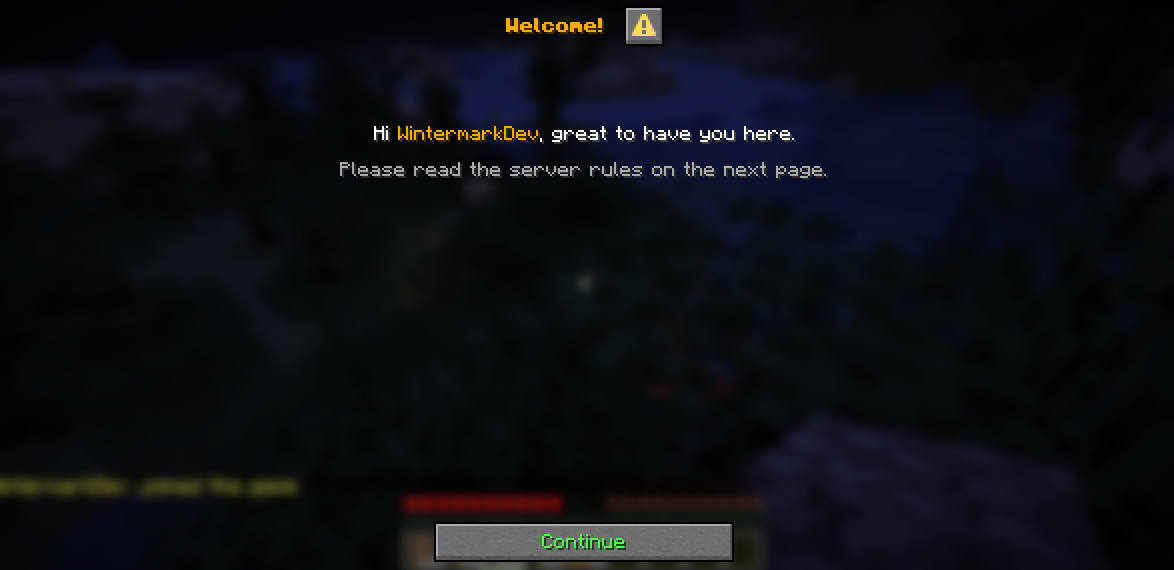
First-join onboarding for Paper servers, built on Minecraft's native dialog screens. Welcome screen → server rules → choose your start → new player checklist with rewards.
Most onboarding today is chat spam or chest menus. Wintermark Onboarding uses the real dialog screens added in Minecraft 1.21.6, so players get clean, readable windows with proper buttons. Nothing to install on the client.
Features
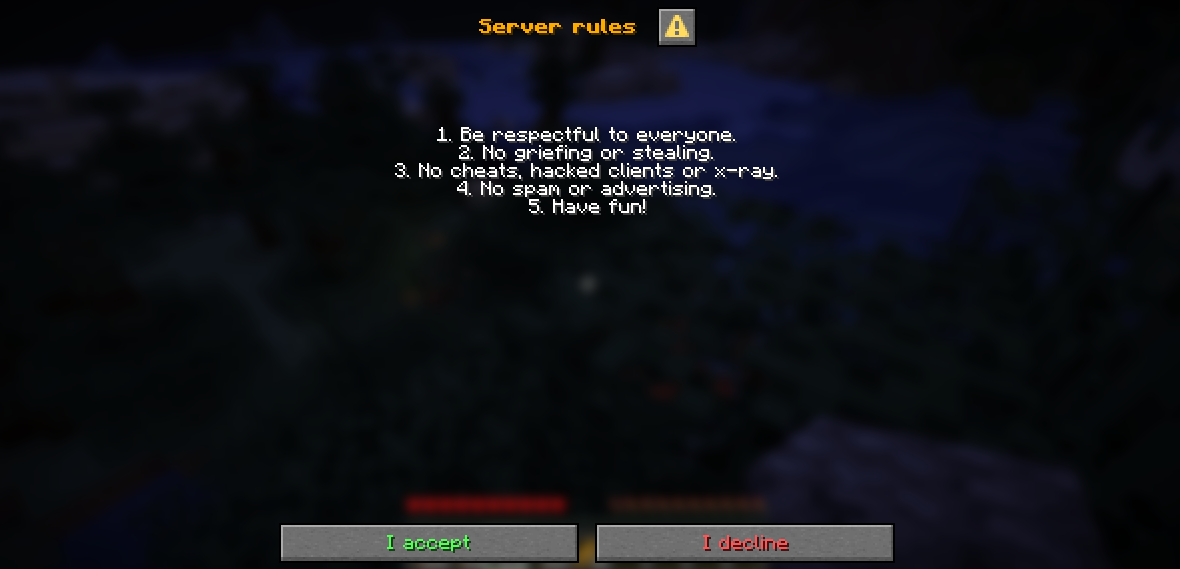
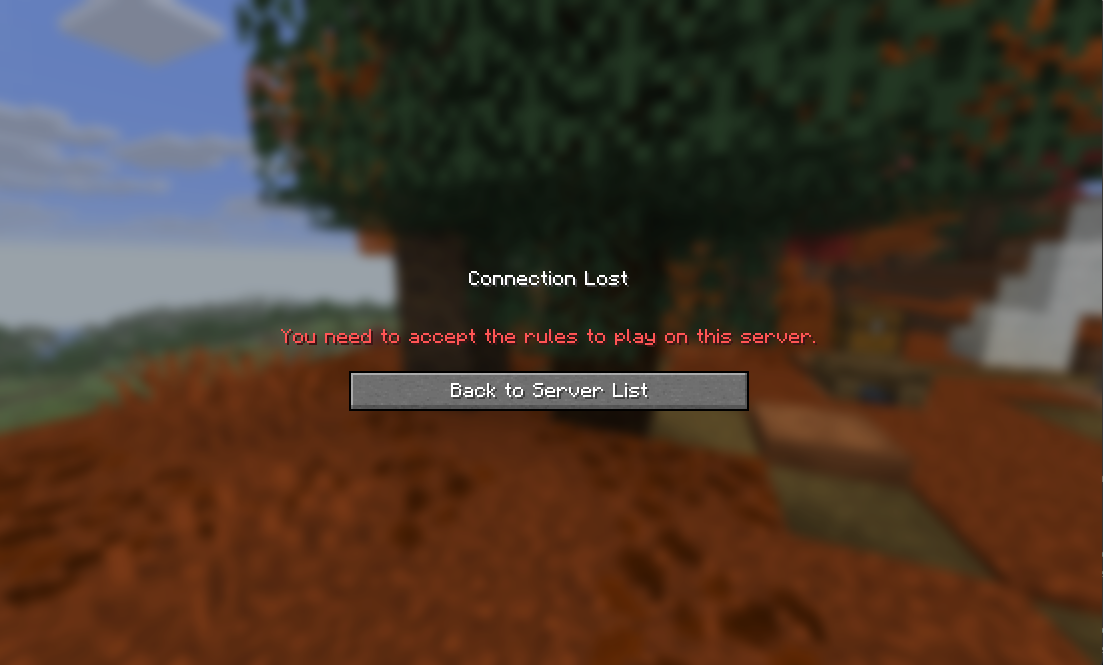
- Welcome + rules screen. Players accept or decline. Declining disconnects them. Esc can't skip it.
- Rules versioning. Changed your rules? Raise one number and everyone accepts the new version on their next join.
- Strict mode (optional). Show welcome and rules before the player enters the world, while the client is still loading. Players can't move, chat or see anything until they accept. Configurable timeout.
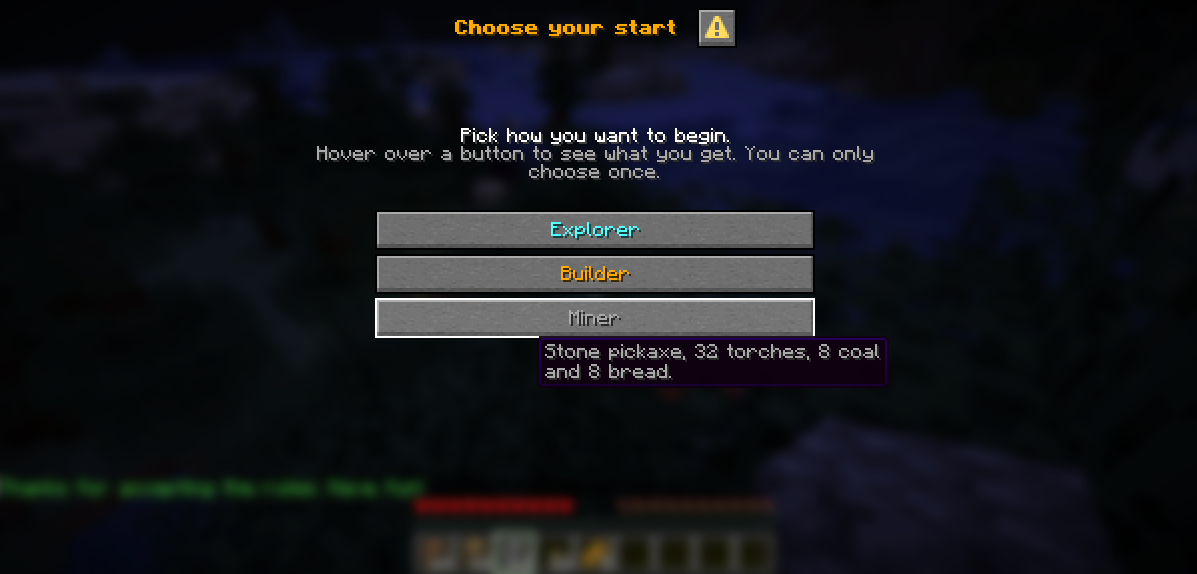
- Choose your start. One-time starter options (kits). Each option can give items, run console commands and teleport the player. Hover text shows what's inside.
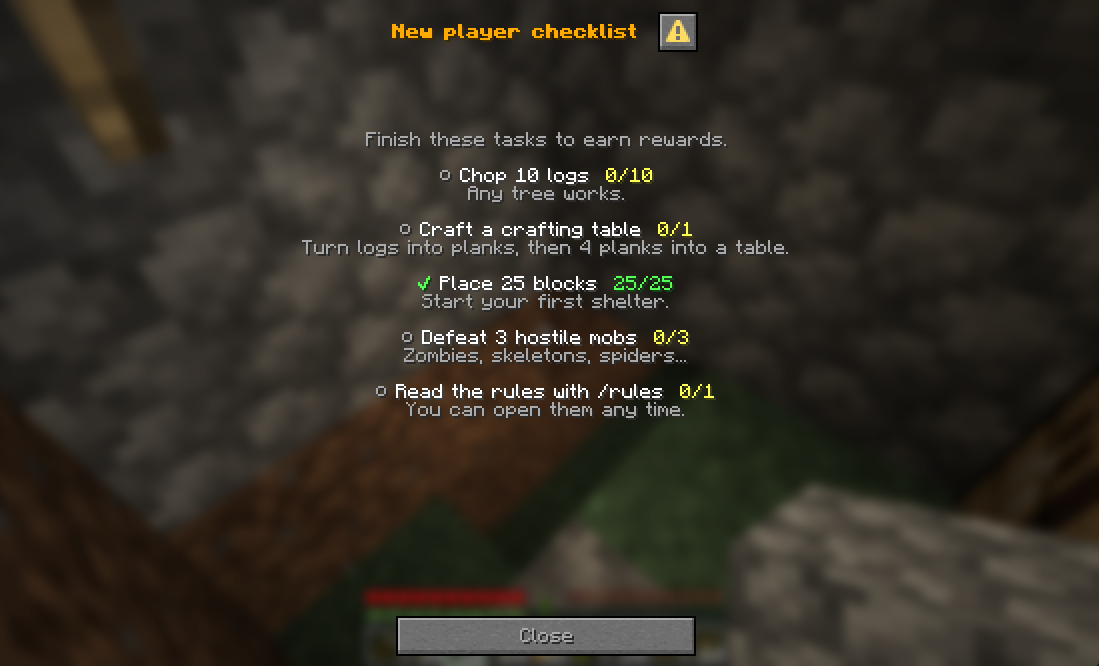
- New player checklist. Tasks with progress in the action bar, rewards per task and a final reward. Task types: break blocks, place blocks, craft items, kill mobs (or any hostile mob), use a command. Wildcards like
*_LOGsupported. - Fully configurable. All text, buttons, tasks and rewards in
config.yml, with MiniMessage colors. New settings are added to your config automatically on updates. - Lightweight. No dependencies. Progress saved in a small YAML file.
| Welcome | Rules |
|---|---|
 |
 |
| Checklist | Strict mode decline |
|---|---|
 |
 |
Requirements
- Paper 26.3 (or a Paper fork such as Purpur) with Java 25
- Players on Minecraft 26.3 (dialog screens need a 1.21.6+ client)
- Not tested on Folia or Spigot (Spigot has no Dialog API)
Installation
- Download
WintermarkOnboarding-1.0.0.jarand put it in your server'spluginsfolder. - Start the server.
plugins/WintermarkOnboarding/config.ymlis created. - Edit the welcome text, rules, starter options and checklist, then run
/onboarding reload.
Commands
| Command | Description | Permission |
|---|---|---|
/rules |
Read the server rules | everyone |
/checklist or /tasks |
Show your checklist progress | everyone |
/onboarding reload |
Reload config.yml |
wintermark.onboarding.admin (op) |
/onboarding reset <player> |
Reset a player's onboarding (rules, start, checklist) | wintermark.onboarding.admin (op) |
/onboarding setlocation <option> |
Set a starter option's teleport point to where you stand | wintermark.onboarding.admin (op) |
/onboarding clearlocation <option> |
Remove a starter option's teleport point | wintermark.onboarding.admin (op) |
Permissions
| Permission | Default | Description |
|---|---|---|
wintermark.onboarding.admin |
op | Admin commands |
wintermark.onboarding.bypass |
nobody | Skip onboarding (in-world mode only; not in strict mode) |
Configuration
The default config is commented line by line. The main sections:
welcome:      # first screen: title, lines, button
rules:        # version, strict-mode, strict-timeout-seconds, lines, buttons, messages
starter:      # options: name, description (hover), items, commands, location
checklist:    # tasks: type, targets, amount, name, description, reward-items, reward-commands
messages:     # admin command messages
Example starter option:
starter:
  options:
    miner:
      name: "<gray>Miner"
      description: "<gray>Stone pickaxe, 32 torches, 8 coal and 8 bread."
      items:
        - "STONE_PICKAXE:1"
        - "TORCH:32"
      commands:
        - "eco give <player> 100"
Example checklist task:
checklist:
  tasks:
    logs:
      type: BREAK_BLOCK      # BREAK_BLOCK, PLACE_BLOCK, CRAFT_ITEM, KILL_MOB, COMMAND
      targets: ["*_LOG"]     # empty = anything; KILL_MOB also accepts HOSTILE
      amount: 10
      name: "<white>Chop 10 logs"
      description: "<gray>Any tree works."
      reward-items: ["APPLE:3"]
      reward-commands: []
Text uses MiniMessage. <player> is replaced with the player's name.
FAQ
Will existing players see the onboarding after I install it?
Yes. Every player who hasn't been through it yet goes through the onboarding once on their next join (welcome, rules, start choice, checklist). To skip it for veteran players, give them wintermark.onboarding.bypass (in-world mode). Later rule changes only show the rules again, not the start choice.
What is the ⚠ icon next to the dialog title? Minecraft shows it on every screen sent by a server. Plugins can't remove it.
Where is player progress stored?
plugins/WintermarkOnboarding/players.yml. Use /onboarding reset <player> instead of editing it by hand.
Building from source
git clone https://github.com/wintermarkinteractive/WintermarkOnboarding.git
cd WintermarkOnboarding
./gradlew build
The jar is in build/libs/. Requires JDK 25.
License
Wintermark Interactive - game mods, plugins and systems. Designed, tested and maintained by Wintermark Interactive. Built with AI-assisted development tools. Questions or bug reports: [email protected]
Pinned Versions
- R26.3
Pages
Members
1
Owner