
Whiteboard for Paper: stitch item-frame maps into a board; render text/HTML, backgrounds, undo/redo, locking, fonts.
Whiteboard (Paper plugin)
Render text from a writable book onto an Item-Frame whiteboard. Supports grid boards, lock, background fill, fonts, undo/redo—server-side only.
Full docs & screenshots: GitHub README
Summary
Whiteboard lets players place a board on item frames and push book text onto it with a right-click. Multiple maps can be merged into a large grid board—handy for PDCA-style planning with kids, without client mods.
Images
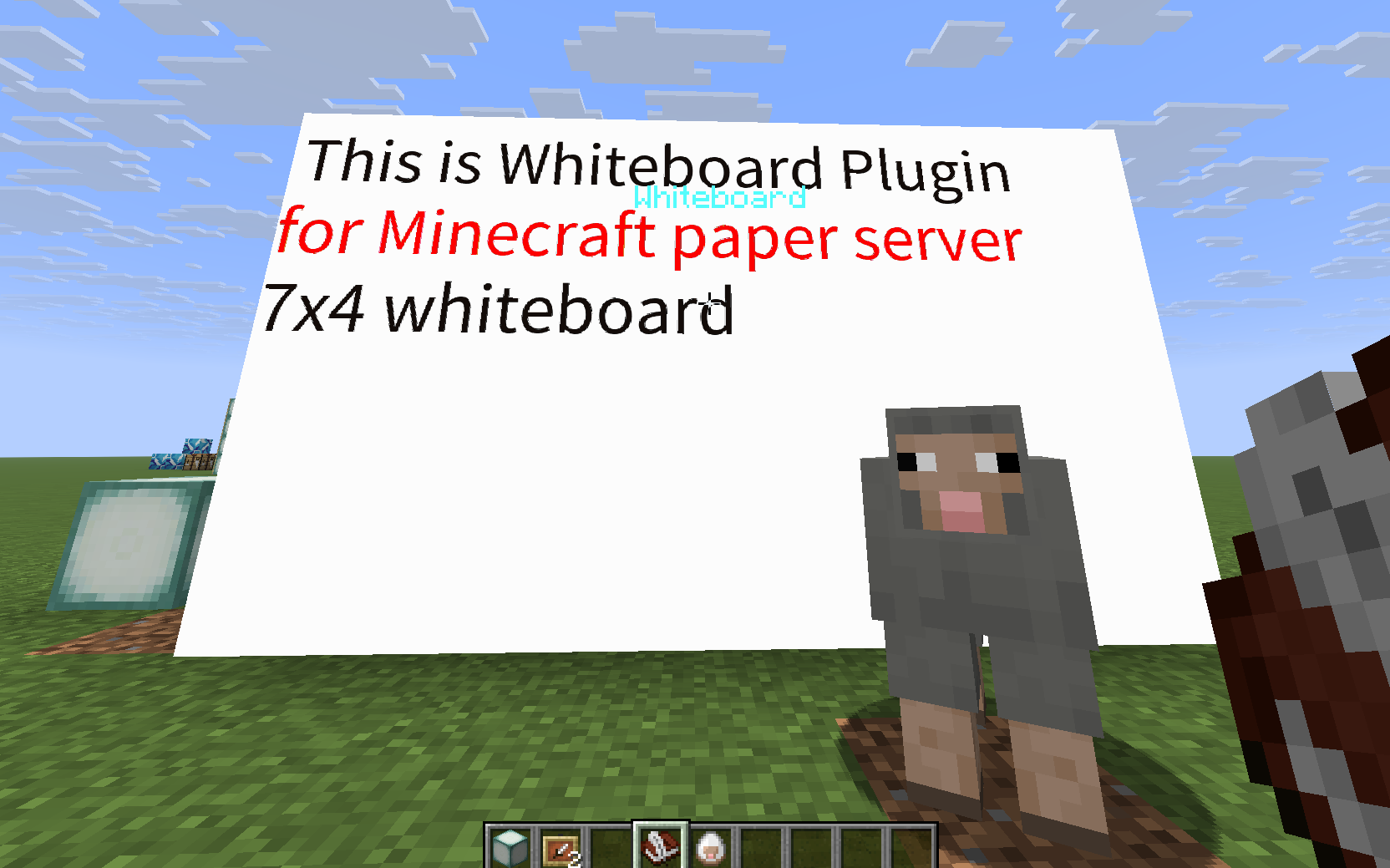
Requirements
- Server: Paper 1.21.9 (or compatible)
- Java: 21
- Client: Vanilla (no mods needed)
Install
- Download the JAR from Releases (or Hangar).
- Drop it into
plugins/and start the server.
Usage
Place an Item Frame (map inside is recommended).
(Optional) Create a grid board:
/wb grid 3x2Write in a writable book, hold it, and right-click the board to render.
Book directives let you control setup without commands:
Directive Effect [boardsize WxH]Create/reset a board using the clicked frame as the top-left tile. [lock on/off]Lock (default) or unlock the board after creation/updates. [size N]Override text size (8–64). [line N]Set line height when rendering wrapped/global text. [pos X Y]Offset drawing position. [xy …]/[offset …]also work.[color #RRGGBB]Change text colour (CSS names or hex). [clear]Clear existing text before applying the book. [pass secret]Provide the current password so a locked board accepts the book. [password new]Set or change the board password; use off/clear/none.Example first page:
[boardsize 7x4] [password classroom123] [lock on]
[size 18] [color #ffaa00] Welcome to class!
Password Protection
- Combine
[password <value>]with[lock on]to require that password for future edits. - When a board is locked with a password, draw/clear commands are blocked until a book supplies
[pass <currentPassword>]. - To change or remove the password, include both
[pass <current>]and either[password <new>]or[password off]in the same book. - Server operators (or players with
whiteboard.admin) can force-remove a board with/wb gdestroywhile looking at it—handy if the password is lost.
Commands
/wb grid <COLS>x<ROWS>     # e.g., /wb grid 3x2
/wb text [<text>]          # no arg: use held book; with arg: draw the text
/wb font size=<n> color=#RRGGBB
/wb bg <#RRGGBB>
/wb lock on|off
/wb clear
/wb undo
/wb redo
/wb gdestroy              # OP only: delete the board you are looking at
Build (dev)
./gradlew clean build
# JAR: build/libs/Whiteboard-<version>.jar
Localization(i18n)
Language files live in src/main/resources/lang/.
If your language isn’t available, please add a new file (e.g. de_de.yml) and open a PR.
Troubleshooting
- Nothing renders: check permissions and console; ensure you’re right-clicking while holding a written book.
- Hangar publish 400 (noColor): create the channel (e.g.,
Snapshot) on Hangar UI and assign a color, then publish again.
License
MIT (see LICENSE).
Credit
Pinned Versions
- R1.21.9
Pages
Members
1
Owner