
UI middleware and API: Bedrock Forms, Java native Dialogs and chest GUIs from one call.
GitHub | Wiki | Support on Ko-fi
CrossUI
One UI call. Every client.
CrossUI is a UI translation middleware and cross-platform API for Minecraft servers. It unifies Bedrock Forms, Java native Dialogs and classic chest GUIs, so Bedrock players get proper forms from the plugins you already use, and developers write their UI code only once.
Features
- Zero-config Bedrock support. Chest GUIs from shops, warps, auction houses and more are shown to Bedrock players as native forms. Taps are sent back to the original plugin as real clicks.
- Item pictures. Every button shows a picture of its item (about 1,470 items), and player heads show their own skin.
- Smart filtering. Empty slots and decorative glass panes are removed, so only real buttons remain.
- Dual-click detection. Items with both a left-click and a right-click action ask the player which one to run.
- Menu blacklist. Skip animated menus such as crate roulettes by title (plain text or regex).
- Unified developer API. One builder for menus, text inputs and confirmations, rendered as a Bedrock Form, a Java native Dialog (1.21.6+) or a chest/chat fallback for older clients.
- One jar for everything. Spigot, Paper, Purpur and Folia, Minecraft 1.21.x up to 26.3.
- No extra plugins needed. PacketEvents is bundled. Floodgate or Geyser-Spigot is optional for Bedrock players.
Example
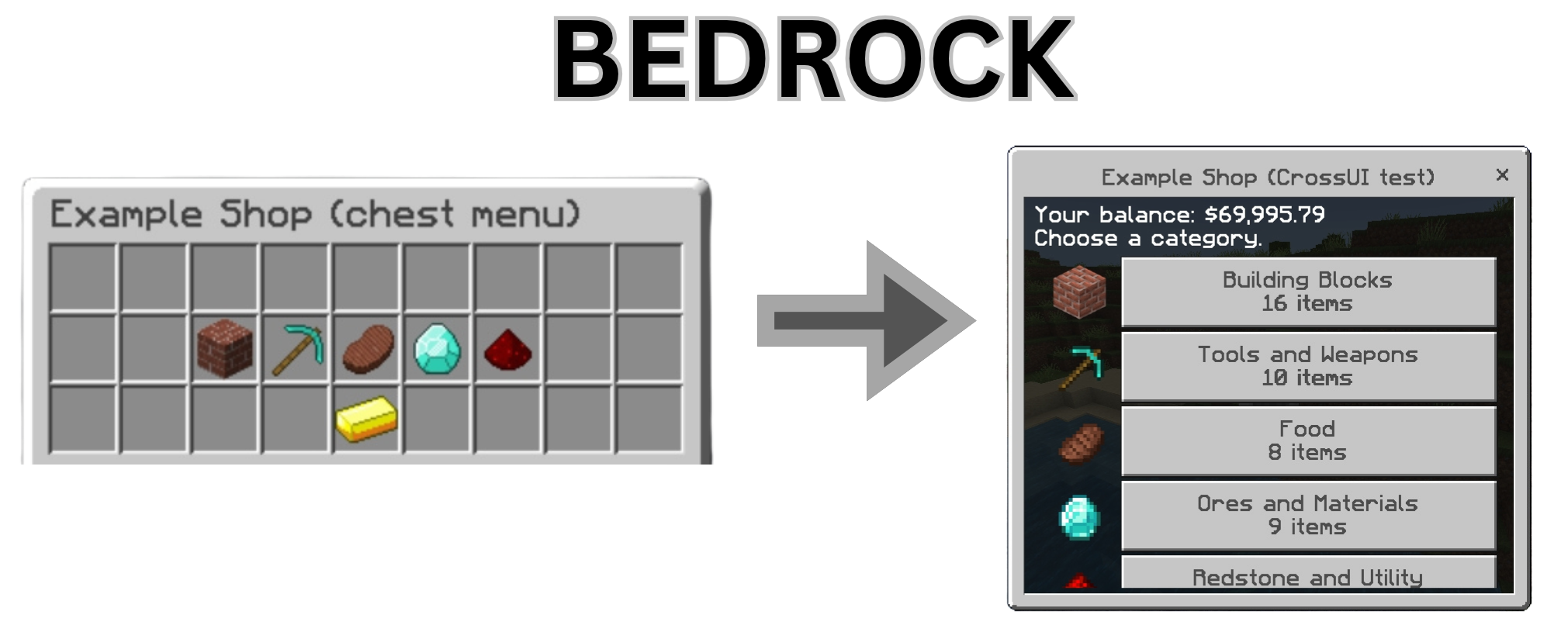 A classic chest GUI from another plugin is turned into a native Bedrock Form automatically.
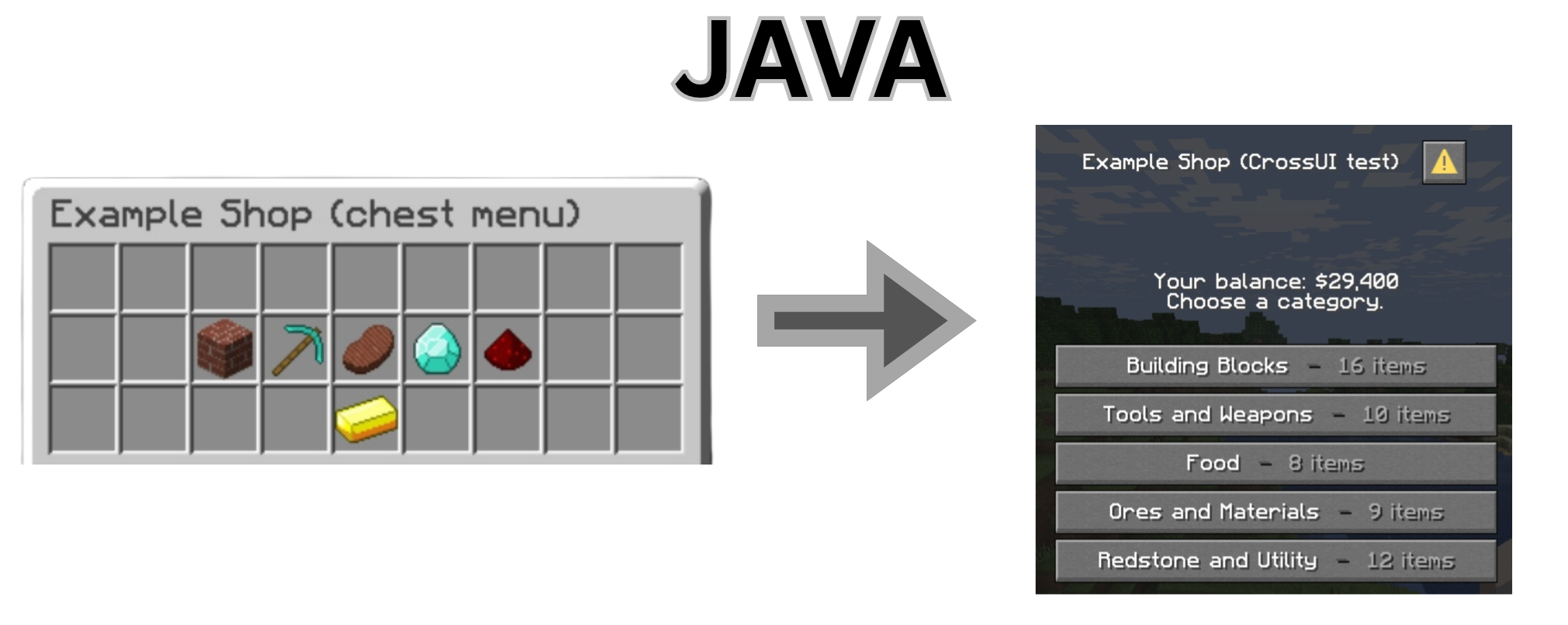 Shown as a native dialog if the plugin and the Minecraft version support it (1.21.6+). Otherwise players get a chest menu
Installation
- Put
CrossUI.jarin yourplugins/folder. - For Bedrock players, install Floodgate (recommended) or Geyser-Spigot.
- Restart the server and run
/crossui testgui.
Commands
/crossui reload(permissioncrossui.admin): reload the configuration/crossui testgui(permissioncrossui.admin): open a test menu with input and confirmation
Item pictures
The pictures are downloaded by the player's client from the icons/ folder of the GitHub repository, so they appear a moment after a menu opens. Set bedrock.icon-pack-url: "" in config.yml to use the plain textures of the Bedrock client instead. Details are on the Configuration wiki page.
For developers
repositories { maven("https://jitpack.io") }
dependencies { compileOnly("com.github.natan307:CrossUI:2.0.1") }
CrossUI.input(player)
    .title("Transfer Balance")
    .label("Enter the amount to send:")
    .placeholder("Example: 5000")
    .onSubmit((p, text) -> bank.transfer(p, text))
    .open();
The same code shows a Java Dialog, a Bedrock CustomForm, a chat prompt or a chest GUI, depending on the player's client. Read the Developer API wiki page for the full guide.
Information
Pinned Versions
- R1.21–26.3
Pages
Members
1
Owner