
GoodsTrade
Trade items, money, and experience levels in a shared chest menu. Both players confirm their offers before a final countdown.



Download on GitHub · Modrinth · Source code
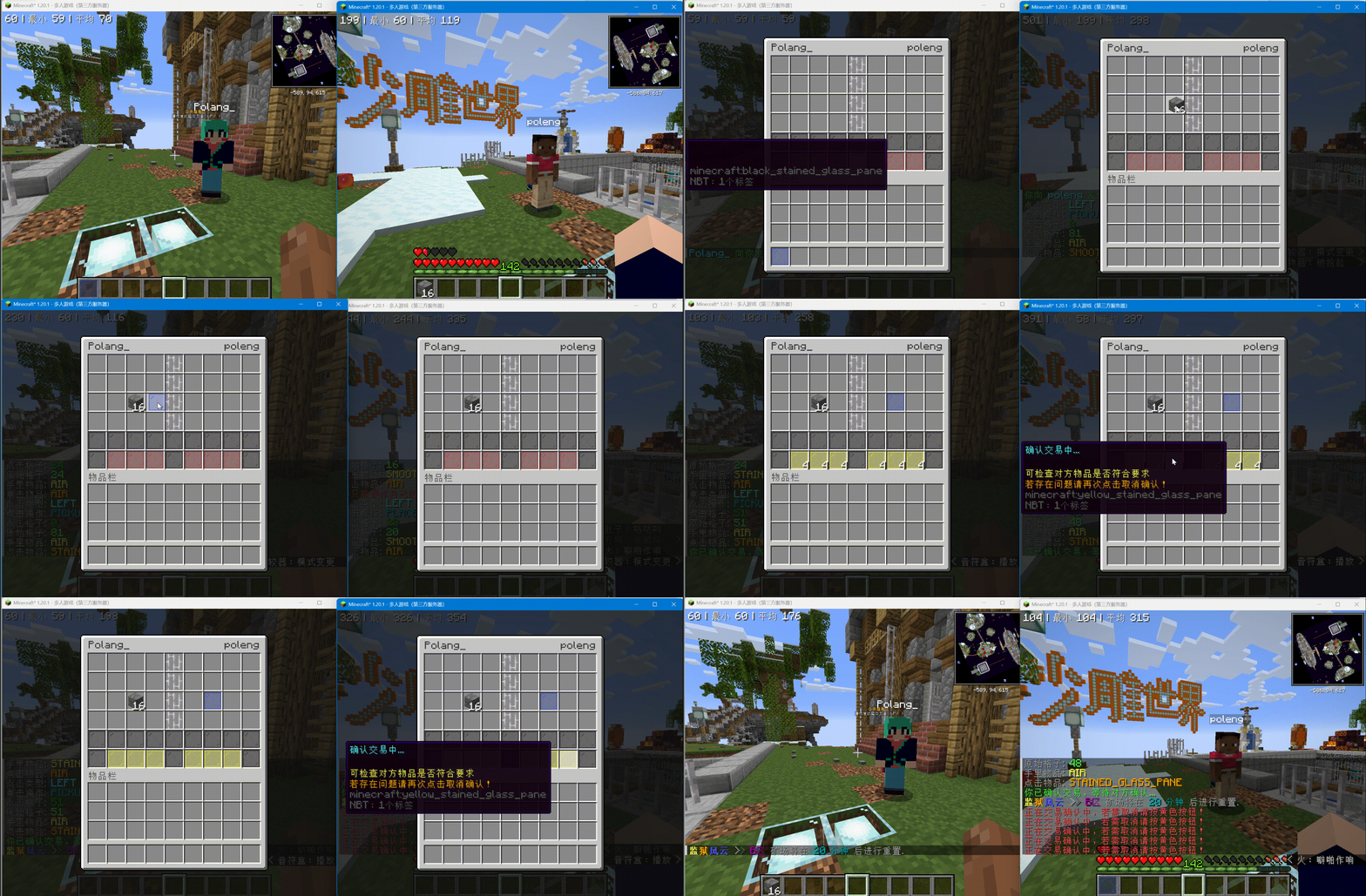
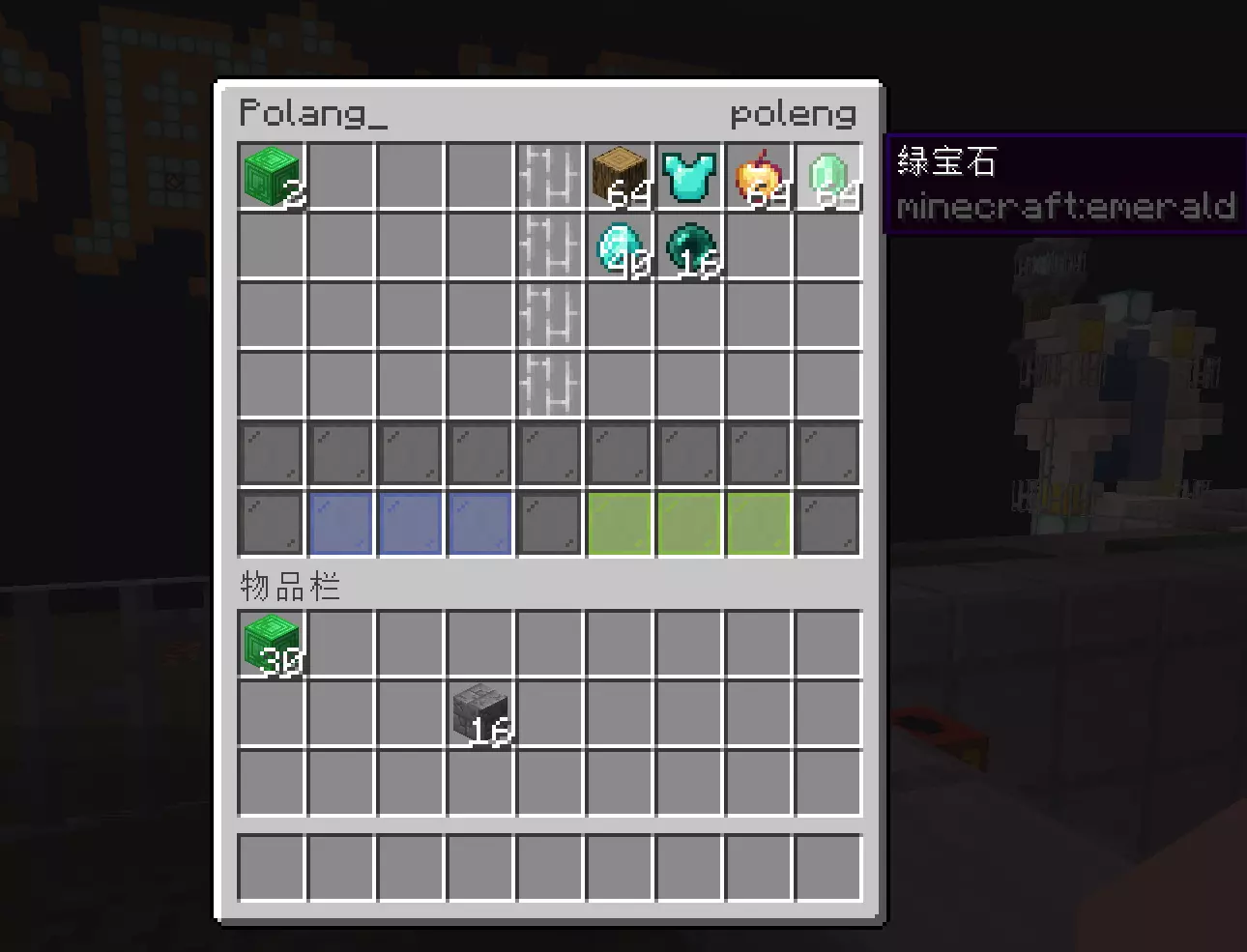
Trade menu
Features
- Each player places items on their side of the menu and reviews the other player's offer.
- Both players must confirm. Confirmed offers are locked, and either player can cancel during the countdown.
- Closing or cancelling a trade returns offered items. Items that do not fit in the owner's inventory drop at that player's location.
- Optional money offers use Vault, PlayerPoints, or ExcellentEconomy. Players can also offer Minecraft experience levels. One trade can include multiple currencies.
- Players can send requests with a command or by sneak-right-clicking another player. A recipient can sneak-right-click the sender to accept.
- Servers can limit trading by world and distance, cancel trades after damage, prevent damage or movement during a trade, and configure item restrictions.
- Menu materials, text, amount buttons, and currency-specific button styles can be changed in
View.yml. - English and Simplified Chinese messages are included. Players can disable incoming trade requests.
Requirements and installation
GoodsTrade supports Minecraft 1.12 through 26.2 on Bukkit, Spigot, and Paper, with Java 8 or newer. Item trading needs no economy plugin. Install a supported provider only if you want its currency. Vault also needs a compatible economy plugin. PlaceholderAPI is optional.
- Download the latest
GoodsTrade-*-lite.jarfrom GitHub Releases. - Put the JAR in your server's
plugins/directory and restart the server. - Edit files under
plugins/GoodsTrade/, then run/gt reloadto apply configuration changes. Reload cancels active trades and returns their items.
How to trade
- Run
/gt sendtrade <player>or sneak-right-click the player. - The recipient clicks the chat invitation, sneak-right-clicks the sender, or runs
/gt accept. - Each player adds items and, if enabled, sets money or level offers.
- Both players confirm. GoodsTrade locks the items and starts the countdown.
- When the countdown ends, GoodsTrade settles the offers and exchanges the items.
Changing a money offer resets existing confirmations. Players can cancel and adjust their offers before the trade completes.
Commands
| Command | Purpose |
|---|---|
/gt sendtrade <player> |
Send a trade request |
/gt accept [player] |
Accept a request |
/gt toggle [true|false] |
Change whether you receive requests |
/gt trade <sender> <receiver> |
Open a trade as an administrator |
/gt test [test-name] |
Test both sides of a trade without a second player |
/gt reload |
Reload configuration and messages |
/gt |
Show command help |
Player commands are available by default. Administrator commands require their goodstrade.command.* permissions, which default to operators. The base goodstrade.command permission is required for every command.
Configuration highlights
Trade.Enabled-Worlds: ["*"] allows all worlds by default. List world names to allow only those worlds, or prefix a name with ! to exclude it. For example, ["*", "!world"] allows every world except world. An empty list disables trading in all worlds. Both players must be in allowed worlds.
By default, both players must be in the same world and within 4 blocks to start a trade. The limit is 8 blocks while trading. Request cooldown and expiry default to 5 and 30 seconds. These settings can be changed independently in config.yml.
Money trading is off by default. Enable Trade.Economy.Enable and the currencies you want under Trade.Economy.Currencies. Each currency has its own amount buttons, and currencies settle separately without conversion. The built-in experience provider trades whole levels without an economy plugin. Missing providers are skipped, so item trading remains available.
The default language follows the server process locale. Set Language: en_us or Language: zh_cn to choose one explicitly. Existing language files and translations are preserved when you update the plugin; missing keys are added from the bundled defaults.
See the full English guide for configuration examples, permissions, item blacklist rules, and menu customization.
Support and license
Report bugs or request features on GitHub Issues. GoodsTrade is available under the GNU GPL v3.
Pinned Versions
- R1.12–26.3
Pages
Members
1
Owner