
Hot plugin management, custom resource pack delivery and hosting, entry-domain diagnostics, and server version rules for
VelocityToolbox
Manage proxy plugins at runtime, send custom resource packs across your network, inspect entry domains, and set client version rules for each backend.

Wiki · Source code · Report an issue
Requires Velocity 4.0+ and Java 25+. No required plugin dependencies.
Plugin management
Use /vtb plugin list|inspect|load|unload|reload to view, inspect or manage proxy plugins. VTB checks dependencies before unloading and reports cleanup of commands, listeners, tasks and other registered resources.
A plugin cannot be unloaded while another loaded plugin requires it. Hot updates are not suitable for every plugin; restart the proxy when updating permission, protocol or connection plugins.


Custom resource packs and hosting
Configure network-wide defaults under resource-packs in config.yml, then override them by backend. Each pack can have variants selected by client version and permission. VTB picks the first matching variant and skips packs with no match.
Set packs as required or optional, add prompts, set loading timeouts, check player status and resend packs. A selected required pack disconnects the player if declined, failed or timed out. Joining, switching backends and reloading configuration update the selection without resending unchanged packs.
url: "@filename.zip"uses a file frompack-host.packs-directory. VTB creates its URL and calculates SHA-1, so you can omithash.- External HTTP/HTTPS URLs require the ZIP's actual 40-character SHA-1 for caching, update detection and download checks. Local hosting is not needed.
url: "@"sends no pack and needs no file, hash or hosting.
Clients on 1.20.3+ can stack packs. Older clients receive the first matching complete pack. Version conditions select files; they do not convert resource formats. On modern clients, VTB removes only its own packs. Older clients cannot remove individual packs.

pack-host serves local ZIPs over HTTP. Hosting and delivery have separate switches and both default to disabled. Adjust request rates, concurrent downloads, transfer deadlines, bandwidth and trusted proxies under pack-host.security.
public-url is the client download address prefix. Leaving it empty selects a LAN address, which public players usually cannot reach. Set a reachable IP or domain and configure port forwarding or a reverse proxy as needed. VTB does not set up public access, HTTPS or download authentication.
Resource pack guide · Default configuration with Chinese comments
Backends and entry domains
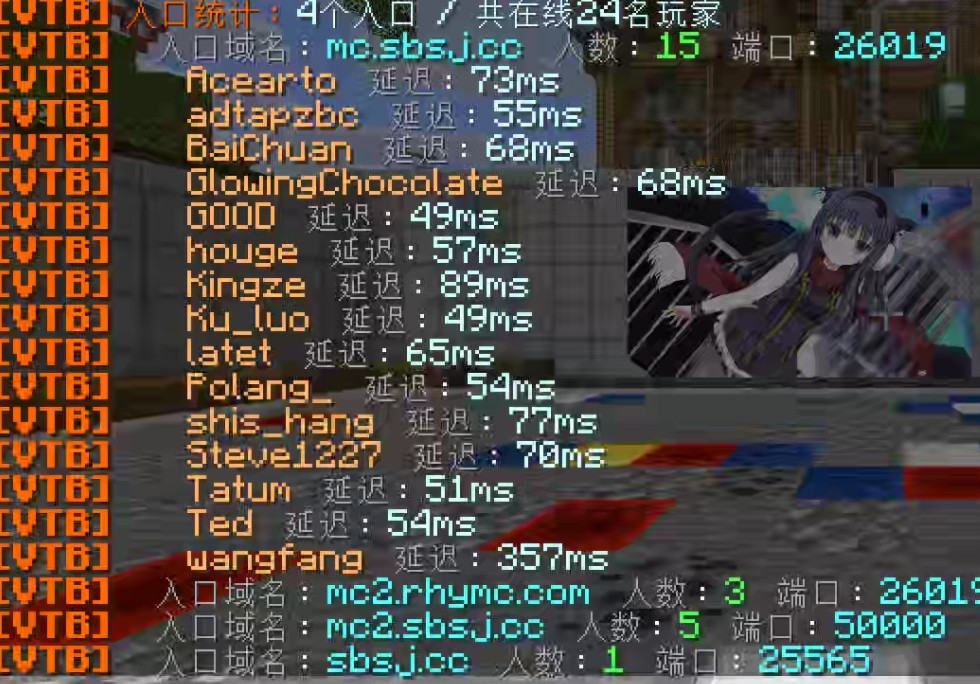
/vtb server hosts groups players by the domain and port they used to join. View player counts and latency, then click an entry for details.
server-versions restricts client versions per backend using min/max/allow/deny, with the same rules as resource pack conditions. It needs no ViaVersion and does not translate protocols. Versions sharing a protocol match together.
A denied backend switch keeps the player on the current server. A denied initial connection disconnects with a reason. Invalid reloads keep the previous rules; invalid initial configuration blocks backend connections until fixed.

Client version guide in Chinese
Install and use
- Download the JAR from the Versions tab, place it in the proxy's
plugins/directory, and start the proxy. - Grant administrators
velocitytoolbox.admin. Run/vtb help;/vtoolboxalso works. - Edit
config.ymlin the plugin's data directory. Replace example files and backend names, and remove unused examples before enabling modules. - Run
/vtb reloadto apply changes and/vtb infoto check module status.
Version restrictions, HTTP hosting and pack delivery default to disabled. When updating, replace the JAR and restart the proxy. Existing configuration still works: add resource-packs when you want delivery; leaving it out keeps delivery disabled. If you made few language changes, back up and move the old language files, then run /vtb reload to generate fresh copies. Reapply custom text using the new keys.
Common commands:
/vtb plugin list,inspect plugin-id,load file.jar,unload plugin-idandreload plugin-id: inspect or manage plugins./vtb pack list: list pack sources, conditions, hosted files and HTTP statistics./vtb pack status playerand/vtb pack resend player: check loading or resend packs./vtb server hosts: inspect player entry domains./vtb infoand/vtb reload: show module status or reload configuration, language and rules.
velocitytoolbox.admin grants all commands. For narrower access, grant velocitytoolbox.command plus the module and action permissions. For example, pack status also needs velocitytoolbox.command.pack and velocitytoolbox.command.pack.status. General commands use velocitytoolbox.command.info or velocitytoolbox.command.reload.
Language and support
Messages support Simplified Chinese (zh_cn), Traditional Chinese (zh_tw), English (en_us) and custom MiniMessage language files. Leave language empty to follow the system locale; unsupported languages fall back to Simplified Chinese.
Report an issue or suggest a feature
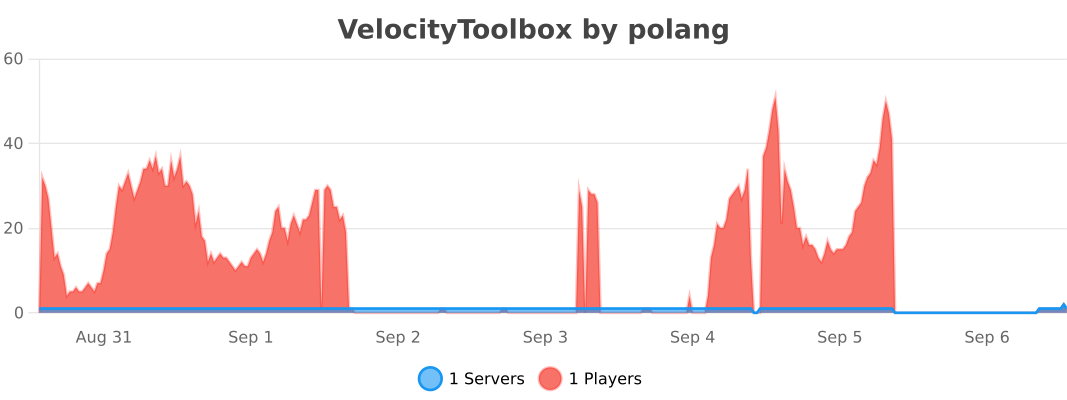
VTB uses bStats for usage statistics. You can disable it in plugins/bStats/config.txt.
Pinned Versions
- R4.0.0–4.2.0
Pages
Members
1
Owner