
Players type /ashlar and an AI builds it: survey, build, inspect, undo. Works with MCP clients too.
Ashlar
An AI building assistant that lives inside your Paper server.
Players type /ashlar build a stone cottage with a fountain in front of me and the plugin does the rest: it surveys the terrain, snapshots the region, places the blocks, looks at the result, fixes what is unsupported and answers in chat - with the coordinates and a snapshot id so it can be undone. No mods, no client-side install, no extra process: one jar, one API key.
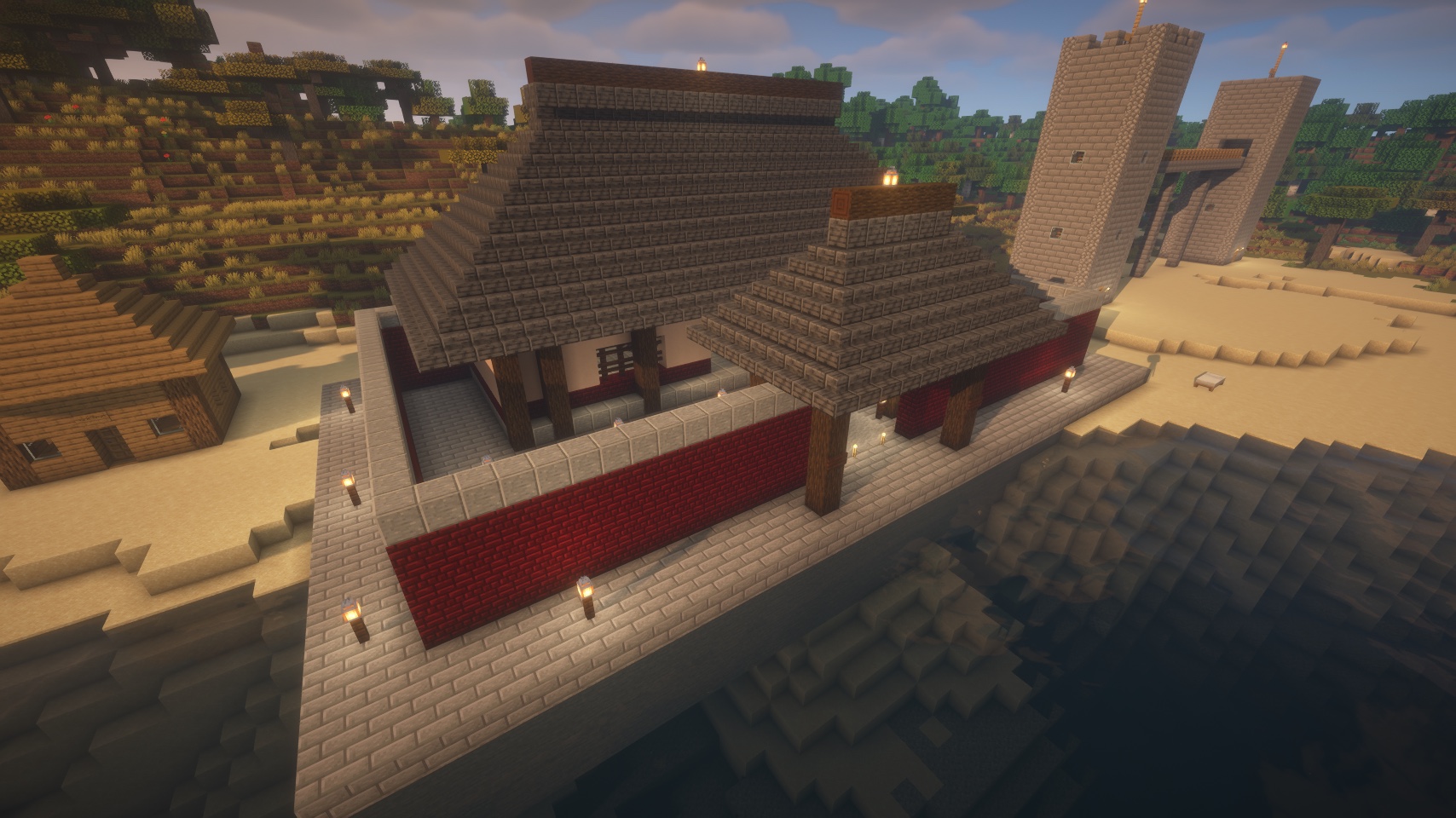
Built by Claude through Ashlar from a one-line prompt. No schematic, no WorldEdit.
How it works
The plugin owns a set of coarse-grained tools - survey terrain (as an image plus exact numbers), render top views and facades, place up to 500,000 blocks in one call, inspect exact block data, snapshot and restore, run console commands - and lets a model use them:
- In game:
/ashlar <request>. The plugin calls the model API directly (any OpenAI-compatible endpoint; DeepSeek'sdeepseek-flashby default, which is cheap and accepts the images the tools return). Players see progress lines and the final reply in chat. - From an AI client: point Claude Desktop, Claude Code, Cursor or any MCP client at the small
ashlar-mcpadapter and the same tools appear there.
Block edits run on the main thread under a per-tick time budget, so a 500k-block build does not lag the server. Physics is off while writing (sand does not fall), a connection pass makes fences, panes, walls and stairs join up, adjacent chests pair into double chests, and unsupported blocks (torches, ladders, signs) are reported back to the model so it fixes them. Water and lava can be placed with physics on request, so fountains and waterfalls actually flow.
Setup (in-game assistant)
- Drop
ashlar-<version>.jarintoplugins/, start once, stop. - In
plugins/Ashlar/config.ymlsetserver.token(any long random string) andagent.model.api-key(a DeepSeek key from platform.deepseek.com). Restart. - Operators can use
/ashlarright away. Give friends access with/ashlar allow <player>, a permissions plugin (ashlar.use), oragent.everyone-can-use: true.
/ashlar help lists everything the caller may do.
Keeping the bill under control
- Every reply ends with what the request cost and what the player has spent today.
- Per-player daily caps on requests, tokens and cost (
agent.limits.*), adjustable in game:/ashlar limit <player> cost 0.5. - Prepaid credit for players who pay their own way:
/ashlar credit <player> add 5- when it runs out the assistant wraps up cleanly and asks them to top up. /ashlar usage <player|all> 7prints a per-day report;/ashlar pausestops everything.- Prices and DeepSeek's off-peak hours are configurable, so the numbers shown are real money.
Safety
- Console commands are never offered to the model unless you enable
agent.model.allow-command. world.build-regionfences where it may build;world.allowed-worldsfences which worlds.- Every build can be snapshotted first and rolled back with a word.
- Operators (
ashlar.monitor) see what other players asked and what the assistant answered;ashlar.adminmanages limits, credit, pause and cancels other players' requests. - The plugin's WebSocket port is only needed for MCP clients; the in-game assistant needs no inbound port at all.
Requirements
Paper 26.2 (Java 25). Not for Spigot/Bukkit, Folia or 1.21.x. MCP clients additionally need Node >= 22 on the client machine.
Links
Source, full README (configuration reference, MCP client setup, troubleshooting): https://github.com/rcwalter24/ashlar
License: AGPL-3.0-or-later.
Pinned Versions
- R26.2
Pages
Members
1
Owner