Welcome to the Hangar Open Beta. Please report any issue you encounter on GitHub!

Simple plugin to lock chests using signs.
SignChestLock - Sign-Based Chest Locking
Overview
SignChestLock is a lightweight sign-based container locking plugin for Minecraft servers. Place a sign on a chest and use it as a lock. Control access through the sign lines.
Key Features
Core Protection
- Sign-Based Locking - Place a sign with [Lock] or [Locked] on Line 1 to protect chests
- Owner Control - The chest owner is set on Line 2 of the sign
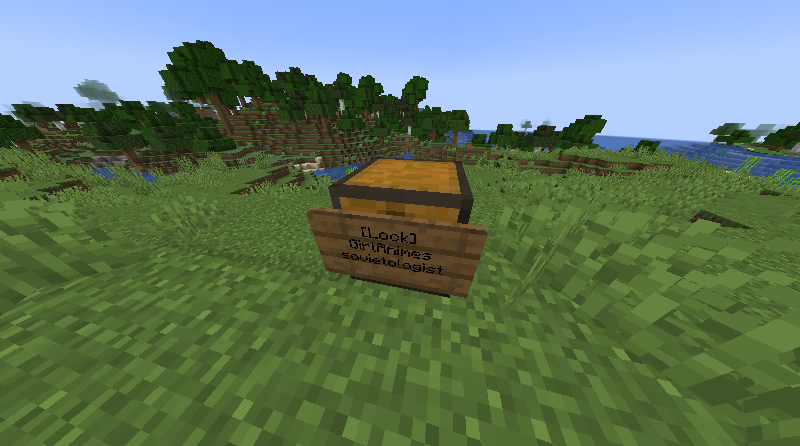
- Trusted Players - Grant access to up to 2 trusted players on Lines 3 and 4
- Explosion Protection - Locked chests cannot be destroyed by explosions
- Fire Protection - Locked chests cannot burn or ignite
- Piston Protection - Locked chests cannot be moved by pistons
- Breaking Protection - Only the owner and trusted players can break locked chests
Container Protection
- Double Chest Support - Automatically treats both halves of double chests as one locked unit
- Hopper Blocking - Hoppers cannot extract items from locked chests
- Dropper Blocking - Droppers cannot insert items into locked chests
- Hopper Minecart Blocking - Hopper minecarts cannot pick up items from locked chests
- Comparator Suppression - Comparators reading locked chests return zero signal
Sign Lock Mechanics
- Lock Keywords - Use [Lock] or [Locked] on the first line to activate the lock
- Owner Line - Second line is the owner (auto-filled with placer name)
- Trusted Players - Lines 3 and 4 for trusted player names
- Edit Protection - Only the owner can edit the lock sign after creation
Commands
/signchestlock info- Display information about a locked chest you're looking at/signchestlock reload- Reload the configuration file/signchestlock help- Display help information
Permissions
signchestlock.use- Allow players to create and manage lock signssignchestlock.admin- Full administrative access, including reload commandsignchestlock.bypass- Bypass locks and access any locked chest
Configuration
The plugin includes a config.yml file in plugins/SignChestLock/ with customizable options including messages and behavior toggles.
Quick Setup
- Download the
SignChestLock.jarfile - Place it in your server's
pluginsfolder - Start your server
- Customize settings in
plugins/SignChestLock/config.ymlif needed
That's it! Create a lock by placing a sign with [Lock] on Line 1 next to a chest.
How to Use
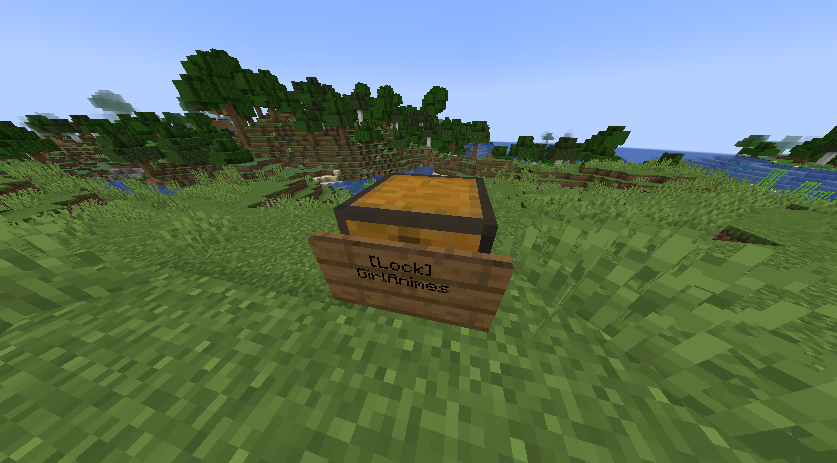
- Place a sign on a chest with [Lock] or [Locked] on the first line
- The second line will auto-fill with your name as the owner
- Add trusted player names on lines 3 and 4 (optional)
- Only you and trusted players can open the chest
- The chest is protected from explosions, fire, pistons, and hoppers
Screenshots
!Example
(https://cdn.modrinth.com/data/cached_images/a39b383966f1d4e4a1d0aa19adfc6ff7230e10f6.png)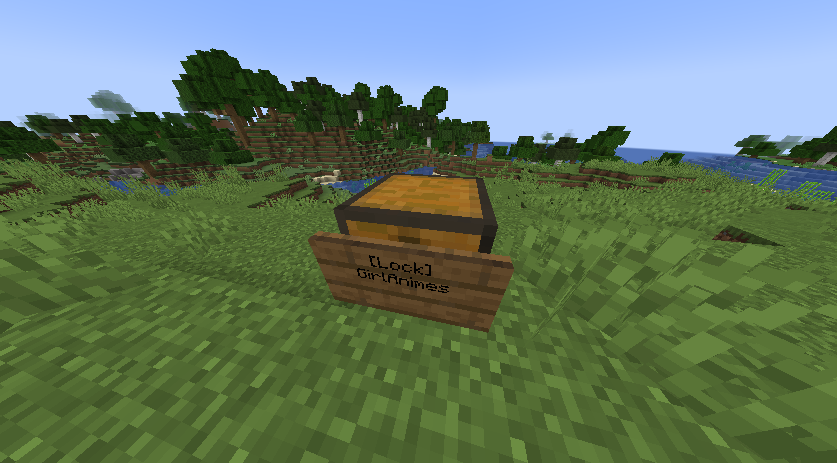
!Add multiple users
Requirements
- Paper or Spigot server
- Java 21 or higher
Protect your chests with simple signs!
Pinned Versions
- R1.21–26.1.2
Pages
Members
1
Owner