
The all-in-one Velocity network solution for intelligent lobby routing, parties, queues, Java and Bedrock menus, server
VelocityNavigator
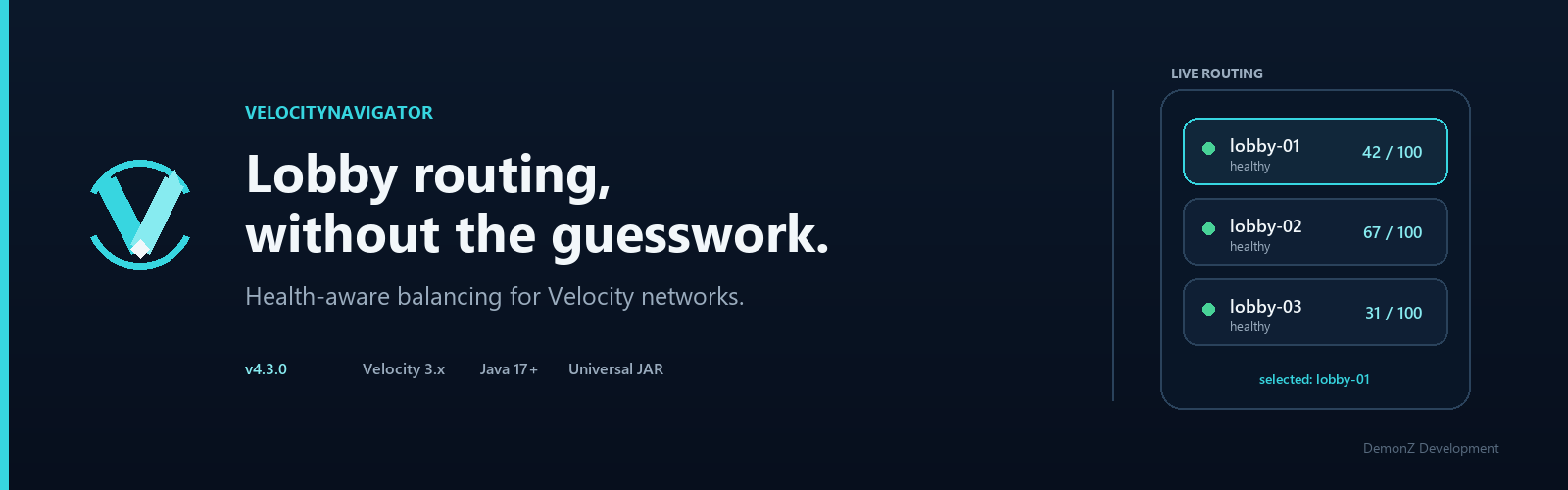
Lobby routing for Velocity that checks whether a server is actually up before sending anyone to it.
When a player joins or runs /lobby, VelocityNavigator looks at what's responding, how full each lobby is, whether you've flagged it for maintenance or drain, and optionally where the player is connecting from. Then it picks one. If you want to know why it picked what it did, /vn debug player <name> prints the whole trace: which servers were candidates, what filtered them out, and how the winner scored.
The same jar also runs on Paper, Spigot and Folia. Drop it in a backend's plugins/ folder and you get NPCs, inventory menus and PlaceholderAPI values there too. There's no separate bridge plugin to install.
Most networks will use about a third of what's in here. Routing and the selector menus are the core. Parties, queues, the login system, the web dashboard and Redis clustering are all off by default and can stay that way.
Routing modes
Set selection_mode in navigator.toml:
| Mode | What it does | Reach for it when |
|---|---|---|
power_of_two |
Picks two lobbies at random, sends the player to whichever has fewer people | Default. Good general answer, no global locking, no herd effect |
least_players |
Always the emptiest lobby | You want load as flat as possible |
least_connections |
Fewest connections currently in flight | Join rushes after a restart, or when a video drops |
weighted_round_robin |
Proportional to weights you assign | Mixed hardware. Give the 64 GB box 3x the weight of the 8 GB VPS |
consistent_hash |
Ketama ring with virtual nodes, so a UUID lands on the same lobby every time | You want placement to be predictable, and only a slice of players to move when a server joins or leaves the pool |
latency / ping |
Lowest round-trip time | Backends sitting in different regions |
geo |
Country and continent codes | Regional clusters. Reads MaxMind GeoLite2, IP-API, or GeoRestrict |
round_robin |
Strict cycle through healthy lobbies | You want it boring and predictable |
random |
Any healthy lobby | You want it boring and unpredictable |
Sticky sessions. Players go back to the lobby they were in last time, within a window you set. State is written atomically to disk so it survives proxy restarts, and it's skipped automatically when the preferred lobby is full, draining or under maintenance. Turn it off if you'd rather rebalance every join.
When a backend goes down
Every server gets its own circuit breaker. Enough failed pings or connections in a row and it trips open, so players stop being routed there instead of staring at a timeout screen. After a cooldown it goes half-open and tries a canary connection before letting real traffic back in.
Reconnect attempts back off exponentially with jitter, so a server that just came back doesn't immediately get hit by everyone at once.
Health state is assembled from several sources: active pings, TCP socket checks, MOTD queries, and heartbeats from the backend bridge if you've put the jar there.
/vn drain <server> stops new joins and /lobby transfers to a server without kicking anyone already on it. Wait for it to empty, then do your maintenance. If every lobby in a pool is unreachable, players get a fallback server or a readable disconnect message, whichever you configured.
Server selector
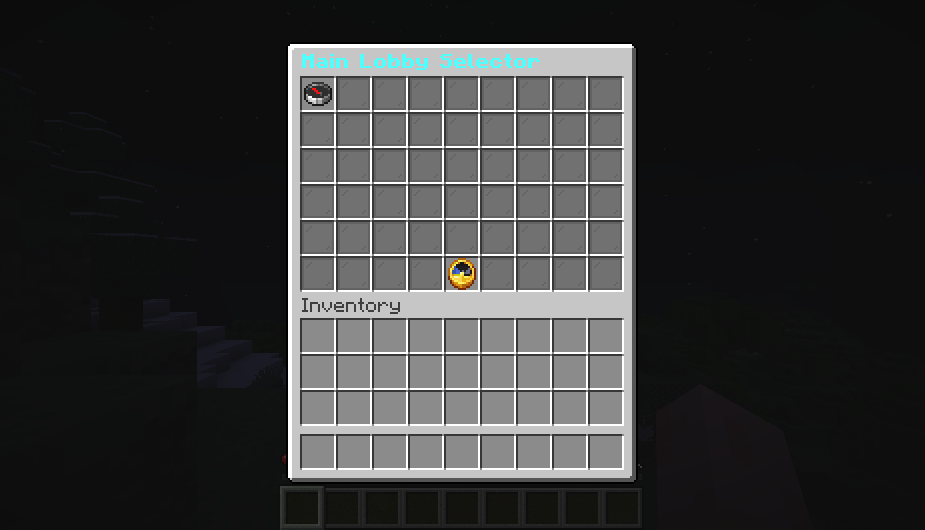
Four front-ends, one config. You define display_name, description, menu_order and show_in_menu once per server and all four pick it up.
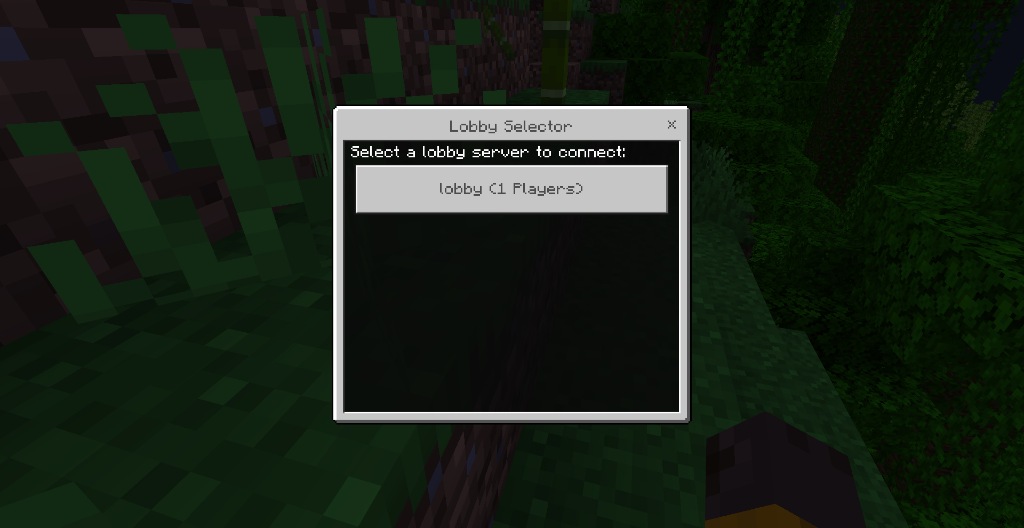
Java native dialogs. New configurations prefer dialogs for Java 1.21.6+ players on a backend with Paper's dialog API. Lobby, party, auth, and YAML menus share this support; older runtimes fall back to existing interfaces. Choose dialogs, chest menus, or chat per feature, and override individual YAML menus. See Native Java Dialogs for configuration and compatibility.
Java chest GUI. 1 to 6 rows, paginated. Separate material, name and lore for open / full / draining / maintenance / offline, so a dead lobby doesn't look identical to a healthy one. Counts refresh on a timer while the menu is open. Clicks are validated against a token so slots can't be spoofed.
Bedrock forms. Native Floodgate dialogs rather than a chest menu pretending to work on touch controls. Shows names, live counts, descriptions and icons, and connects straight from the button press.
Chat selector. MiniMessage-formatted list with hover tooltips and click-to-connect. Works anywhere, needs no GUI.
The backend half
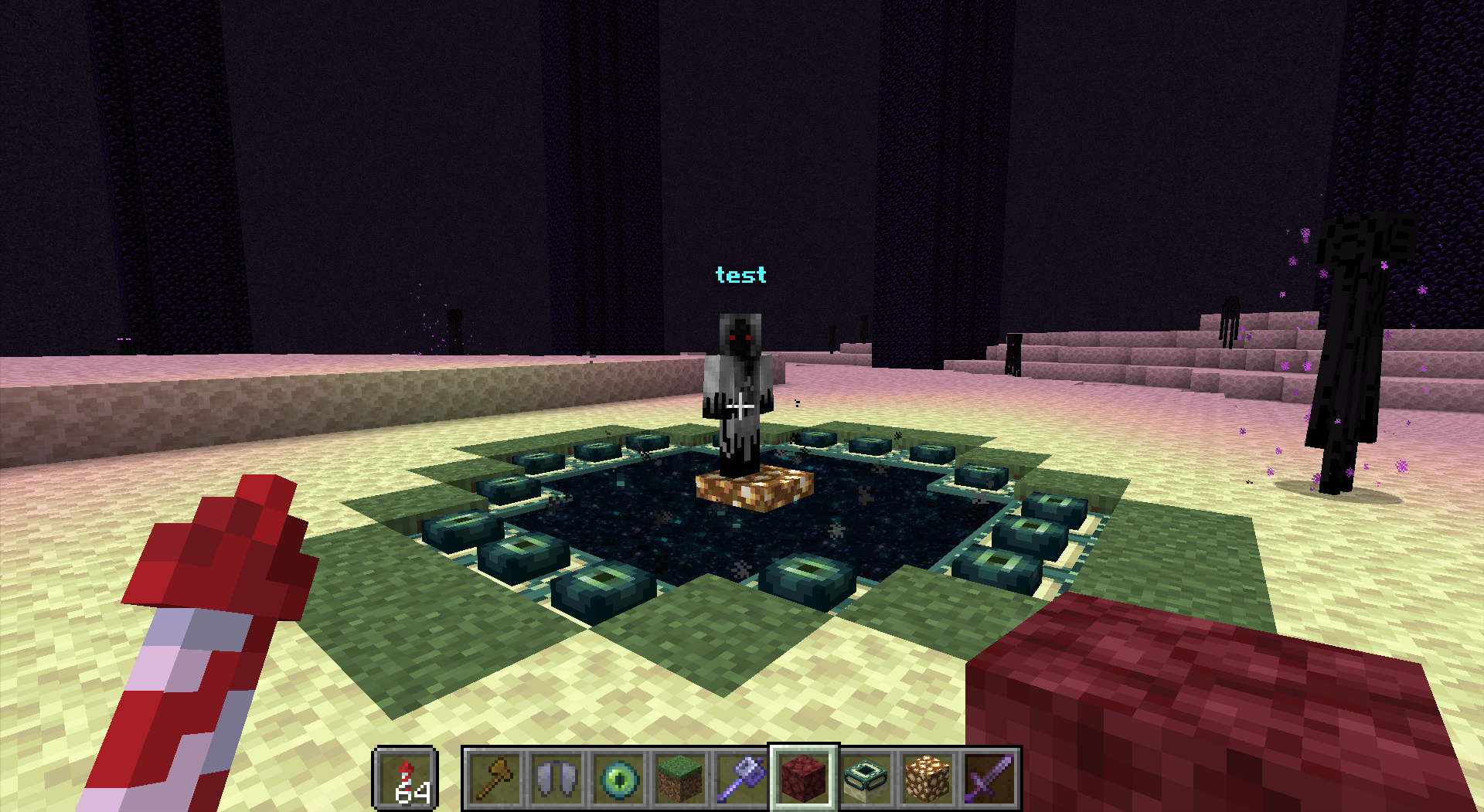
Copy the same jar onto Paper, Spigot or Folia and you get:
Packet NPCs. No NMS, no Citizens, no version-locked code. Works from 1.16.5 through 26.3 and on Folia. Skins by username or raw Mojang texture properties. Click actions can connect to a server, open a menu, or run a command on either side. Managed in-game:
/vn npc create <id> <name>
/vn npc skin <id> <player>
/vn npc delete <id>
YAML menus. Drop files in plugins/VelocityNavigator/menus/. Slots, materials, custom model data, skull owners, sounds. Actions can transfer, run commands, broadcast, open a submenu, paginate or close.
Placeholders. %velocitynavigator_lobby%, %velocitynavigator_party_leader%, %velocitynavigator_party_size%, %velocitynavigator_server_status_<server>%, %velocitynavigator_queue_position%.
Optional systems
Everything below is disabled until you enable it.
Queue. When every routable lobby is full, players wait in a holding server instead of being turned away. Position and estimated wait show on the actionbar and title. velocitynavigator.queue.priority lets VIPs and staff skip.
Parties. /party create, invite, join, leave, kick, disband, plus /party chat. When the leader moves, online members move with them. Works across proxies if Redis is on.
Maintenance. Lock the whole network or one backend (/vn maintenance set <server> true). Custom MiniMessage kick reason, bypass permission for staff, and a MOTD badge so people know before they try to connect.
Multi-proxy via Redis. Circuit trips and health snapshots sync between proxy nodes in milliseconds. Sticky sessions follow players regardless of which proxy they hit. Backends can register themselves over pub/sub on boot and unregister on shutdown, so you're not editing proxy config every time you add a server. Auth and per-network channel prefixes supported.
Login system. Argon2id with configurable memory cost, iterations and parallelism, and verification fallback for existing SHA-256 databases. Unauthenticated players are held in a quarantine lobby with movement, interaction, inventory and chat blocked until they finish /login or /register. Bedrock players get a native form instead of typing a password into open chat. Sessions persist across quick reconnects for a TTL you set.
Dashboard and metrics
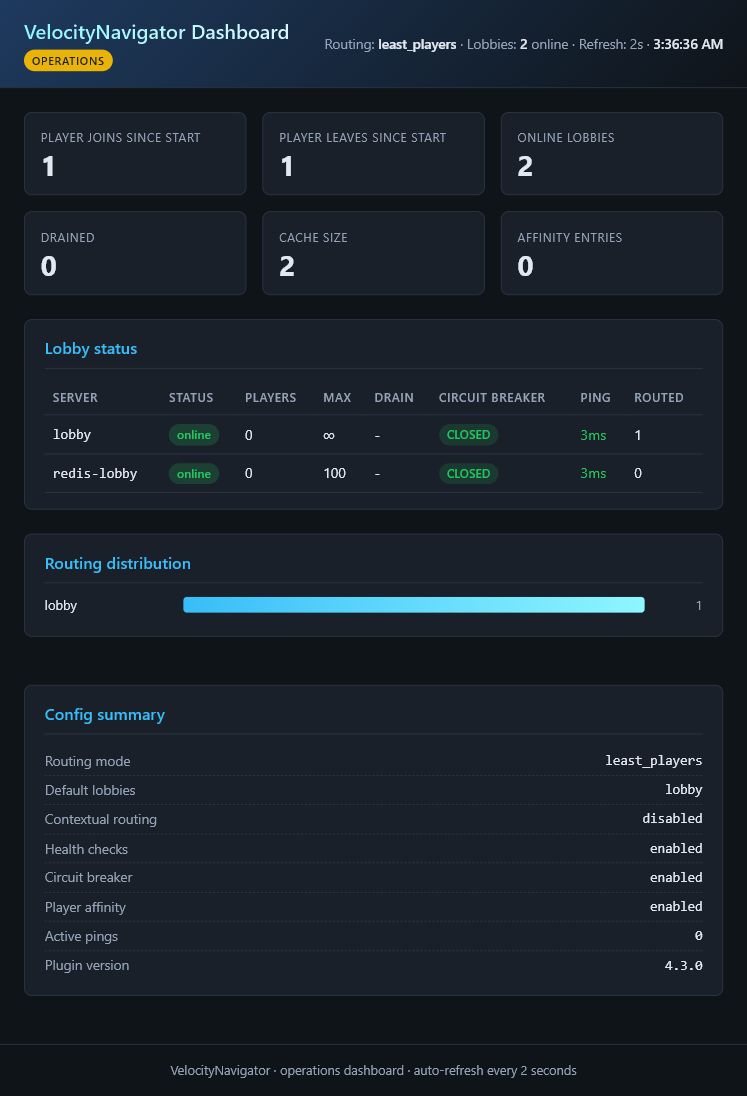
There's a small built-in web dashboard on its own port, behind a bearer token. Lobby table with counts, capacity, latency and circuit state, plus routing distribution charts and sticky session counters.
A /metrics endpoint exports Prometheus format out of the box (routing counts, circuit trips, health check latency, party count, queue depth) if you'd rather watch it in Grafana.
MOTD rotation is in here too: random, sequential or scheduled by time window, with player counts, gradients and maintenance lines.
Two commands worth knowing before you go live:
/vn config validatechecks your config for syntax and semantic problems, and suggests corrections for likely typos/vn menu validatecatches bad slots, unknown materials, duplicate keys and broken placeholders before a player finds them
Languages
Fifteen bundled: en es de fr ru pt_br zh_cn ja ko it nl pl tr ar hi
Add your own .properties file to plugins/velocitynavigator/languages/ and reload. No rebuild needed.
Storage
JSON files, SQLite, MySQL/MariaDB (HikariCP pooling, automatic schema migrations), or PostgreSQL. Holds player data, sticky sessions and auth credentials. Start on SQLite and move later if you outgrow it.
Setup
- Put
VelocityNavigator-4.6.0.jarin your Velocityplugins/folder. - Start the proxy once to generate configs, then stop it.
- Open
plugins/velocitynavigator/navigator.tomland list your lobbies. Names must matchvelocity.toml:
[routing]
selection_mode = "power_of_two"
balance_initial_join = true
default_lobbies = ["lobby-1", "lobby-2", "lobby-3"]

[routing.fallback]
strategy = "disconnect"
message = "<red>All lobbies are currently full or undergoing maintenance.</red>"

[health]
check_interval_seconds = 5
timeout_millis = 2000
circuit_breaker_threshold = 3
circuit_breaker_reset_seconds = 30
- Run
/vn config validatefrom console. - Start up and try
/lobby.
If you want NPCs, YAML menus or the Java selector on your backends, copy the same jar into each backend's plugins/ folder. Nothing else to configure on the proxy side.
Commands
| Command | Permission | Description |
|---|---|---|
/lobby, /hub |
configurable | Route to the best available lobby |
/lobby menu |
configurable | Open the server selector |
/party |
configurable | Party management |
/vn health |
velocitynavigator.admin |
Proxy diagnostics and circuit overview |
/vn servers |
velocitynavigator.admin |
Health, capacity, drain and circuit state per server |
/vn debug player <player> |
velocitynavigator.admin |
Explain a routing decision |
/vn drain <server> |
velocitynavigator.admin |
Stop new joins without kicking anyone |
/vn maintenance [server] [on/off] |
velocitynavigator.admin |
Network or per-server maintenance |
/vn affinity clean |
velocitynavigator.admin |
Purge expired sticky sessions |
/vn bridge status |
velocitynavigator.admin |
Show connected backend bridges |
/vn config validate |
velocitynavigator.admin |
Check configs |
/vn menu validate |
velocitynavigator.admin |
Check menus |
/vn reload |
velocitynavigator.admin |
Reload configs, menus and languages |
Compatibility
Proxy: Velocity 3.4.x (Java 17+), 3.5.x (Java 21+), 4.0.0 (Java 25)
Backend (optional): Paper, Spigot and Folia, 1.16.5 through 26.3
Works with: GeyserMC + Floodgate, PlaceholderAPI, GeoRestrict, MaxMind GeoLite2, Prometheus, Grafana
Links
Found a bug or want something changed? Open an issue or come argue about it in Discord. Feature requests that come with a use case get built first.
Sponsored by Nexeu Hosting

High-performance, affordable Minecraft hosting with NVMe hardware, DDoS protection and 24/7 support.
Sponsors
Looking for high-performance, reliable, and affordable hosting for your Minecraft server proxy? Check out Nexeu Hosting! Premium hardware, instant setup, and 24/7 support.
👉 Get Premium Hosting at nexeu.zip
Information
Pinned Versions
- R1.16–26.33.4–4.2.1
Pages
Members
1
Owner